
Seller with limited table space
You want to photograph whole wallets and a few details without setting up a large space. Start with framing, camera position and room for lighting, rather than choosing the highest magnification.


For photographing a whole wallet on a small table, a compact camera with a fixed lens is a practical choice if you don’t want to change lenses. A mirrorless camera with a kit zoom gives you more options if you might want to use a different lens later. The Consumers’ Association describes compact cameras as having a fixed lens. Canon states that the EOS R50 kit includes an RF-S 18–45mm lens, while the separate RF 35mm macro lens offers a different magnification. So, test the framing, the space available for lighting and what’s included in the kit you choose.
You want to photograph whole wallets and a few details without setting up a large space. Start with framing, camera position and room for lighting, rather than choosing the highest magnification.
You want to capture seams, edges and the texture of the leather clearly. Compare the magnification of the lens you’ll actually use with that of a kit zoom.
You photograph wallets regularly and want to repeat the same crop and lighting. Keeping the camera in a fixed position helps you maintain consistent framing.
When photographing wallets on a small table, your choice and the final crop depend on the distance available, the lens and the space you have for lighting.
Choose this option if: you have little room for equipment and want to try both overview and detail shots without changing lenses.
The trade-off: a fixed lens doesn’t offer the same choice as a mirrorless camera. The OM Digital Solutions manual describes a microscope mode on the Tough TG-7 for shooting from 1 cm away; that doesn’t mean you can fit an entire wallet in the frame from that distance.
Choose this option if: you want to try different crops first and might add another lens later.
The trade-off: check which lens comes with the kit. Canon states that the RF-S 18–45mm offers maximum magnification of 0.16× at 45 mm with autofocus, or 0.26× with manual focus.
Choose this option if: close-ups of seams and leather texture are a key requirement, and you’re happy to use an additional lens and set-up.
The trade-off: a macro lens is a separate purchase. Nikon states that the NIKKOR Z MC 50mm f/2.8 offers 1:1 magnification; check that you can also frame the whole wallet from the distance available.
| What to consider | What to look for when buying | Which consumers |
|---|---|---|
| Fitting the whole wallet in the frame | Try an overview shot from the distance available on your table; check the field of view of the lens you choose. | If I want to photograph the whole wallet and still need room for lighting, I prioritise framing from the distance available to me. Around 30% of consumers put this full shot first. |
| Seams and leather texture | Compare the maximum magnification of the exact lens and try a close-up of a line of stitching. | If I want to show seams and leather texture clearly, I look at the magnification of the lens I’m actually going to use. Around 30% of consumers give detail the highest priority. |
| Consistent colour and cropping | Check whether a stable camera mount will work for you and whether you can repeat your lighting and white balance settings. | When photographing a range of wallets, I want to keep the crops and colours consistent. Around 20% of consumers prioritise repeatability. |
| Complete set-up | Read what’s included in the kit and check which lens and accessories you’ll need for your set-up. | If I want to get started straight away with a usable camera set-up, I check what’s actually included. Around 20% of consumers make a complete set-up their top buying priority. |
A mode for shooting at very close range is designed for details. The field of view needed for a full shot and the space required for lighting are separate considerations.
Test both an overview shot and a close-up from positions that are genuinely possible on your table.
The Canon EOS R50 kit reviewed includes the RF-S 18–45mm; the RF 35mm macro lens mentioned is a different lens.
Check the full model name and what’s included in the kit before comparing lens options.
Image stabilisation won’t automatically keep the camera position and framing consistent across photos of different wallets.
If you’re photographing a range, plan fixed positions for the camera, product, background and lighting.
Canon offers a camera option reviewed here: the EOS R50 with an RF-S 18–45mm kit zoom. The RF 35mm F1.8 MACRO IS STM is a separate lens for more detailed close-ups.
The Z50II can be paired with the separate NIKKOR Z MC 50mm f/2.8 if close-up photography is a key requirement.
The Tough TG-7 is a compact fixed-lens option with a mode for shooting at very close range.
The PENTAX WG-8 from Ricoh Imaging Europe is a fixed-lens alternative to consider alongside an interchangeable-lens camera kit.
This selection includes cameras for photography, including zoom models and Sony mirrorless cameras supplied with a zoom lens. Compare the framing and what’s included with the space available on your table.
 No image available
Optical zoom could be useful if you want to adjust the framing from a fixed camera position. Check that the whole wallet fits within the space available on your table.
The product name lists 12× optical zoom, 4K, 64 MP and WiFi.
 No image available
The product name lists photography as a use. Check that you can get the crop you want from your working distance and still leave enough room for lighting.
The product name lists a 1-inch CMOS sensor, 4K/120fps video and 3-axis stabilisation.
 No image available
The product name lists photography and zoom; try the framing you want at the working distance available on your table.
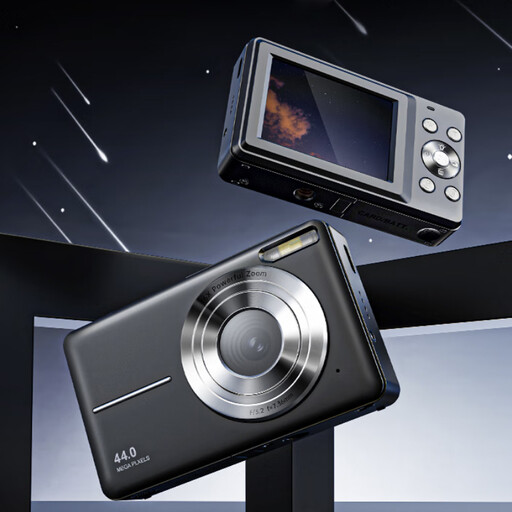
The product name lists 4K, 44 MP and 16× zoom. A microSD card is not included, according to the product information.
 No image available
The supplied zoom lens offers a range of focal lengths for trying different crops from a fixed position; check what will fit on your table.
The product name lists a 16–50mm zoom lens. An SD memory card and adapter/charger are not included, according to the product information.
 No image available
The 16–50mm lens listed offers a range for trying different crops; test whether the framing you want is possible on your table.
The product name lists a 16–50mm f/3.5–5.6 OSS II lens.
No, not for every photo. First decide whether you want to show the whole wallet or enlarge a small detail. The Canon kit zoom reviewed and the separate Nikon macro lens have different stated magnifications; test the crop you need.
Keep the camera and background in the same positions, for example with a suitable, stable set-up. Canon Europe describes a tripod as a way to repeat framing across product photos; check whether it will fit on or beside your table.
Check which lens and accessories are included, then try both an overview shot and a close-up. For online consumer purchases in the Netherlands, ACM ConsuWijzer states that you generally have up to 14 days after delivery to change your mind, subject to legal exceptions. If a product is faulty, the seller is responsible for the statutory guarantee; these consumer rules don’t necessarily apply to business purchases.
Not without permission: according to the Dutch government, you need the creator’s permission to use and publish other people’s copyright-protected photos. It’s best to take your own photos or arrange the necessary usage rights.