For photographing whole trading cards, a fixed, stable set-up with controllable lighting is important; for small print details, the lens’s magnification matters too. Choose a compact camera if ease of use is your priority and you can frame the shot you want, or a mirrorless camera with a suitable close-up or macro lens if you want to capture small details at a larger size. Check the lens, working distance and lighting set-up separately for each option.
Who is this choice relevant to?
Detail checker
You want to capture small lettering, edges or print details in sharp focus. Pay attention to the magnification of the specific lens, the working distance and a stable set-up. Sony Netherlands explains how a lens’s focal length and minimum focusing distance relate to its maximum magnification.
Colour-conscious seller
You take repeatable photos of whole cards for a listing or inventory and want to minimise colour shifts caused by artificial light. A fixed set-up and careful white balance help you use the same shooting settings every time.
Efficient cataloguer
You photograph lots of cards and want to keep handling and separate lenses to a minimum. Compare a camera with a fixed lens against a mirrorless camera, and first check that your chosen set-up lets you frame both the whole card and the details you want.
What should you look for when buying?
Compact camera with a fixed lens
Suitable for: anyone who wants to avoid changing lenses and can frame both the whole card and the close-up they want with the same set-up.
Bear in mind: a short focusing distance alone doesn’t tell you how much of the card will fit in the frame or how much room you’ll have for lights.
Mirrorless camera with a close-up or macro lens
Suitable for: anyone who regularly wants to capture small text, edges or print texture separately and at a larger size.
Bear in mind: magnification depends on the specific lens and isn’t automatically included with a camera body or kit.
Keep your existing camera
Suitable for: anyone who can already capture the whole card in sharp focus and at a large enough size, but wants to improve the lighting or consistency.
Bear in mind: a tripod or different lighting set-up won’t change the magnification or focusing limit of your existing lens.
| What to consider |
What should you check? |
Who is this important for? |
| Small details |
Check the magnification of the specific lens and its focusing distance. Take a test shot of both the whole card and the smallest detail you want to read. |
If I want to check small lettering or details on the edges, I focus on magnification and working distance. Around 33% of consumers make detail rendering their top priority. |
| Colour under artificial light |
Check whether you can set or adjust the white balance. Use a neutral reference under the same lights and keep your set-up consistent. |
If you want a series of card photos taken under the same lights to have consistent colours, focus on white balance and a repeatable process. Around 27% of consumers put colour consistency first. |
| Reflections and hotspots |
Take a test shot with the type of card finish you’ll be photographing. Try adjusting the direction of the light before choosing a different camera body. |
If I want to reduce hotspots or show off a card’s shine, I first want to assess the lighting. Around 20% of consumers prioritise reflection control. |
| Photographing lots of cards |
Check what’s included in the specific offer and whether the chosen lens can frame the shot you want. Compare how many steps are involved in the complete set-up. |
If you want to photograph lots of whole cards, you’ll often prefer a simple, repeatable process to maximum magnification for detail. Around 20% of consumers name this as their top priority. |
The lens is one factor that determines how large small details appear in the frame. Canon gives the RF 35mm F1.8 MACRO IS STM a maximum magnification of 1:2; Nikon gives the NIKKOR Z MC 50mm f/2.8 a magnification of 1:1. These figures apply to the lenses named, not automatically to every kit lens. Nikon also specifies a clearance of around 5 cm between the front of the lens and the subject when shooting close-ups. So check whether you can still position your lights effectively for the framing you want.
A higher resolution won’t automatically get your lighting or white balance right. Start by taking test shots with the card, lights and look you want. Shadow-free lighting can be useful for checking details, but it may show the card’s shine differently from how you want it to appear.
Common buying mistakes
-
Assuming a macro label applies to the entire camera kit
The maximum magnification of 1:2 specified by Canon applies to the RF 35mm F1.8 MACRO IS STM. Nikon specifies 1:1 for the NIKKOR Z MC 50mm f/2.8. These lens specifications don’t automatically apply to a camera body or another kit lens.
Compare the full model name and check which lens is actually included in the offer before taking its magnification into account.
-
Confusing the minimum focusing distance with a practical shooting distance
For close-up photography, Nikon specifies a clearance of around 5 cm between the front of the NIKKOR Z MC 50mm f/2.8 and the subject. This can affect where you’re able to position your lights.
Test the framing and light positions for both the whole card and a detail.
-
Buying a higher resolution to solve hotspots or colour differences
A consistent frame, controllable lighting and white balance are separate parts of taking a photo. A higher pixel count won’t automatically get them right.
First, try a fixed camera position and a neutral white balance reference under the lights you use.
Brands to consider
Canon
Worth considering if you’re looking at an EOS R mirrorless camera and a separate close-up lens.
- Canon specifies 24.2 effective megapixels for the EOS R50 and a maximum magnification of 1:2 for the RF 35mm F1.8 MACRO IS STM.
- The magnification applies to that lens, not the camera body or every kit lens. Check the exact bundle.
Nikon
Worth considering if you want to pair a Z-series mirrorless camera with a separate macro lens.
- Nikon gives the NIKKOR Z MC 50mm f/2.8 a magnification of 1:1.
- Nikon specifies a clearance of around 5 cm between the front of the lens and the subject for close-up photography; check that your lights will still fit.
OM SYSTEM
Worth considering if you want to compare a fixed-lens camera with a mirrorless model that takes interchangeable lenses.
- OM Digital Solutions specifies around 12 million effective pixels and focusing down to 1 cm for the Tough TG-7.
- The minimum focusing distance doesn’t prove that a whole card will fit in the frame in every set-up.
Sony
Worth considering if you want to compare an E-mount mirrorless camera with adjustable white balance.
- Sony lists around 24.2 effective megapixels, RAW and custom white balance for the ILCE-6400.
- These camera body specifications don’t tell you the magnification offered by an unspecified kit lens.
Cameras at Joybuy
This selection includes compact digital cameras and Sony cameras with zoom lenses. Check each offer to make sure the lens and features suit the way you want to frame your cards and your lighting set-up.
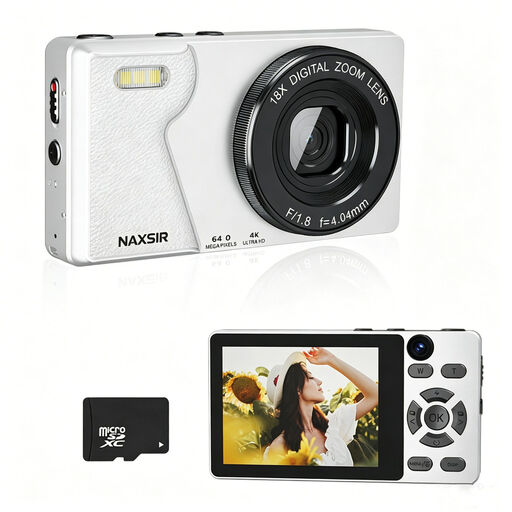 Image unavailable
NAXSIR digital camera 4K Ultra HD, 64 MP, 18× digital zoom, with 32 GB memory card
An option to compare if you’re looking for a compact digital camera with the stated zoom and memory card.
The product name lists 64 MP, 18× digital zoom and a 32 GB memory card.
View at Joybuy
 Image unavailable
Komery W6 camera, 12× optical zoom, Wi-Fi
Worth comparing if you’re looking for a camera with the optical zoom stated in the product name; take a test shot to check whether you can frame the card as you want.
The product name lists 12× optical zoom, 4K and Wi-Fi.
View at Joybuy
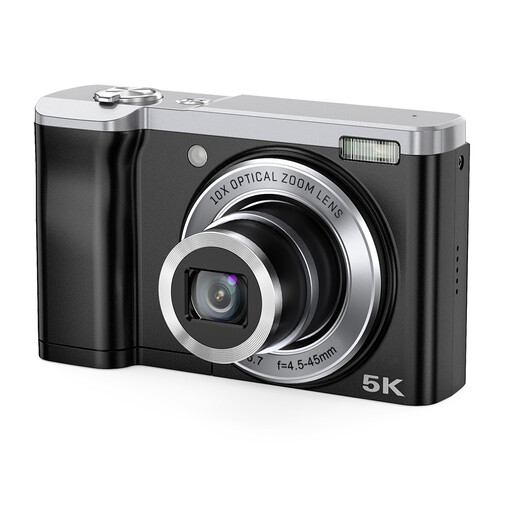 Image unavailable
Songdian 5K camera, 56 MP, 10× optical zoom, black
An option to compare if you’re looking for a camera with optical zoom; check that your chosen set-up can capture the card and details clearly.
The product name lists 56 MP, 10× optical zoom and front and rear cameras.
View at Joybuy
 Image unavailable
Sony ZV-E10 with 16–50mm zoom lens, black
Worth considering if you want to compare a Sony camera with the stated zoom lens; check whether the lens can manage the close-up framing you want.
The product name lists a 16–50mm zoom lens.
View at Joybuy
 Image unavailable
Sony Alpha A6100 with 16–50mm f/3.5–5.6 OSS II lens
An option to compare if you’re looking for a Sony camera with the stated zoom lens; check your framing and lighting with a test shot.
The product name lists a 16–50mm f/3.5–5.6 OSS II lens.
View at Joybuy
Frequently asked questions
Do I need a separate macro lens to photograph a whole trading card?
Not necessarily. First, check whether your current lens can capture the whole card in sharp focus and at a large enough size from the working distance you want to use. A macro lens is mainly useful if you want to capture small details separately and at a larger size; the stated magnification applies to the specific lens.
How can I keep photos of successive cards consistent under artificial light?
Use a fixed camera and lighting set-up, and take a white balance reference under the lights you’ll be using. A neutral reference can give you a different result from automatic white balance, particularly in mixed lighting.
Do I need to consider a separate lens with a mirrorless camera?
Check what’s included in the specific offer. The Canon RF 35mm F1.8 MACRO IS STM and Nikon NIKKOR Z MC 50mm f/2.8 are lenses listed separately; their magnification doesn’t automatically apply to any camera body or kit lens.
What are my rights when buying online or if a product is faulty?
For distance purchases, you generally have a 14-day cooling-off period, according to the Dutch Government; exceptions apply, and the rules also depend on the seller. ACM ConsuWijzer explains that your statutory guarantee depends on what you could reasonably expect from the product under normal use. A manufacturer’s guarantee doesn’t replace this statutory right.


