Choose based on the smallest details you want to capture filling the frame, and how much room you need around the figure for lighting. A compact camera with close-up modes keeps your kit simple; a mirrorless camera lets you choose a suitable macro lens, but check the mount and whether the lens is included in the bundle. Whichever you choose, a stable lighting set-up, white balance and the depth of field you want all matter.
Who is this choice relevant to?
Miniature painter who wants to show off the details
You want to bring paintwork, faces or equipment into close-up, and weigh magnification against the space left for your lights. Canon and Nikon specify different magnification ratios for their individual macro lenses.
Collector comparing colours
You photograph several figures under artificial light and want to stop variations in lighting or white balance affecting how their colours compare. Canon explains that different light sources have different colour characteristics.
Hobby photographer with a small set-up
You want to photograph figures on a tabletop without having to choose a separate macro lens straight away. OM SYSTEM lists macro modes and an integrated lens for the TG-7.
What should you look for when buying?
Compact camera with close-up mode
Choose this if: you want to photograph figures and details without changing lenses. OM SYSTEM lists macro modes and a fixed lens for the TG-7.
Bear in mind: an integrated lens limits your future lens choices. Also check that you can get the framing you want without the camera blocking the light.
Mirrorless camera with a macro lens
Choose this if: you want to select a specific magnification and lens for small painted details. Canon specifies a maximum magnification of 1:2 for the RF 35mm F1.8 MACRO IS STM; Nikon specifies 1:1 for the NIKKOR Z MC 50mm f/2.8.
Bear in mind: the stated magnification applies to that lens, not automatically to every camera body or kit lens. Also check the mount and what’s included in the bundle.
Existing camera and shooting set-up
Choose this if: the whole figure already fits comfortably in the frame. Start by trying a stable set-up, suitable white balance and controlled lighting.
Bear in mind: changing your set-up won’t increase the maximum magnification of your existing lens. You may need a series of shots to achieve greater depth of field.
Compare the exact lens and complete set-up, not just the camera body: for close-ups, magnification, working distance and the space for your lights all matter.
Canon explains that different light sources have different colour characteristics. For colour comparisons, keep your lighting set-up consistent and adjust the white balance to match. Canon says RAW images can give you the flexibility to adjust white balance afterwards.
| Consideration |
What to look for |
Who it matters to |
| Magnifying small details |
Check the magnification of the exact lens or close-up mode, and its working distance. Canon specifies a maximum magnification of 1:2 for the RF 35mm F1.8 MACRO IS STM; Nikon specifies 1:1 for the NIKKOR Z MC 50mm f/2.8. For this lens, Nikon gives a working distance of around 5 cm at the closest focusing distance. |
If I want paintwork details to fill the frame, I look at both magnification and space for my lights. Around 29% of consumers put magnifying details at the top of their buying priorities. |
| Keeping colours consistent |
Check the white balance settings and, if you want to edit your images, RAW support on the exact model. Keep the lighting consistent between comparison shots. |
When I want to compare the colours of figures, I want to avoid changing light making the paintwork look different. Around 29% of consumers prioritise colour control. |
| Keeping the whole figure in focus |
Check whether the exact camera supports focus bracketing or focus stacking, and how the images are combined. Canon describes focus stacking as combining images taken at different focus points. |
If I want the figure sharp from front to back, I consider the focus method I’ve chosen and any post-processing involved. Around 21% of consumers put depth of field at the top of their priorities. |
| Keeping your kit simple |
Check whether the lens is fixed or interchangeable, and what the bundle includes. A camera body or standard kit doesn’t automatically include the macro lens you want. |
If I want to get started quickly on a tabletop, I weigh up a simple set-up against the option to change lenses later. Around 21% of consumers prioritise ease of use and a smaller kit. |
Buying pitfalls
-
Comparing only camera bodies for detail shots
Maximum macro magnification applies to a specific lens; it doesn’t automatically apply to a camera body or standard kit.
Check the exact bundle contents, lens mount and magnification of the lens you actually plan to use.
-
Confusing minimum focusing distance with working distance
The distance at which a lens can focus isn’t the same as the clear space in front of it. If space is limited, the camera or lens may get in the way of your lights.
Check the working distance at the magnification you want to use, and make sure your lights have a clear view of the figure.
-
Assuming a wide aperture will keep the whole figure in focus
Depth of field can be shallow in close-ups. Letting in more light won’t automatically bring the whole figure into focus.
Decide how much of the figure needs to be sharp and check the focus options on the exact camera. Focus stacking may require several shots and post-processing.
A series of focus points can mean taking extra shots and spending time combining the images.
-
Assuming the manufacturer’s warranty covers all your legal rights
The Dutch government says there is no fixed statutory warranty period in the Netherlands, and that the retailer is your point of contact if a product is faulty.
Read any additional warranty terms separately, and keep information about your purchase and the retailer.
Relevant camera brands
Canon
EOS R is a mirrorless camera option for anyone who wants to pair a camera body with a separately chosen RF or RF-S lens.
- Canon lists support for RF and RF-S lenses on the EOS R50 and a maximum magnification of 1:2 for the RF 35mm F1.8 MACRO IS STM.
- The lens isn’t automatically included with every EOS R50 kit; Canon doesn’t list in-body sensor-shift image stabilisation.
Nikon
The Z mirrorless cameras are an option for anyone who wants to choose a camera body and a separate Z macro lens.
- Nikon specifies 1:1 magnification for the NIKKOR Z MC 50mm f/2.8.
- Nikon gives a working distance of around 5 cm for this lens at its closest focusing distance. Make sure you leave room for your lights; the lens isn’t automatically included with the camera body.
Sony
The E-mount is an option for anyone who wants to pair an APS-C camera body with a separate E-mount macro lens.
- Sony describes the E 30mm F3.5 Macro as a 1:1 macro lens.
- In its macro guide, Sony gives a working distance of around 3 cm. This can limit the room available for lighting; check the minimum focusing distance in the documentation for the exact model.
OM SYSTEM
The TG-7 is a compact option with an integrated lens and macro modes, so there’s no need to choose a separate lens.
- OM SYSTEM lists a 12-megapixel sensor, RAW shooting and macro modes for the TG-7.
- The lens isn’t interchangeable. Manufacturers’ descriptions of image quality aren’t independent test results.
Panasonic
LUMIX G offers mirrorless cameras such as the DC-G97, as well as separate G macro lenses, for anyone considering a Micro Four Thirds set-up.
- Panasonic lists the DC-G97 as a mirrorless camera and names the LUMIX G Macro 30mm f/2.8 as a separate macro lens.
- Don’t assume a bundle includes the macro lens or supports a particular stacking function; check the exact model and what’s included.
Cameras at Joybuy
These camera options at Joybuy are products to compare against the set-up you want. Before buying, check that the exact model is suitable for the close-ups, colour control and lighting you need.
 No image available
4K Mini Action Camera with Clip, 1.54-inch Display
The product title lists a photo function; check whether it can capture the close-ups you want of your figure and whether the camera blocks your lights.
The title lists a 1.54-inch display, a 140° viewing angle, app control, an LED light and a 1200 mAh battery.
Joybuy
 No image available
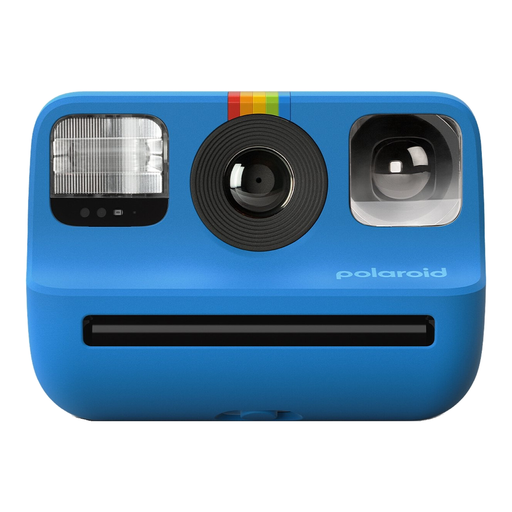
Polaroid Go Gen 2 Blue
This instant camera is an option to compare if instant prints suit the way you work; also check whether it can take the close-ups you want.
The product information lists a built-in flash and self-timer. The camera uses Polaroid Go film for instant prints.
Joybuy
 No image available
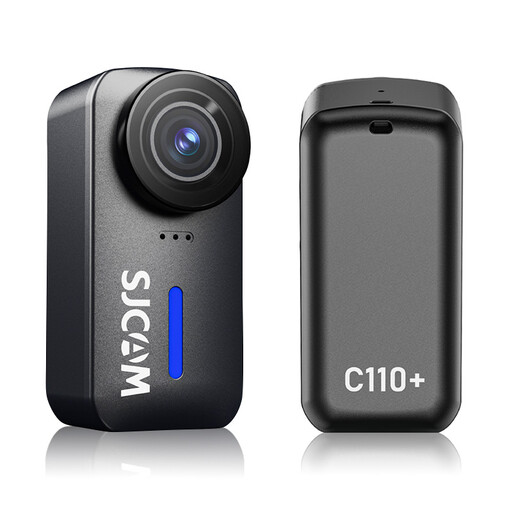
SJCAM C110+ 4K action camera
The product information lists photo capture; check whether it can achieve the framing and focus you need for your figures.
The description lists photos up to 20 MP and adjustable white balance and ISO. The title gives a 170° viewing angle.
Joybuy
 No image available
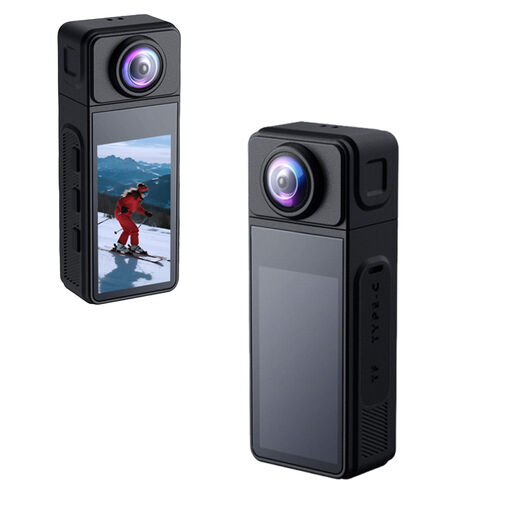
KINSI Mini Action Cam 2K
The product information lists a photo function; check whether the framing will suit the details you want to capture on your figures.
The title lists a 270° rotating lens, a 1.86-inch IPS display, Wi-Fi, a TF card slot and a USB-C connection.
Joybuy
 No image available
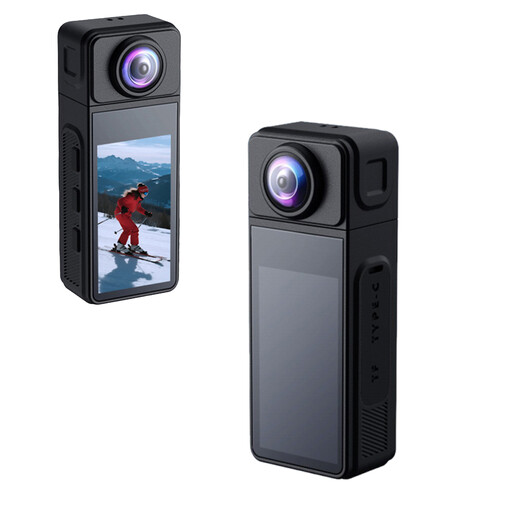
NAXSIR 2K Mini Action Camera
The product information lists a photo function; check in advance whether the camera can frame the details you want to capture on your figures.
The title lists a 270° rotating wide-angle lens and electronic image stabilisation.
Joybuy
Frequently asked questions
Do you always need a macro lens to photograph a whole toy soldier?
No, not always. First decide whether you want the whole figure or a small part to fill the frame. For small details, check the magnification and working distance of the exact lens or close-up mode; the camera body alone doesn’t determine these.
How can you stop paint looking a different colour under your lights?
Keep your lighting set-up consistent and adjust the white balance to match. If you want to edit RAW files, you can also adjust the white balance afterwards; check that your chosen camera model supports RAW shooting.
What can you do if only the front of the figure is in focus?
Set up the camera and figure on a stable surface, then decide how much depth of field you need. You can combine several shots taken at different focus points; check which steps your exact camera model supports.
How can you protect a camera on a painting table?
Protect the camera and lens from paint and dust, and follow the instructions for your exact model when cleaning them. Don’t use care instructions for a waterproof compact camera as general guidance for mirrorless cameras or separate lenses.
What are your rights in the Netherlands if a camera bought online is faulty?
The retailer is responsible for ensuring the product is of satisfactory quality. The Dutch government says there is no fixed statutory warranty period in the Netherlands, and what you can expect depends on factors including the product. In many cases, distance selling also gives you a 14-day cooling-off period; check the terms that apply to your purchase.


