What should you look for when choosing?
First, check whether you can fit the square into the frame from where you usually stand. Then think about how you want to capture moving people, and whether portability, rain protection or the contents of the complete kit matter most to you.
| What to consider |
What should you check? |
Who is this most important for? |
| Capturing the whole square |
Compare the angle of view in full-frame equivalent terms and consider whether you can fit enough into the frame from where you’re standing. Canon gives a full-frame equivalent range of 29–72 mm for the RF-S 18–45 mm; the Ricoh GR IV has a fixed angle of view of approximately 28 mm, according to Ricoh Imaging Europe. |
If you want to capture buildings and paving together but can’t step further back, the wide-angle setting should be your first consideration. Around 31% of consumers prioritise a wide view of the square. |
| Moving passers-by |
Check the shutter speed controls and the maximum aperture of your chosen lens, including at the long end of a zoom. Nikon explains that a faster shutter speed captures less movement. Stabilisation in a lens or camera body reduces camera shake, not people’s movement. |
If you want to photograph people walking without motion blur, look at shutter speed and lens settings rather than relying on stabilisation alone. Around 25% of consumers give top priority to keeping moving people sharp. |
| Carrying your camera |
Compare the weight of the complete setup, including the lens, rather than just the body. Canon gives an approximate weight of 375 g for the black EOS R50 with a card and battery, but without a lens. |
If you’re carrying your camera throughout a walk, a fixed lens may be more practical than bringing extra lenses. Around 19% of consumers prioritise portability. |
| Photographing in the rain |
Check the weather protection and usage conditions for both the specific camera body and the lens. OM System states that the OM-5 Mark II body is IP53-certified; this specification does not automatically apply to every lens combination. |
If you want to keep taking photos in a shower, check the protection offered by the complete setup, not just the body. Around 13% of consumers make rain protection their top priority. |
| The complete camera kit |
Check whether you’re buying a body or a kit, and which lens, battery and memory card are included. Canon and Nikon describe the cameras mentioned as kits with a zoom lens; the contents may vary between offers. |
If you want to know in advance what else you’ll need to start taking photos, compare what’s included in each complete kit. Around 12% of consumers focus mainly on the overall camera system package. |
Joybuy products related to this topic
These Joybuy products are related to photography and wide-angle or panoramic capture. Some models are designed for 360° or video recording; check whether this style of photography suits a standard overview photo of a town square.
 No image available
Osmo Pocket 4P Standard Combo, black
The product information mentions a wide-angle lens; check whether its angle of view suits the square you want to photograph.
20 mm f/2.0 wide-angle lens and 1-inch CMOS sensor.
The description mentions 4K video and a rotating screen.
View at Joybuy
 No image available
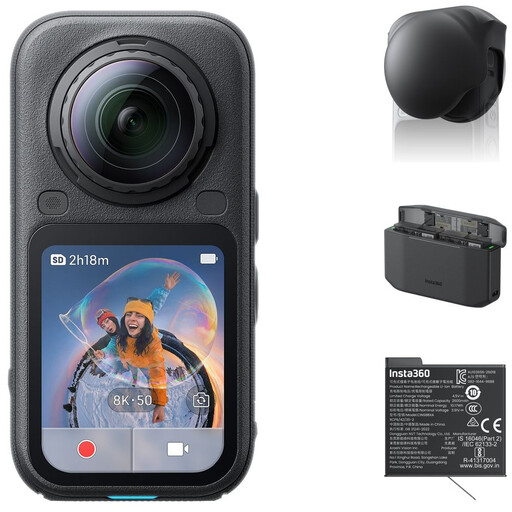
Insta360 X6 All-in-One Bundle
360° capture is different from a standard overview photo; consider whether you specifically want to capture everything around you.
The bundle includes a lens cap, extra battery and Fast Charge Case.
The product description mentions two 1/1.1-inch sensors and 120MP 360° photos.
View at Joybuy
 No image available
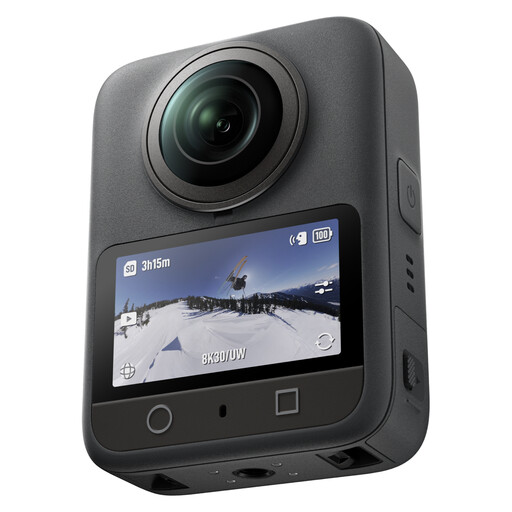
DJI Osmo 360 Standard Combo
This model is described as suitable for 360° photos and video; consider whether that suits the composition you want to create of the square.
The product description mentions a 1-inch sensor and 120MP 360° photos.
Also listed: 8K/30fps 360° video.
View at Joybuy
 No image available
DJI Osmo Pocket 3
The product information mentions use for still images; check whether this compact camera format suits the way you like to take photos.
1-inch CMOS sensor and 4K/120fps video.
The description mentions 3-axis gimbal stabilisation, fast focusing and a weight of 179 g.
View at Joybuy
Frequently asked questions
What should I do if the cloudy sky is much brighter than the buildings?
After taking a test shot, check the highlights and the histogram. If necessary, adjust the exposure for the area where you want to retain detail. Exposure compensation is available in suitable camera modes. There’s no single adjustment that works for every square.
Does image stabilisation automatically keep passers-by sharp?
No. Image stabilisation is designed to reduce camera shake; shutter speed also affects how a passer-by’s movement is captured. Adjust the settings if you want to capture that movement sharply.
Can I publish photos of a square that show identifiable people?
That depends on the circumstances and how you use the images. The Dutch Data Protection Authority (Autoriteit Persoonsgegevens) distinguishes between images you keep for private use and those you publish more widely. Privacy rules may apply when people are identifiable. If you’re taking photos on behalf of a business or organisation, you’ll need a legal basis under the GDPR to take and publish identifiable images. Consent isn’t automatically the only possible legal basis.
Who should I contact about a fault with a camera bought in the Netherlands?
Report a possible fault to the seller first. According to ACM ConsuWijzer, your legal right to a product that meets expectations depends on what you could reasonably expect with normal use. A commercial warranty period doesn’t automatically limit your legal rights.
What should I check after using my camera in damp weather?
Before taking photos in the rain, check the usage instructions for both the camera body and the lens. A weather-protection claim for the body alone, such as the IP53 rating for OM System’s OM-5 Mark II, doesn’t automatically apply to every lens combination.


