
Online shop owner selling colour-critical fabrics
You take consistent product photos and want to show fabric colours as accurately as possible. Controlling the white balance and following a consistent process can help.


For folded textiles photographed in window light, a camera with adjustable white balance and RAW capture is useful if colour consistency matters. For showing the weave in detail, the lens and focusing distance are particularly important. A new camera body won’t automatically fix changing window light or an unsuitable lens, so first check what your current set-up can do and which lens is included with the offer.
You take consistent product photos and want to show fabric colours as accurately as possible. Controlling the white balance and following a consistent process can help.
You want to capture seams, patterns or texture close up, as well as the folded textile. That’s why it’s worth paying attention to your choice of lens and its minimum focusing distance.
You want to take useful product photos with the equipment you already have, and first work out whether the lighting set-up, lens or camera is holding you back.
First, decide whether you mainly need consistent colours, close-ups or a full shot in a limited workspace. Then check whether your lens and lighting set-up can handle the job before choosing a different camera body.
| What to consider | What to look for | Who should prioritise this? |
|---|---|---|
| Consistent fabric colours | Check whether you can set the white balance and shoot in RAW. RAW files need post-processing. | If I want to keep fabric colours consistent across several product photos, I need to be able to control the white balance. Around 36% of consumers say colour consistency is their top priority. |
| Weave and finish | Check the minimum focusing distance and magnification of the exact lens. | For close-ups of the weave, seams or labels, I need to know whether the lens can focus at close range. Around 29% of consumers say showing detail is their top priority. |
| Framing by the window | Measure the available working distance and check that the zoom range can fit the entire stack in the frame. | If there’s limited space between the window, table and camera, I still need to be able to frame the whole stack. Around 21% of consumers prioritise working space and framing. |
| Making the most of your current equipment | Check whether your existing camera and lens can capture the framing and detail you want. If you’re buying a new body, compare the included lens too. | I want to work out whether the light or the lens is limiting my photos before replacing my camera. Around 14% of consumers want to avoid unnecessary replacements. |
A higher resolution won’t, by itself, determine whether fine weaves are captured sharply or fabric colours stay consistent as the window light changes.
First decide whether you want to photograph the whole stack, take close-ups or do both. Then assess the lens, white balance settings and your process.
A camera model may be available as a body-only option or with different lens bundles. The model name alone doesn’t tell you which lens you’ll get.
Check the full product name, the included lens and the lens mount for the specific offer. If you buy a body-only option, you’ll need a compatible lens to take photos.
The same consumer rules don’t automatically apply to business purchases. Business.gov.nl states that business customers don’t have the statutory consumer right to cancel, and that different guarantee rules apply.
Before placing your order, check who you’re entering into a contract with, who the seller is and which terms apply to your purchase.
The EOS R50 is an APS-C mirrorless camera with an RF/RF-S mount, for anyone who wants to assess the body and lens separately.
The Z50II is a DX-format mirrorless camera with a Z mount, for anyone who wants to compare an adjustable screen and lens bundles.
The α6400 is an APS-C mirrorless camera with an E mount. Versions may vary between body-only and bundles that include a lens.
The X-S20 is an APS-C camera with an X mount, for anyone who wants to factor in in-body image stabilisation.
These camera options can be a useful starting point. For textile photography, pay particular attention to the focusing distance, lens and white balance controls.
 No image available
For textile close-ups, check whether the camera meets your requirements for focusing distance and framing.
The product name lists a DJI Pocket 3 camera and a Ulanzi storage case.
 No image available
For still textile photos, it’s a good idea to first check whether the camera and lens can capture the close-ups you want.
The product name lists a 1″ CMOS sensor, 4K/240fps, 107GB of built-in storage and a tilting 2″ screen.
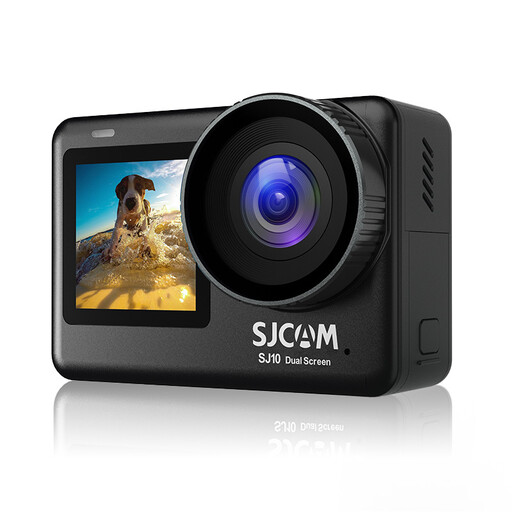 No image available
Check whether this action camera suits the still shots you want to take and whether its lens can focus close enough to capture fabric details.
The product name lists 4K video, a 2.33-inch touchscreen and a 1.3-inch selfie display.
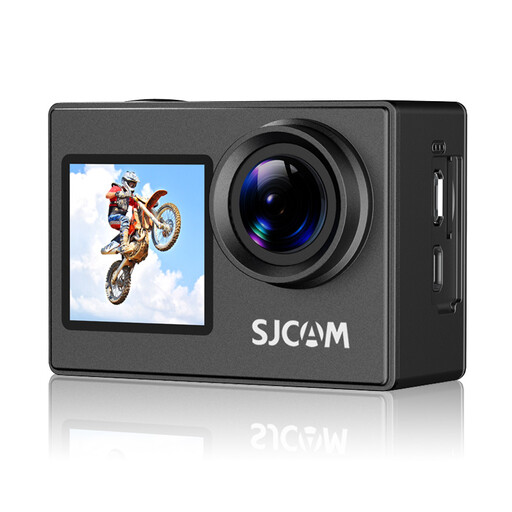 No image available
For textile photos, it’s important to check that the lens and focusing distance suit the composition you want.
The product name lists 4K video, a 170° wide-angle lens and photos up to 16 MP.
 No image available
For textile photos, assess whether the camera can capture the detail and framing you want; the product name alone doesn’t tell you whether it’s suitable for close-ups.
The product name lists 6-axis gyro stabilisation, dual screens and 4K video at 30fps.
Not necessarily. First check whether colour casts or changing exposure are the problem, and adjust the white balance if needed. Keep your lighting set-up as consistent as possible; a higher resolution or new camera body won’t automatically fix changing window light.
Set up the textile and camera securely, then check the composition, focus and white balance with a test shot. If you shoot in RAW, you’ll need to process the files before the final image is ready.
Not automatically. ACM ConsuWijzer explains the statutory guarantee for consumers; Business.gov.nl states that different guarantee rules apply to business purchases. Before ordering, check whether you’re buying as a consumer or entering into a business contract, and who the seller is.
Not without checking first: make sure you have the rights or permission to use the image. KVK points out that photos are protected by copyright and can’t simply be copied for a business website.