
Stamp-carving detail filmer
Your main priority is to show the carving and fine cut lines clearly. So, look for a camera that can focus at the distance it will be positioned above your work surface.


Start by checking the focusing distance at the point where the camera will sit above your work surface. A sharp image of fine carving lines and enough room for your hands matter more than high resolution alone. For a fixed setup recording through a computer, an adjustable USB document camera may suit your needs; if you also want to film away from your desk, consider a standalone camera. For every model, check the working distance, mounting options and the connection or storage you’ll need.
Your main priority is to show the carving and fine cut lines clearly. So, look for a camera that can focus at the distance it will be positioned above your work surface.
You want a consistent overhead view, but need to keep the camera and its mount clear of the space for your hands and cutting mat.
You want to use the camera away from your regular workspace too, and are happy to consider the extra mounting and accessories this may require.
Best for: a fixed workspace where you want to record footage through a computer.
Bear in mind: the computer, software and stand all need to suit your desk and recording distance.
Best for: anyone who already records through a computer and also wants to use the camera for calls or streams.
Bear in mind: pointing a webcam down at your desk won’t automatically give you a straight overhead view or a sharp close-up.
Best for: anyone who wants to film other scenes or record away from their desk as well as carving.
Bear in mind: you’ll need to arrange a stable overhead mount and check that the working distance suits your desk.
Best for: anyone who also wants to shoot other types of video or photography and change lenses.
Bear in mind: the lens, what’s included in the bundle and the mounting options all help determine whether the setup is suitable for close-ups.
For stamp carving at a small desk, image quality and ease of use depend on the distance to the stamp, the free space around your cutting mat and how you plan to record.
| What to consider | What to look for when buying | Who is this important for? |
|---|---|---|
| Sharp, fine cut lines | Measure the distance between the lens and the work surface, then compare it with the specification for the exact model or chosen lens. | I want to see the fine carved lines clearly and can set the camera at the right distance; around 36% of consumers put sharp, fine cut lines first. |
| Clear workspace and overhead view | Measure your desk, cutting mat and available overhead clearance; work out where the camera can stand or be clamped without blocking your hands or the light. | If the camera gets in the way of my hands or cutting mat, a sharp image isn’t enough; around 29% of consumers prioritise a clear workspace and stable overhead view. |
| Recording through a computer | Check the USB connection, operating system and recording software for the exact camera model. | I want to connect the camera to my existing computer and record there; around 21% of consumers prioritise straightforward recording through a computer. |
| Use away from the workspace | Also check the lens or fixed focal length, mounting options, power and storage for the footage you want to capture. | For anyone who wants to film scenes beyond their usual desk setup, versatility matters most; around 14% of consumers make use away from the workspace their main priority. |
High resolution won’t automatically give you a sharp image if the camera can’t focus at the distance available.
Compare the focusing distance of the exact model or lens with your planned setup, and check that you’ll have room to move your hands freely.
Your monitor’s position can affect the viewing angle and the space available for your work, even if the webcam can show your desk.
Test or map out the viewing angle from where you plan to position the monitor before choosing a webcam as your only solution.
The minimum focusing distance of a mirrorless camera depends in part on the lens. A standalone camera also needs a suitable setup for filming above your cutting mat.
Check what’s included with the exact bundle and which additional items you’ll need for your planned recording setup.
You may need to buy a suitable lens, memory card or overhead support separately, so check what’s included in the bundle.
The V4K PRO is a USB document camera for adjustable, computer-based recording of your work surface.
The MX Brio is a webcam for desk recording and use with a computer.
The Link 2 is a computer webcam with a tilting gimbal and support for an OBS setup.
The ZV-1F is a standalone compact camera for anyone who wants to film other scenes as well as their workspace.
The Osmo Pocket 3 is a portable standalone camera for additional footage beyond a fixed desk setup.
The EOS R50 is a mirrorless camera option for anyone who also values photography or wants to use other lenses.
This selection includes cameras for video, including vlogging, 360°, action and conference cameras. For each model, check that the focusing distance, mounting options and connections suit overhead recording at a small desk.
 No image available
The title describes this model as a vlogging camera; check whether it can focus at the distance to your stamp and how you’ll mount it above your desk.
The product description mentions a 1-inch CMOS sensor and a 20mm f/2.0 lens.
According to the product description, 4K/240fps is only available in slow-motion mode.
 No image available
The title describes this model as a vlogging camera; separately assess whether the working distance and an overhead mount will suit your stamp recording setup.
The product description mentions a 1-inch CMOS sensor and a 20mm f/2.0 lens.
According to the product description, 4K/240fps is only available in slow-motion mode.
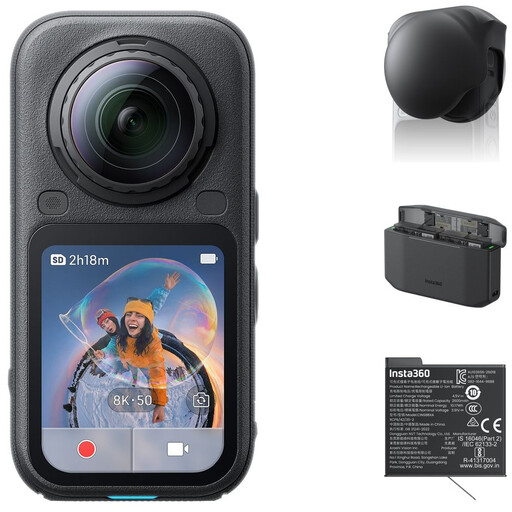 No image available
The product description mentions 360° video; check whether this recording format and the crop you’ll need suit your view of the work surface.
The product description lists 8K 50fps 360° video, 5K 60fps and 4K 120fps in traditional action camera mode.
 No image available
The product title mentions a clip for hands-free POV recording; this position isn’t the same as filming straight down onto your cutting mat.
The title lists a 1.54-inch screen, a 140° field of view, app control, an LED light and a 1200 mAh battery.
The product description says it can record video at up to 4K.
 No image available
The product description mentions connection to conference software; check whether this works with your recording software and the camera position you want.
The product description lists 4K video, pan, tilt and zoom controls, and 12x optical zoom. It can be mounted on a display, tripod or ceiling.
According to the product description, the camera weighs 1.79 kg and must be securely attached to a support that can bear its weight.
No, 4K alone isn’t enough. First check whether the camera can focus at the actual distance between the lens and the stamp. Sony specifies focusing from approximately 5 cm in front of the lens for the ZV-1F; DJI lists a focusing range from 0.2 m for the Osmo Pocket 3. These distances alone don’t determine how large the stamp will appear in the frame.
Check the connection and software instructions for the exact model. IPEVO specifies USB-A for the V4K PRO and explains how to select the camera in compatible software for the V4K document camera range. Insta360 provides separate OBS setup steps for the Link 2.
Check the preview to make sure the stamp and the movement of your carving tool remain visible, and that your arms don’t block the light or camera. Measure the distance to the work surface before choosing a support; with mirrorless cameras, the focusing distance depends in part on the lens.
An extended warranty isn’t compulsory. According to the Government of the Netherlands, consumer purchases are covered by a legal guarantee and the seller must resolve issues with faulty products; in the Netherlands, there is no fixed legal guarantee period of two years. When you buy online from a business, you will often have a 14-day cooling-off period, subject to legal exceptions.
According to the Dutch Data Protection Authority, private recordings that you keep to yourself or share only with a very limited circle fall under the exemption for personal or household use. If identifiable people appear in footage you share with a wider audience, that exemption doesn’t apply; you’ll need a legal basis under the GDPR to process the footage, often consent. So, point the camera and microphone at your own work surface, and consider separately whether you can publish the footage.