What should you look for when buying?
First decide how large you want details to appear in the frame and how much space you need for lighting. Then choose between a fixed lens, a separate macro lens or your existing camera with an adjusted lighting set-up.
Compact camera with a fixed lens
Choose this option: if you want to keep your equipment to a minimum and the built-in close-up mode can frame both the sculpture and the details you want to capture.
Bear in mind: you can’t change the lens. When shooting close up, also check that the camera doesn’t cast a shadow over your work.
Mirrorless camera with a macro lens
Choose this option: if you want to capture small textures individually at a large scale, or choose your own lens and shooting distance.
Bear in mind: a macro lens isn’t automatically included with the camera, and the lens-to-subject distance can affect how much room you have for lights.
Your existing camera with a better set-up
Choose this option: if your current camera already gives you the framing you want, but the colour, reflections or shadows still need attention.
Bear in mind: changing your lighting set-up won’t increase your lens’s optical magnification.
| Consideration |
What to look for when buying |
Who is this important for? |
| Magnifying fine details |
Check the maximum magnification of the specific lens and the working distance at that magnification. |
If I want to capture a small texture or inscription at a large scale, I look at both magnification and the space left for my light. Around 31% of consumers prioritise showing small details. |
| Capturing depth in focus |
Check whether the areas you want are in focus with your chosen settings, and whether the camera model has focus bracketing or a similar feature. |
If I want to show the front and back of a three-dimensional piece in focus, I allow for a stable set-up and any extra steps involved in a focus stack. Around 25% of consumers prioritise depth of field. |
| Showing colour and material |
Check whether the model supports RAW images and adjustable white balance; take a reference shot under the lights you’ll be using. |
If the material and colour need to look consistent in my photos, I use a fixed lighting set-up and a colour reference. Around 25% of consumers prioritise colour reproduction and clear lighting. |
| A compact set-up |
Check that the camera comes with a suitable lens and that the camera, tripod and lighting will fit in your workspace. |
When I’m working at a small table, I want to be able to set up and put away my equipment easily. Around 19% of consumers value a compact, practical set-up above all. |
National Museums Scotland recommends switching off other ceiling lights when using LED lighting to limit mixed light. A directional light source and reflector can help keep the shape and shadows visible; a grey card provides a colour reference under the lighting you’re using.
The stated magnification applies to a specific lens, not automatically to a camera body or kit lens. Canon lists 0.5× for the RF 85mm F2 Macro IS STM; Nikon and Sony list 1:1 for the macro lenses mentioned. These figures describe lens magnification, not how well a complete sculpture will be photographed under your lights.
Cameras at Joybuy
These camera options are identified as suitable for photography in their product names or details. For each model, check that the focusing distance and framing work for small sculptures, and that there’s enough room for your lighting.
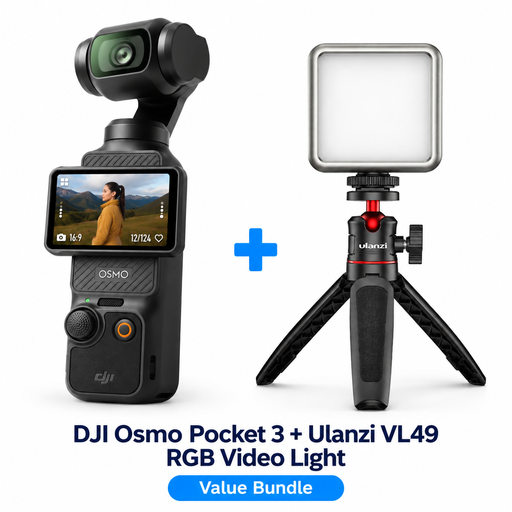 Image unavailable
DJI Osmo Pocket 3 Creator Combo + Ulanzi VL49 RGB LED Video Light
Worth considering if you’re looking for a camera with extra lighting; check that it can frame your sculpture as closely as you need.
The bundle name includes a Ulanzi VL49 RGB LED Video Light.
View at Joybuy
 Image unavailable
DJI Osmo Pocket 4 Standard Combo
Consider this model if you’re looking for a compact camera. For small sculptures, check that the focusing distance and framing you want are suitable.
The product name lists a 1-inch CMOS sensor and 2× lossless zoom.
View at Joybuy
 Image unavailable
DJI Osmo Pocket 3
A camera to consider if you’re looking for a compact model; check that the focusing distance works for your small subject and the framing you want.
The product name lists a 1-inch CMOS sensor.
View at Joybuy
 Image unavailable
Songdian Pocket Camera 4K 44MP, pink
Check whether the camera gives you the framing you want and whether its close-up distance is suitable for the details of your sculpture.
The product name lists 4K, 44 MP and 16× digital zoom.
View at Joybuy
 Image unavailable
Sony ZV-E10 + 16–50mm Zoom, black
A mirrorless camera with a zoom lens to consider if you want to try different framings; check that the lens can focus close enough for your subject.
The product details list a 24.2 MP APS-C sensor and an included 16–50mm zoom lens.
View at Joybuy
Frequently asked questions
Do I need a 1:1 macro lens for the whole sculpture?
Not necessarily. First decide whether you want to fill the frame with the whole sculpture or a small detail. A higher maximum magnification is mainly useful for small details; also check that you can stand far enough back for wider shots.
How can I get started with artificial light without flattening the shape?
Start with one directional light source and a white reflector. National Museums Scotland explains how shadows can help show curves, while a reflector can bring out details on the shadow side. Switch off other coloured ceiling lights to limit mixed light.
How can I keep colours consistent between photo sessions?
Take a shot with a grey card or colour reference under the lighting you’re using, and check the white balance. National Museums Scotland and the Canadian Heritage Information Network describe colour references or a custom white balance as part of colour management. RAW images give you room to edit, but they don’t replace a consistent lighting set-up.
Can I get the whole sculpture in focus in one photo?
It depends on the sculpture, shooting distance and settings you choose. Check whether the front and back are in focus as desired; for close-ups, focus stacking can help capture more depth in focus. Canon Europe describes this technique and lists focus bracketing on the EOS R50; the sculpture must remain stable while you take a sequence of shots.
What if a camera I buy online doesn’t meet my expectations?
For an online consumer purchase, you generally have 14 days from delivery to change your mind, subject to legal exceptions; the ACM ConsuWijzer explains this cooling-off period. If a product is faulty under normal use, your legal guarantee is separate from any manufacturer’s warranty. Contact the seller if there’s a fault.


