
Creator filming pages from above
You want to show your whole sketchbook and your hand movements from a fixed home setup. Framing and mounting will affect your choice; IPEVO, Logitech and Insta360 describe different desk setups for this purpose.


For a fixed view of your sketchbook, a document camera or downward-facing webcam is a sensible choice. If you also want to film yourself, choose your own lens or use external audio, consider a camera with interchangeable lenses. Before you buy, check that the whole page fits in shot, fine lines stay sharp and the camera works with your computer or editing software.
You want to show your whole sketchbook and your hand movements from a fixed home setup. Framing and mounting will affect your choice; IPEVO, Logitech and Insta360 describe different desk setups for this purpose.
You want to discuss fine lines, paper texture or colour differences, so you need to check the focus and image quality on a page of your own. The image specifications quoted by IPEVO and Logitech are manufacturer claims.
You want to switch between showing the page and your face, or add clear spoken commentary. Connections and controls during recording are then worth considering; Canon and Logitech describe audio and presentation features.
Best for: filming pages and hands from a fixed workspace using a computer.
Keep in mind: IPEVO’s V4K requires computer software; the highest stated resolution and frame rate cannot both be achieved at their maximum settings.
Best for: switching between speaking on camera and showing your desk while using a computer.
Keep in mind: a software-based desk mode does not guarantee a straight overhead view of your whole sketchbook.
Best for: filming yourself, connecting external audio or choosing a lens to suit your working distance.
Keep in mind: the lens, working distance and mount all need to work together; a camera body or kit lens does not guarantee a usable view of the whole page.
Best for: recording without a fixed computer setup, if you do not need interchangeable lenses.
Keep in mind: a built-in stand will not automatically position the camera directly above a sketchbook.
| What to consider | What should you check? | Who is this important for? |
|---|---|---|
| The whole page in shot | Measure your open sketchbook and check the framing, space for your hands and any shadows with the mount you plan to use. | If you mainly want to show a full page and your hand movements, suitable framing is important; around 36% of consumers prioritise an overhead view. |
| Lines and colour | Make a test recording from the intended distance, using both a light and a dark page. Check the edges of the image too, and keep the studio lighting consistent. | If you want to discuss fine pencil lines or colours, check the image using a page of your own; around 29% of consumers prioritise drawing details. |
| Spoken commentary | Decide whether your face will be on camera, test how clearly you can be heard from your speaking distance, and check whether you can connect an external microphone if you want to use one. | If your commentary needs to come across clearly and you want to switch between the speaker and the page, audio is a factor; around 21% of consumers prioritise spoken presentation. |
| Recording process | Check whether you need a computer and software, or what power supply, recording mode and tripod mount are required for your chosen camera. | If you mainly want a setup that suits your home studio, consider the equipment and controls you will need; around 14% of consumers prioritise a straightforward recording setup that meets their needs. |
For the IPEVO V4K, the stated maximum resolution is 3264 × 2448 pixels at 15 fps; Full HD is listed at up to 30 fps. So the resolution and frame rate depend on the recording mode you choose.
Check which combination your recording software uses, and watch a test recording of pages being turned.
Insta360 distinguishes between DeskView, a temporary corrected view of the desk, and a separate overhead mount.
Test the framing with a book of your size and check that your hands do not cover important details.
A camera with interchangeable lenses needs a suitable lens, while a built-in stand will not automatically position a camera directly above a book.
Check the model and plan the working distance, mounting and audio as one complete setup.
Document cameras for desk work; the V4K is worth considering for a fixed computer setup.
Webcams for computer recording; according to Logitech, the MX Brio has a mode for desk work.
Webcams with a software-based desk mode; the Link 2 is worth considering if you want to switch between your face and your workspace.
The EOS R50 V offers a camera setup with interchangeable lenses; the PowerShot V10 has a fixed lens.
The ZV-E10 II is an option with interchangeable E-mount lenses for creators who want to adapt their studio setup.
This selection includes webcams for computer recording and a Sony camera with an interchangeable lens. Check that each model suits the way you want to film your sketchbook.
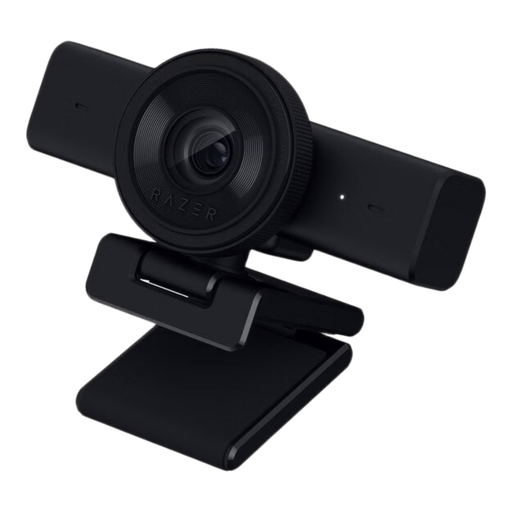 No image available
A webcam to consider if you record using a computer and want to adjust the framing to suit your workspace.
The product title lists 1440p, 1080p at 60 FPS, USB and black.
 No image available
A webcam to consider if you want to record a sketchbook review using a desktop computer.
The product title lists 4K UHD, 8 MP, autofocus and two built-in microphones. Check the picture and sound quality in your own setup.
 No image available
A webcam to consider if you record on a PC or laptop and a desktop or laptop clip suits your setup.
The product title lists 2K QHD, a noise-cancelling microphone, a clip and silver finish.
 No image available
A camera with an interchangeable lens to consider if you also want to film yourself during a review; check that the lens and working distance capture the whole page.
The product title lists a 16–50 mm lens. According to the product information, an SD memory card and adapter/charger are not included.
 No image available
A webcam to consider if you want to record a view of your desk using a computer; test whether the framing suits your sketchbook.
The product title lists 4K, a 1/2-inch sensor and HDR. The product information states that ARM-based Windows systems are not compatible.
No. Insta360 describes DeskView as a temporary view of your desk with perspective correction, and distinguishes it from a separate overhead mount. Check with your own book that the whole page and your hands are clearly visible.
Check whether the camera needs software on your computer and whether that software works with your recording programme. According to IPEVO, the IPEVO V4K requires software on a computer or laptop. For a fixed setup, also test stability, framing, focus and lighting before you start recording.
ACM ConsuWijzer states that online purchases generally come with a statutory cooling-off period of up to 14 days after delivery; exceptions may apply. In the Netherlands, the legal guarantee is not automatically limited to two years: according to ACM ConsuWijzer, it depends on what you can reasonably expect from the product.
If other identifiable people appear in the video and you publish it more widely than for personal or household use, the Dutch Data Protection Authority says this exemption does not apply. You must then check which GDPR legal basis applies to your publication; according to the regulator, consent is the appropriate basis in many cases.
Do not assume you can simply publish someone else’s copyright-protected work. The Dutch government explains that you generally need the creator’s permission; a private copy must not be made public. Check separately whether you have permission or whether an applicable exception applies before publishing.