
Overhead review creator
You want to film pages and hands turning them without a tripod taking up your small work surface. So first, decide where you can mount the camera.


Start with the camera angle and mounting: the entire open sketchbook and your hands need to fit in shot without a mount taking up your small work surface. A webcam is a good fit for recording via a computer; a compact camera can record independently, while a gimbal camera is most useful if you also want to capture moving shots. Then test focus at the actual distance between the lens and the paper. Autofocus alone doesn’t guarantee that both the details and the full spread will be in focus.
You want to film pages and hands turning them without a tripod taking up your small work surface. So first, decide where you can mount the camera.
You want lines and areas of colour to stay sharp at your actual recording distance. Check the focusing distance, field of view and lighting in your own setup.
You want to explain as you go while showing the pages. Choosing between recording via a computer and filming independently affects where you can position the camera and microphone.
A good fit if: you already record via a computer and can position a screen or mount suitably in relation to the table.
Bear in mind: your setup will need the computer and a USB connection. Insta360 describes DeskView as a software-corrected view of the table, not a physical overhead mount.
A good fit if: you want to record without a computer and can position the camera near the book using a suitable mount.
Bear in mind: a built-in stand or tripod mount doesn’t guarantee you’ll be filming directly above the page.
A good fit if: you want to capture moving shots as well as footage of your table.
Bear in mind: you’ll still need a suitable mount and camera angle for a steady, fixed overhead shot.
| What to consider | What should you check? | Who is this most important for? |
|---|---|---|
| Clear work surface and camera angle | Measure the space available and check that the mount and framing leave room for the book and your hands. | If I want to film an open book and hands turning the pages without crowding my small work surface, the mount is my main consideration; around 36% of consumers prioritise a stable overhead view with clear space to work. |
| Sharpness and page details | Test a full spread and a close-up at the actual distance between the lens and paper. Insta360 states that the Link 2 autofocuses from 10 cm; DJI specifies a focusing range starting at 0.2 m for the Osmo Pocket 3. | If I want fine lines and areas of colour to remain clear, I test focus at the distance I’ll actually be filming from; around 29% of consumers prioritise legible drawing and paper details. |
| Speech and recording workflow | Record a test clip while speaking and turning pages; check that your computer, recording software and any microphone work with the camera you’ve chosen. | If I want to explain as I turn the pages, I need my recording workflow and audio setup to work well together; around 21% of consumers prioritise clear commentary and simple recording. |
| Portability and alternative angles | Decide whether you’ll also film handheld and check which mount, power supply and microphone you’ll need. | If I want to use the same camera away from my fixed table setup, I weigh portability against a stable mount; around 14% of consumers prioritise portability and different camera angles. |
Insta360’s DeskView corrects the view of the table, but it doesn’t change the position of the lens.
First, frame a test shot with the whole open book and your moving hands in view.
You may still need a suitable mount for a fixed overhead setup.
The minimum focusing distance varies by lens. Insta360 states that the Link 2 autofocuses from 10 cm; DJI specifies a range starting at 0.2 m for the Osmo Pocket 3.
Compare the distance between the lens and paper with the specifications for the exact model, then test the finest details on video.
The Canon PowerShot V10’s stand doesn’t guarantee a directly overhead view, while a webcam requires a computer-based workflow.
Before buying, compare the complete setup and how much space it takes up on and around the table.
Depending on the option you choose, you may need a separate mount or external microphone.
The Link 2 is a webcam option for recording via a computer and capturing occasional views of your table.
The PowerShot V10 is a compact camera that can record independently and be positioned on a suitable stand or mount.
The ZV-1 II is a compact camera with a zoom lens, for creators who want to switch between filming themselves and the book.
The Osmo Pocket 3 is a gimbal camera for anyone who wants to capture moving shots as well as footage of their table.
The MX Brio is a webcam option for recording via a computer when you also want to show notes or sketches on your desk.
Consider webcams for recording via a computer and compact cameras as potential options for a small-table setup. For each model, check the mounting options, focus at your preferred distance and room for your hands.
 No image available
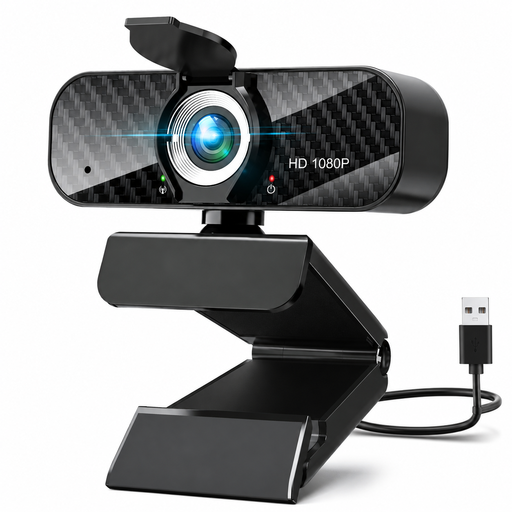
An option to consider for recording via a computer at a small table; check that the tripod stand fits where you want to place it.
The product description lists 1080p video recording at 30 fps, a 120° lens, a rotatable lens and a flexible tripod stand.
 No image available
A compact camera option to consider if you want a mini tripod and flexible framing; test for yourself whether your chosen angle captures the whole book.
The product name lists a 330° rotating lens, a 1.72-inch touchscreen and Wi-Fi. The product description lists a weight of 84 g and a mini tripod.
 No image available
A webcam option for recording via a computer; check that the clip fits your chosen screen or another mounting point.
The product name lists 4K UHD video, autofocus, an 8MP camera, dual built-in microphones and a privacy shutter. The product description lists a USB-A connection and a universal clip.
 No image available
A camera option to consider if you want to switch between filming yourself and an object during a review; test focus and framing at the distance from the table.
The product description lists 4K video, Product Showcase Setting, a tilting screen and an included 16–50mm zoom lens. Sony says that the minimum focusing distance for zoom lenses can vary depending on the zoom setting.
 No image available
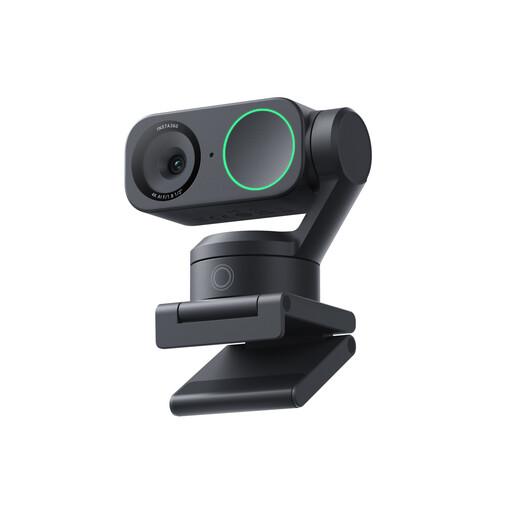
A good fit for a computer-based workflow if you want to try DeskView for an occasional view of your table; also check whether the corrected view works at your distance and with your framing.
The product name lists PC/Mac compatibility and a 1/2-inch sensor. Insta360 specifies autofocus from 10 cm; the product description lists 4K video, HDR and DeskView.
Not without testing your setup. Canon lists tilt angles for the PowerShot V10’s stand, as well as a tripod mount. Try it with an open book to check whether you can get a usable frame without blocking your workspace.
Record a test at your planned distance between the lens and paper, first capturing the whole page and then a close-up. Compare that distance with the specifications for the exact model; Sony says that the minimum focusing distance for zoom lenses can vary depending on the zoom setting.
Check whether you need a mount, memory card, power supply or microphone, and what’s included in the bundle you’ve chosen. The equipment you need depends on your recording workflow and where you want to mount the camera.
That depends on the images and how you share them. According to the Dutch Data Protection Authority, the exception for personal or household use doesn’t apply when recognisable images are shared outside a limited private circle; you’ll need a lawful basis under the GDPR. This isn’t an issue simply because you’re filming your own sketchbook.
Don’t assume there’s a general exemption. Auteursrecht.nl explains that a quotation must be relevant to the content and make up only a small part of the whole; an image used purely for decoration doesn’t automatically qualify. Consider the specific use and credit the source before publishing.