What should you consider when choosing?
Compact camera with fixed lens
Choose this if: you want to use a single camera and the close-up function, framing and working distance of the exact model suit both the cover and small signs of wear.
Bear in mind: a fixed lens limits your choice of focal length and filter attachment. OM SYSTEM lists a close-up focusing distance of up to 1 cm for the Tough TG-7; that alone doesn’t tell you whether an entire book cover will fit in the frame.
Mirrorless camera with interchangeable lens
Choose this if: you want to show small areas of damage as well as wide shots, and would like to choose a lens or compatible polarising filter yourself.
Bear in mind: an extra lens, filter or fixed set-up may need more preparation. The Canon EOS R50 and Sony ILCE-6400 use different lens systems, so check which lens is included separately.
Adjust your existing camera and lighting first
Choose this if: your current camera already captures the title and relevant signs of wear clearly, but the glossy cover reflects light sources. Try moving the light source and camera, and softening the light.
Bear in mind: a different set-up takes space and time. A suitable polarising filter can reduce reflections from non-metallic surfaces, but it won’t necessarily remove all glare.
Compare your lighting set-up first, then choose between a fixed lens, an interchangeable-lens system or your existing camera.
| What to consider |
What should you check? |
Who is this important for? |
| Reflections on the cover |
Try a different lighting and camera angle. If using a filter, check that it fits the exact lens or adapter. |
I want the title and condition to remain clear, even when a glossy cover reflects light. Around 36% of consumers prioritise reducing reflections. |
| Small details |
Use the exact combination to take both a wide shot and a sharp close-up at your intended working distance. |
I want to show small areas of damage to a corner, spine or cover as well as the whole book. Around 29% of consumers prioritise capturing details like these. |
| Consistent workflow and transfer |
Check that you can position the camera steadily and find out how to transfer photos from the exact model. |
I photograph several books and want to repeat the framing and transfer images easily. Around 21% of consumers say this is their top priority. |
| Required accessories |
Check what’s included in the exact kit and whether you can reuse any equipment you already own. Also check the lens’s filter thread size. |
I want a practical set-up for both wide shots and close-ups, without unnecessary extras. Around 14% of consumers say avoiding the need to buy extra equipment is their top priority. |
Products for your lighting set-up
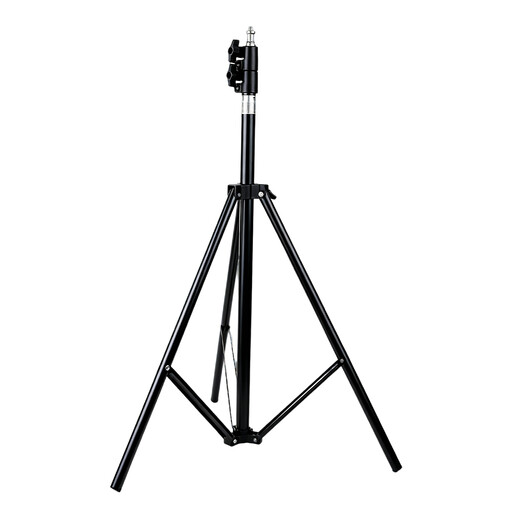
This product is intended to support your lighting set-up when photographing glossy books. The product shown is a lighting stand, not a camera or light source.
 No image available
Adjustable lighting stand for studio lights
The adjustable stand is designed to position compatible studio lights and softboxes. It doesn’t soften the light or reduce reflections by itself.
Foldable design with telescopic pole; packed size approximately 67 cm; black.
Use the stand on a firm, level surface, with the legs fully extended and the locks tightened.
View at Joybuy
Frequently asked questions
Will a polarising filter always help with a glossy cover?
No. Canon says a circular polarising filter can reduce reflections from non-metallic surfaces, but it won’t necessarily remove all glare. First try a different lighting and camera angle, then check that the filter fits the exact lens or adapter.
How can you keep a series of book photos consistent?
Use a stable set-up and keep the position of the camera and book as consistent as possible. For each book, check that the title, corners and any damage are sharp and visible, without distracting patches of reflected light.
When buying a camera online in the Netherlands, do you always have 14 days to change your mind?
No, there are exceptions. According to ACM ConsuWijzer, for an online consumer purchase the cooling-off period usually ends 14 days after delivery. According to ACM ConsuWijzer, if you use the purchase mainly or exclusively for business, you aren’t automatically covered by consumer protection.
Who can help if a camera doesn’t work properly?
For a consumer purchase, ACM ConsuWijzer says the seller must offer a suitable solution if the camera doesn’t perform as you could reasonably expect under normal use. If you use the purchase mainly for business, consumer rights don’t automatically apply.
Can you use an existing photo of a book or publisher in your listing?
Don’t simply reuse someone else’s photo: KVK points out that photos may be protected by copyright. It’s best to take your own photo of the copy you’re selling. If the cover itself shows protected material, check whether publishing that image in your particular listing is permitted; the Dutch government website explains the general rules for using protected works.


