
Creators with a fixed game board
If you mainly want to film gameplay and rules from above, measure the whole playing area, allowing room for hands to move. IPEVO gives the V4K a maximum capture area of 342 × 255 mm.


If you mainly film a stationary board from above, start with a setup that fits the whole game into the frame, such as a document camera or a camera on a tripod. A webcam is a better fit if you record at a computer and want to appear on camera yourself. Consider a mirrorless camera for a range of portfolio videos, but check the lens, mounting options and audio capabilities. A pocket camera is handy for extra footage on the move, but isn’t automatically suitable for showing an entire board in one fixed shot.
If you mainly want to film gameplay and rules from above, measure the whole playing area, allowing room for hands to move. IPEVO gives the V4K a maximum capture area of 342 × 255 mm.
If you want to switch between showing yourself and the parts of the board on the table while recording at a computer, check that the webcam gives you the framing you need on your desk. Logitech describes a Show Mode for the MX Brio, in which the webcam tilts downwards; OBS supports a webcam as a video source.
If you want to film from other angles as well as explaining games, a camera with interchangeable lenses could suit your approach. Canon supports RF and RF-S lenses for the EOS R50; Sony describes the ZV-E10 II as compatible with interchangeable E-mount lenses.
Suitable when: gameplay and hands are the main focus, and the whole board fits within the capture area.
Trade-off: the IPEVO V4K connects to a computer via USB; IPEVO specifies Full HD live video at up to 30 fps.
Suitable when: you record at a computer and want to switch between showing yourself and part of the board.
Trade-off: a downward-facing webcam doesn’t guarantee that the whole board or small text will be clearly visible. Test the actual height and framing.
Suitable when: you want to film other portfolio angles as well as the game board and put the setup together yourself.
Trade-off: the lens and mounting position you choose both affect the framing. Check the exact version and make a test recording.
Suitable when: you want to capture extra mobile footage as well as a fixed explanation.
Trade-off: a fixed lens and gimbal aren’t a substitute for an overhead mount. Check that the board, hands and text are visible from your filming height.
| What to consider | What to look for | Who should pay particular attention? |
|---|---|---|
| The whole board in frame | Measure the board, allowing room for hands to move. Compare it with the capture area or test the framing at the height you plan to use. | If I want to show the whole game in progress, I don’t want cards or hands disappearing out of shot. Around 36% of consumers prioritise full board coverage. |
| Legible details | Record a test clip from the planned distance and check small text and symbols in the final video file. | If I’m explaining small game components, I want the text and symbols to remain recognisable. Around 29% of consumers prioritise legible details. |
| Clear audio | Record speech from your actual filming position and listen back. If necessary, check whether you can use a suitable external microphone. | When I explain the rules from my place at the board, I want viewers to be able to follow what I’m saying. Around 21% of consumers prioritise clear speech. |
| The complete setup | Check the included lens and accessories, the mounting you’ll need, and whether you want to record independently or with a computer. | If I want to use the camera for other portfolio videos too, I weigh up that versatility against what the complete setup involves. Around 14% of consumers prioritise versatility and the complete setup. |
For the IPEVO V4K, IPEVO lists a maximum image resolution of 3264 × 2448 pixels, as well as Full HD live video at up to 30 fps. These are different specifications.
Compare the specifications for the actual recording mode and check a test file featuring small game text.
A lens mount alone doesn’t determine whether the whole board will fit in the frame from your filming position.
Check the exact version and what’s in the box, measure the working distance and decide in advance how you’ll position the camera above the board.
A suitable lens and stable mount may be separate parts of the setup. Check what’s included with the version you choose.
A webcam that tilts downwards or a gimbal doesn’t guarantee that the whole board will fit in the frame from directly above.
Test the framing at your intended height, with the board and hands in motion.
You may need a separate mount for a fixed overhead shot of the board; check whether your setup already includes one.
How clearly you can be heard depends in part on the distance between you and the camera. A built-in microphone won’t necessarily suit every recording position.
Record speech from the spot where you’ll be filming and listen back before deciding whether you need extra audio equipment.
A suitable external microphone may be a separate purchase. First check whether the built-in microphone gives you the results you need.
The V4K document camera is designed for fixed tabletop recording via a computer.
The MX Brio is a webcam for creators who also want to film themselves at a computer.
The EOS R50 is a mirrorless camera option for portfolio videos filmed from different angles.
The ZV-E10 II is a video-focused mirrorless camera with interchangeable E-mount lenses.
The Osmo Pocket 3 is aimed at creators who want to capture mobile footage as well as fixed explanations.
This selection includes compact pocket cameras for extra footage and webcams for computer or tripod setups. Check whether the whole board will be in frame from the position you plan to use for each model.
 No image available
This portable camera is handy for capturing extra footage for your portfolio; the product title mentions a storage case.
 No image available
This pocket camera is designed for video recording; the description lists a 20 mm f/2.0 lens and 4K video. According to the description, 4K/240 fps is for slow motion only.
 No image available
This pocket camera is designed for video recording; the description lists a 20 mm f/2.0 lens and 4K video. According to the description, 4K/240 fps is for slow motion only.
 No image available
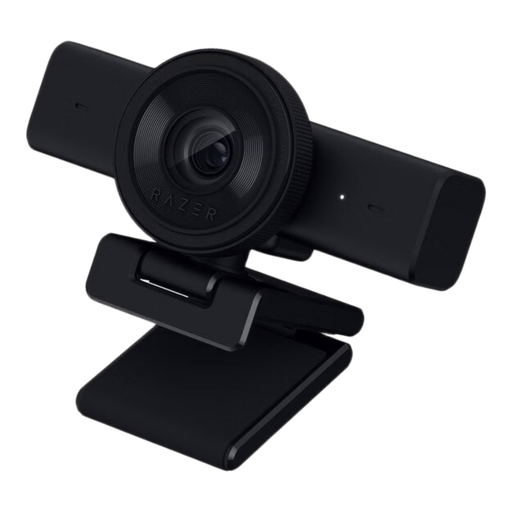
The webcam is designed for computer recording and, according to the product description, has a built-in stereo microphone.
The description lists 1440p at 30 fps, 1080p at 60 fps and a tripod thread. Check the framing from where you plan to mount the webcam.
 No image available
The webcam is designed for PC use and, according to the product description, has dual microphones and comes with a tabletop tripod.
The description lists 4K, 1080p at 60 fps, a 75° field of view and USB-A/USB-C connections. Test whether the field of view covers the whole board on your desk.
No. The 4K label alone doesn’t tell you whether the smallest text in your video will be legible. Check with a test recording in the actual recording mode; IPEVO lists different maximums for the V4K’s image resolution and Full HD live video.
Connect the webcam to a suitable computer and add it as a video source in OBS. Then set the framing and make a test recording. Logitech describes a Show Mode for the MX Brio that points the webcam downwards, but this doesn’t guarantee that every board will fit.
If you buy as a private consumer in the Netherlands and have a problem, you can contact the seller about getting a product that works properly. According to the Dutch government, there is no fixed statutory guarantee period; a manufacturer’s guarantee is additional.
Privacy rules may apply when you publish images of identifiable people online. The Dutch Data Protection Authority states that organisations need a legal basis to publish personal data, and that consent is required in most cases. Establish which legal basis applies to your specific portfolio, or keep other people out of shot.
Don’t assume material is free to use just because it’s online. KVK explains that images and videos may be protected by copyright; check that you have the necessary usage rights for material that isn’t yours.