
Occasional book seller
Wants to show books clearly without buying extra equipment straight away, and first checks whether their current device can take the photos they need.


You don’t automatically need a separate camera to take clear photos of second-hand books against a plain background. Start with your current phone or camera and check that it captures the whole cover, spine and signs of wear in sharp focus. If you photograph books regularly or want an interchangeable lens and more control over framing, compare complete mirrorless camera kits, paying attention to the lens, working distance and what’s included. Canon UK recommends using a tripod to keep your composition consistent; good lighting and an uncluttered background are important too.
Wants to show books clearly without buying extra equipment straight away, and first checks whether their current device can take the photos they need.
Wants to capture the whole book as well as its spine, stains, wear and any other relevant details clearly.
Photographs books one after another and wants a practical set-up that keeps the framing roughly the same each time.
Best suited to: taking the occasional book photo, provided your device can capture sharp overall and close-up shots.
The trade-off: you don’t need to buy a camera, but you’ll need to check for yourself whether small text and damage are captured clearly enough.
Best suited to: photographing regularly and wanting an interchangeable lens or more control over framing.
The trade-off: compare the complete kit and check that the lens can capture both the entire cover and the details from the distance available to you.
Best suited to: avoiding the need to manage interchangeable lenses, provided a specific model can take the overall and close-up shots you need.
The trade-off: you can’t change the lens, so check the range and focusing performance of your chosen model at your working distance.
| What to consider | What to look for | Who it matters to |
|---|---|---|
| Clear overall photos | Take a test photo of the whole cover and check that the title and edges are in focus. See whether the lens can frame the entire book from the distance available to you. | When I photograph a book, I want the whole cover and title to be clear. Around 36% of consumers give clear overall photos the highest priority. |
| Visible signs of wear | Try taking separate photos of the spine and damaged areas. Check whether the lens can focus on these details from your working distance. | When I consider wear relevant to a sale, I want to show those areas separately and clearly. Around 29% of consumers prioritise condition details. |
| Consistent photos | Check whether the camera can be positioned securely and whether you can see and maintain the framing as you change books. | When photographing a series of books, I don’t want to work out the composition from scratch each time. Around 21% of consumers consider a repeatable process the most important factor. |
| Low start-up costs | Test your current device first. If you’re buying a new camera, compare the complete kit and check whether you’ll need an extra lens or other items for your set-up. | If I only sell books occasionally, I want to keep extra costs and complexity to a minimum, as long as the photos are clear. Around 14% of consumers prioritise low start-up costs and ease of use. |
An overall photo doesn’t always show what the spine or a damaged area looks like.
As well as photographing the whole cover, take close-ups of any relevant signs of wear.
A mirrorless camera has an interchangeable lens, but what’s included varies from kit to kit. A body-only option won’t automatically include the lens you need for your set-up.
Check exactly what’s included and whether the lens can capture both the whole cover and the details you want to show.
A separate lens or equipment for a fixed set-up may mean extra purchases, so check what comes with the kit.
A sensor specification doesn’t prove that a shot will be sharp in your circumstances, or that the background and lighting will look right.
Assess test shots of similar books and check focus, lighting and background before treating extra resolution as a reason to buy.
The EOS R50 is worth considering if you’re looking for a mirrorless camera with an interchangeable lens.
The ZV-E10 is a mirrorless camera to compare if you want an interchangeable lens for uses beyond book photography too.
The Z50II is an alternative to consider if you want an electronic viewfinder and interchangeable lenses.
The LUMIX G100D kit is a mirrorless camera option for comparing lens range and handling.
These Joybuy cameras are models to consider for photographing second-hand books. For each model, check that the lens, focusing and working distance suit your overall and close-up shots.
 Image unavailable
The title mentions an included tripod, which may be useful if you want to create a fixed set-up. Check whether you can use it to position the camera securely above your background.
The title lists a 330° rotating lens and a 1.72-inch touchscreen.
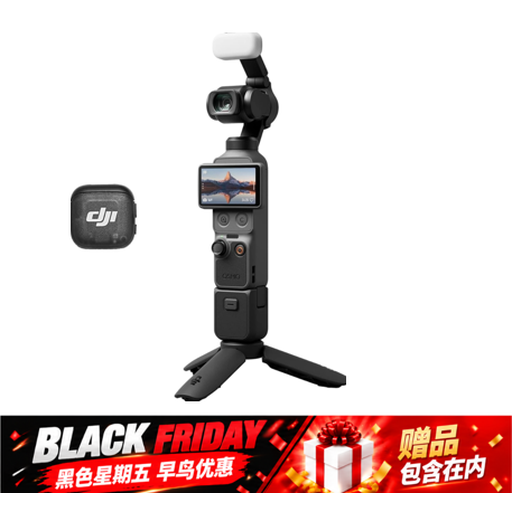 Image unavailable
The title mentions a handle with a 1/4″ thread. Check whether it suits the way you want to position the camera for book photos.
The title lists a 1″ CMOS sensor and 107 GB of built-in storage.
 Image unavailable
The title describes a compact digital camera. Check with test shots whether the model can capture both the entire cover and signs of wear in sharp focus from your working distance.
The title lists 80 MP and 18X zoom. These specifications alone don’t determine whether the photos will suit your book set-up.
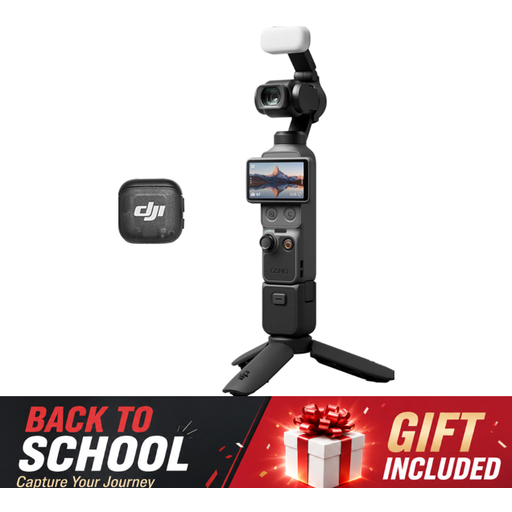 Image unavailable
The product title describes a small camera for photography. Take a test shot of a book to see whether the fixed set-up and framing work for your needs.
The title lists a 1″ CMOS sensor and fast focusing.
 Image unavailable
This mirrorless camera with an interchangeable kit lens may be a good option if you want to adjust the framing. Check that the lens range suits the books from your working distance.
Sony lists an APS-C sensor with approximately 24.2 effective megapixels and an E-mount. The kit listing mentions a 16–50mm lens and a tilting screen.
Not necessarily. Start by taking test shots with your current device and check that the whole cover and any signs of wear are clearly visible. A separate camera system is worth comparing mainly if you photograph books regularly or want an interchangeable lens.
Use an uncluttered background and plenty of light, and photograph the book both in full and close up. Canon UK recommends using a tripod to keep your composition consistent; check the final photo for focus and shadows too.
First check whether the version includes a lens and what other accessories you’ll need for your set-up. When buying online from a business, you’ll often have a 14-day cooling-off period, including for second-hand products, according to the Dutch government; the same distance-selling rules don’t apply in the same way when buying from a private individual. The Netherlands Authority for Consumers and Markets states that statutory guarantee periods in the Netherlands aren’t fixed.
Don’t assume you can publish someone else’s photos or book text without permission. The Dutch government states that using copyright-protected work may require permission; it’s best to take your own photos of the copy you’re selling.