
Artists filming with a phone
Would you like to stay by your pastel paper while controlling the recording? Check both the video function and how the device mounts above your work. SmallRig describes this function for the 3838 with most smartphones.


First, choose based on the device you’re filming with, then check whether the control can start and stop video recording on your exact camera model or phone and camera app. A phone control may suit a smartphone set-up; the Canon, Nikon and Sony controls are designed for supported cameras, while the DJI remote control is for specific Osmo models. Bluetooth or a photo button alone doesn’t prove that video recording will work.
Would you like to stay by your pastel paper while controlling the recording? Check both the video function and how the device mounts above your work. SmallRig describes this function for the 3838 with most smartphones.
If you want to control an existing Canon, Nikon or Sony camera remotely, check the remote control against your exact camera model. Canon Netherlands, Nikon Netherlands and Sony Netherlands describe features that vary by model.
Would you like to start or stop recording from your workspace with a supported Osmo camera? DJI lists specific Osmo models and usage restrictions.
Start with video control and compatibility, then check whether the mounting option suits the place where you’re filming your drawing.
Choose this option: if you’re filming with a phone and want to start or stop recording from your drawing position. SmallRig describes this function for the 3838 with most smartphones.
Keep in mind: the 3838 is a grip for a compatible phone cage; the manufacturer doesn’t confirm that it works with every device or app.
Choose this option: if you already have a supported Canon, Nikon or Sony camera and want to control recording remotely. Canon lists wireless video recording for the BR-E1; Nikon describes a dedicated video button on the ML-L7.
Keep in mind: these controls aren’t universally interchangeable. Check which features are supported for your exact camera model.
Choose this option: if you use an Osmo model listed by DJI and want to start or stop recording remotely.
Keep in mind: DJI lists specific compatible models and restrictions on controlling multiple cameras. GPS has no proven benefit when filming a stationary drawing.
| What to consider | What should you check? | Who is this important for? |
|---|---|---|
| Starting and stopping video | Look for confirmation that video can be started and stopped on your exact device and, if you’re using a phone, in the camera app you use. | I don’t want to touch my set-up while drawing, and I need to know that the button controls video. Around 31% of consumers make starting and stopping video their top priority. |
| Compatibility | Compare your full camera model with the compatibility information and check which features work on that model. | I want to use my existing device without choosing a control that doesn’t suit the exact model. Around 31% of consumers prioritise compatibility with their own equipment. |
| Fixed filming angle | Check the mount, load capacity and attachment, and test the position and framing before you start. | I want to keep the drawing in frame without equipment moving above the paper. Around 25% of consumers prioritise a fixed filming angle. |
| Simple set-up | Check which components come with the control and whether your existing camera or app already offers the control you need. | I’d rather use my existing equipment than add another accessory unnecessarily. Around 13% of consumers prioritise a simple set-up and avoiding extra purchases. |
Confirmation that a photo function works doesn’t automatically mean the button can start or stop video recording. Check that video control works with your exact model and the app you use before ordering.
If the button only controls photos, you may need a second accessory to record video.
Canon, Nikon and DJI list compatibility for specific models. Note down your full camera model and compare it with the product and feature information.
A phone holder or mini tripod doesn’t automatically mean the camera can be positioned securely and directly above a large sheet of drawing paper. Check the entire set-up, weight capacity and placement to make sure equipment can’t fall onto your drawing.
You may need a different, suitable mount to achieve the position you want.
The 3838 is a grip for a phone cage, with wireless video recording control.
The BR-E1 is a Bluetooth remote control for compatible Canon cameras.
The ML-L7 is a Bluetooth control for specific Nikon cameras.
The RMT-P1BT is a Bluetooth remote control for compatible Sony cameras.
The Osmo Action GPS Bluetooth Remote Controller is designed for Osmo cameras listed by DJI.
This selection includes smartphone holders and smartphone remote controls, plus a model-specific DJI control for the Osmo cameras listed. For phone accessories, check separately whether your camera app supports starting and stopping video.
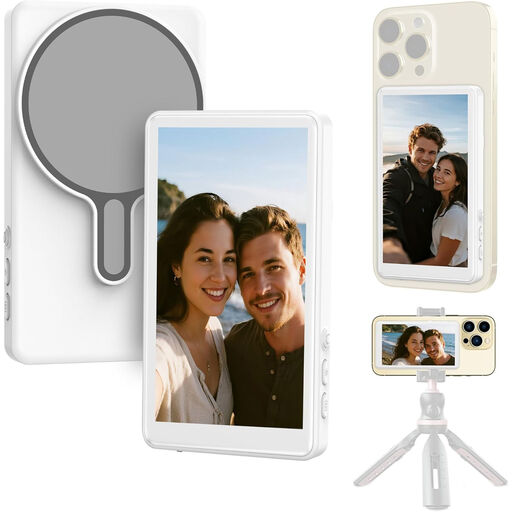 No image available
The product description mentions controlling your smartphone via the touchscreen and navigating apps. Check whether those controls can also start and stop video in your camera app.
The product name lists 4K recording, USB-C and compatibility with iPhone and Android.
 No image available
The product description mentions a Bluetooth remote control for triggering the camera on a compatible smartphone remotely. Check whether this feature supports starting and stopping video in your app.
The product name lists a foldable, height-adjustable tripod for use on a table or outdoors.
 No image available
For creators with a compatible Osmo model: DJI describes starting and stopping recordings remotely. Check full compatibility before choosing.
The product name lists Osmo Action 4, Osmo Action 5 Pro, Osmo 360 and Osmo Action 6. DJI describes model-specific support and restrictions on controlling multiple cameras.
 No image available
The product information describes a Bluetooth shutter button for iPhone and Android smartphones. The manufacturer doesn’t confirm that you can start and stop video in your app.
The product name lists an extendable 3-in-1 mini tripod and two cold-shoe mounts. Ulanzi describes the JJ02 as a phone holder with remote photo control.
No, don’t assume that you can. Check specifically whether you can start and stop video with your camera or phone app. Ulanzi describes remote photo control for the JJ02; that alone doesn’t confirm that it controls video.
Make a short test recording before you start drawing, then check the result on the recording device. Sony says the RMT-P1BT has an LED that indicates, among other things, the status of movie recording. Rely on this only with a supported, correctly paired camera.
It depends on your set-up. The SmallRig 3838 is a grip for compatible phone cages, while the Ulanzi JJ02 is a phone holder with a mini tripod. Neither description on its own confirms a secure mount directly above your entire sheet of drawing paper.
For eligible consumer purchases made at a distance, you generally have a 14-day cooling-off period; check which conditions and exceptions apply. The Government of the Netherlands states that there is no fixed statutory guarantee period in the Netherlands. If a product is faulty, contact the seller, who is responsible for supplying a product that meets legal requirements.
If you’re filming and publishing on behalf of a business or organisation for professional or commercial purposes, the Dutch Data Protection Authority says the GDPR applies and you need a lawful basis, such as consent from the people shown. This doesn’t mean that consent is automatically required, or not required, for every personal portfolio video; assess the specific circumstances.