What should you look for?
First, check that the remote is compatible with your camera. Then decide whether you want to take photos without touching the camera, move freely around your setup or use the camera controls you already have.
| What to consider |
What should you check? |
Who is this important for? |
| Compatibility |
Check the full camera model against the compatibility list. For a wired remote, check the connector too; for a wireless one, check which controls are supported. |
When I buy an accessory, I want to know it’ll work with my camera. Compatibility is the top priority for around 36% of consumers. |
| Taking photos without touching the camera |
Check whether the remote triggers the camera shutter and whether an existing app or the self-timer will already do the job. |
When using a tripod, I want to take photos without moving the camera. This is the main reason to buy for around 29% of consumers. |
| Freedom to move |
Check the required pairing method and whether the stated range suits your workspace. |
When I move truffles or props, I want to take photos from around my setup. This convenience matters most to around 21% of consumers. |
| Avoiding an unnecessary accessory |
Try your camera’s existing features first, then decide whether you need a separate shutter release. |
If you only take photos occasionally, you’ll want to make the most of what your camera can already do. Avoiding an extra accessory is the main consideration for around 14% of consumers. |
Joybuy products for smartphone setups
This selection includes smartphone accessories with a remote and a tripod or gimbal. Don’t treat them as a replacement for a camera-specific shutter release without first checking whether the controls suit your setup.
 No image available
Ulanzi JJ03 3-in-1 magnetic tabletop tripod with remote control
For a fixed smartphone setup with remote control.
The product title mentions Bluetooth, a remote with a range of up to 10 m and a 360° rotating magnetic tripod.
Keep the magnets at least 15 cm away from pacemakers and other medical implants. Before using it hands-free, check that your phone is securely attached.
Joybuy
 No image available
Ulanzi JJ02 Bluetooth selfie stick with mini tripod
For anyone who wants to control a smartphone remotely in a compact tripod setup.
The product title mentions a Bluetooth remote, an extendable mini tripod and dual cold shoe mounts. The listed phone compatibility is iPhone and Android.
Joybuy
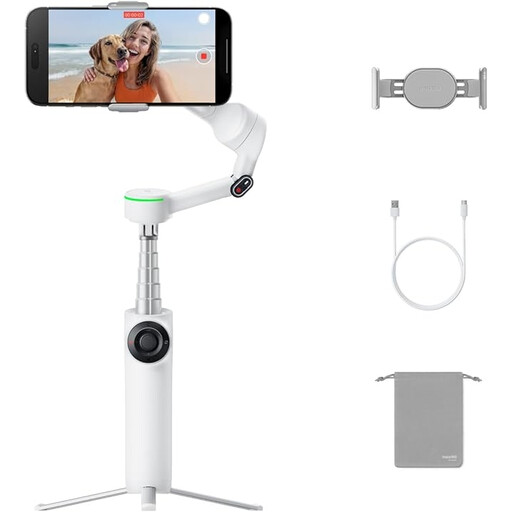 No image available
Insta360 Flow 2 Pro Bundle Ice White
For a smartphone setup where a gimbal with an integrated tripod and remote suits the way you work.
The product title lists an integrated tripod and selfie stick, a remote and 360° pan tracking.
Joybuy
 No image available
Insta360 Flow 2 Gray
For a fixed smartphone setup if controlling it with a second phone suits your workflow.
The product information lists an integrated tripod and control with a second phone for previewing and recording.
Joybuy
Frequently asked questions
Do I need to buy a remote if I’m photographing by a window with a tripod?
Not necessarily. First check whether your camera has a suitable app or self-timer. A compatible separate shutter release is most useful when you want to take a photo straight away without touching the camera.
How do I get started with a wireless shutter release?
First check compatibility with your exact camera model, then follow the pairing steps in the instructions for that combination. A shared brand name or Bluetooth alone doesn’t confirm compatibility.
Will a remote keep changing window light constant?
No. The direction of the window, time of day and weather can all change the light. Check the exposure again when conditions change.
What are my rights if a shutter release I bought online doesn’t work properly?
With normal use, you’re entitled to a product that does what you could reasonably expect. If a product is faulty, the seller is responsible for providing an appropriate solution. For distance purchases, you’ll usually also have a 14-day cooling-off period. The Dutch government explains how this cooling-off period works; check the terms that apply to your purchase.
What product rule applies to a wireless remote in the Netherlands?
According to the Dutch Authority for Digital Infrastructure, manufacturers must affix a CE mark to radio equipment that meets the applicable requirements. Check the product information for the model; a Bluetooth listing alone doesn’t confirm compliance.


