First, check your camera manual to see whether your camera and battery support charging via USB, and which power source and cable you need. Sony Netherlands and Canon Netherlands make clear that requirements can vary by camera model and battery. Then choose the capacity and connections based on how long you’ll be without a socket and which devices you want to charge at the same time. The available power may be shared between multiple connected devices.
Who is a camera power bank for?
Photographers who want to top up their camera via USB
You want to charge the battery in your camera without tying up a socket for a mains charger. Whether this is possible depends on the camera model, battery and specified USB power supply, so check your camera manual.
People sharing a power source
For example, you may want to charge your camera and phone when sockets are in short supply. The number of suitable outputs and the power available when charging several devices at once are important. Belkin, Xtorm and Samsung list different output configurations for their models.
Photographers spending a long time away from a socket
You’re looking for plenty of charging capacity, but need to weigh that against the size and weight you’ll have to carry. The Consumers’ Association notes that higher-capacity power banks are often bigger and heavier. If you’re flying, you’ll also need to check the applicable transport rules.
What should you look for when buying?
Start by checking your camera’s USB charging requirements. Then compare the power available when charging several devices at once, the capacity you need and how practical the power bank is to carry.
| What to consider |
What to check before buying |
Who this matters to |
| Camera compatibility |
Check your camera manual, battery type, USB-PD requirements and the specified cable or separate USB battery charger. |
If I want to charge my camera battery via USB, my specific camera must support this feature. Around 36% of consumers say compatibility is their main concern when buying. |
| Charging several devices at once |
Count the USB-A and USB-C outputs you need, and check the power available when using multiple outputs. |
If I want to connect another device as well as my camera, I check what the power bank can supply when both are in use. Around 29% of consumers prioritise charging several devices at once. |
| Charging capacity |
Compare capacity and, where available, measurements of the energy delivered on a like-for-like basis. Don’t calculate the number of camera charges directly from mAh. |
When I’m away from a socket for a long time, I want to know how much capacity I can realistically use. Around 21% of consumers put charging capacity first. |
| Size and travel |
Compare weight and dimensions. If you’re flying, check the Wh marking and your airline’s current conditions. |
If I’m carrying the power bank in my camera bag or taking it on a flight, portability and transport conditions matter. Around 14% of consumers say taking it on a trip is their main consideration. |
Common buying mistakes
-
Assuming a USB port on your camera means it can charge the battery
A camera may support USB power without charging its internal battery through that connection. Features and power requirements vary by camera model and battery.
Check the manual for your exact camera model and battery type. If your camera can’t charge via USB, you may need a suitable separate battery charger or another power solution.
-
Assuming you’ll get the maximum wattage with two devices connected
When charging multiple devices at once, the available power may be lower than the maximum for a single output. For example, Belkin states that the BPB027hqBL delivers up to 20 W through one port and 15 W in total when both ports are in use. Samsung states that the EB-P3400 delivers up to 9 W per device when both outputs are used.
Compare the specifications for simultaneous use with your camera’s requirements and those of your other device.
-
Calculating camera charges from the mAh on the label
The stated cell capacity doesn’t guarantee an equivalent amount of energy at the USB output. That’s why the Consumers’ Association treats the energy actually delivered as a separate measurement.
Use mAh as an indication of capacity, and only compare measurements taken on a like-for-like basis.
-
Confusing transport rules with permission to use a power bank
Conditions may apply to carrying power banks on flights. These conditions don’t automatically tell you what’s allowed during the flight.
Before you travel, check the Wh marking and your airline’s current rules for transport and use.
Brands to compare
Xtorm
The Fuel Series 5 FS5100 is an example of a power bank with both USB-C and USB-A connections.
- Xtorm lists two USB-C ports, one USB-A port, 10.000 mAh and up to 20 W through the USB-C-PD output for the FS5100.
- These specifications don’t confirm that the power bank is compatible with your camera or indicate the charging speed your camera can achieve.
Belkin
The BPB027hqBL has two USB-C connections, while the BPB024hqBK has a higher stated capacity and an integrated USB-C cable.
- Belkin lists 10.000 mAh, up to 20 W through one port and 15 W in total through two ports for the BPB027hqBL. For the BPB024hqBK, Belkin lists 20.000 mAh and up to 30 W in total.
- An integrated cable won’t suit every camera connection or setup. Also check how much power is available when charging several devices at once.
Anker
The Zolo A1688 combines a stated capacity of 10.000 mAh with an integrated USB-C cable.
- Anker lists up to 30 W through the integrated cable or USB-C port.
- This specification doesn’t prove that the power bank can charge your camera battery. Check that the fixed cable and power supply are suitable for your camera.
Samsung
The Galaxy 25W Battery Pack EB-P3400 has two ports, making it an option if you want to connect two USB-C devices.
- Samsung lists 10.000 mAh and up to 25 W for one suitably connected device.
- When two devices are connected, Samsung lists up to 9 W per device. The maximum for one device isn’t a guarantee of your camera’s charging speed.
Joybuy products
This selection includes power banks with a range of capacities and USB charging connections. Check that the connections on each model suit your devices and that your camera can charge via USB.
 No image available
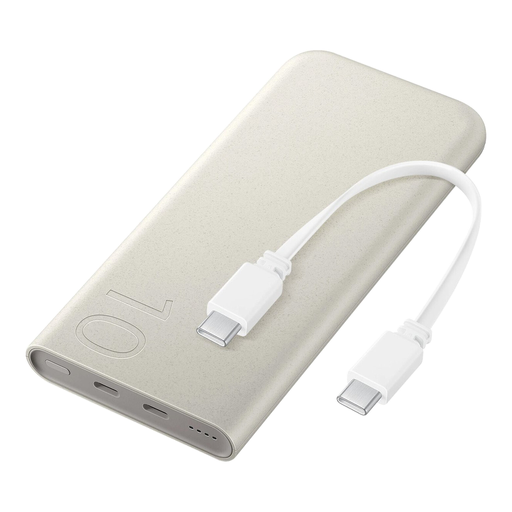
Samsung 25W inductive power bank, 10.000 mAh, beige
The integrated USB-C cable and stated ability to charge several devices at once may suit a shared charging setup. Check whether your camera can charge via USB.
The product name lists 10.000 mAh and 25 W. The product description mentions wireless charging and charging up to three devices at once.
View at Joybuy
 No image available
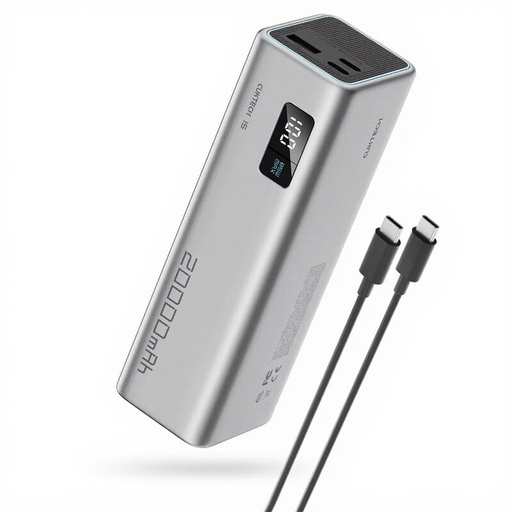
CUKTECH 15 SE power bank, 20.000 mAh, 65 W, grey
The three stated outputs may come in handy if you want to connect several devices. Check your camera’s requirements and which cables you’ll need.
The product name lists 20.000 mAh and 65 W. The product description mentions three outputs: two USB-C and one USB-A.
View at Joybuy
 No image available
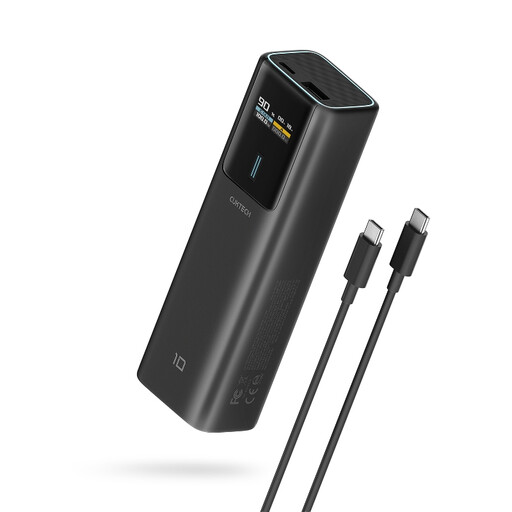
CUKTECH 100W power bank, 10.000 mAh, black
A USB-C output may suit a camera or another device that charges via USB-C. Check the power supply and cable requirements for your camera model.
The product name lists up to 100 W and 10.000 mAh. The product description mentions a USB-C output.
View at Joybuy
 No image available
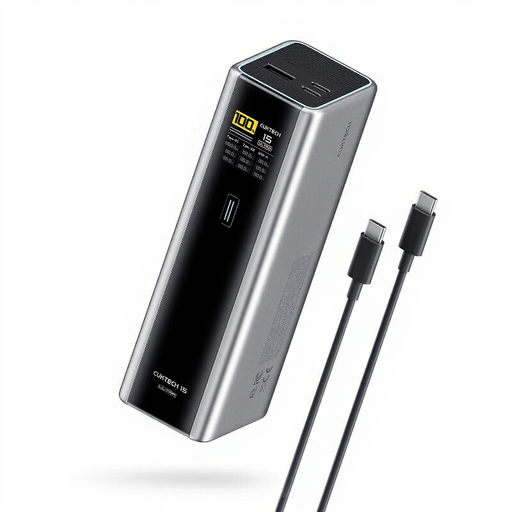
CUKTECH 15 Ultra power bank, 20.000 mAh, 140 W, grey
The three outputs may be useful when charging several devices. Check how much power is available through the connection your camera uses.
The product name lists 20.000 mAh and 140 W. The product description mentions up to 140 W through USB-C1, up to 33 W through USB-A and three outputs: two USB-C and one USB-A.
View at Joybuy
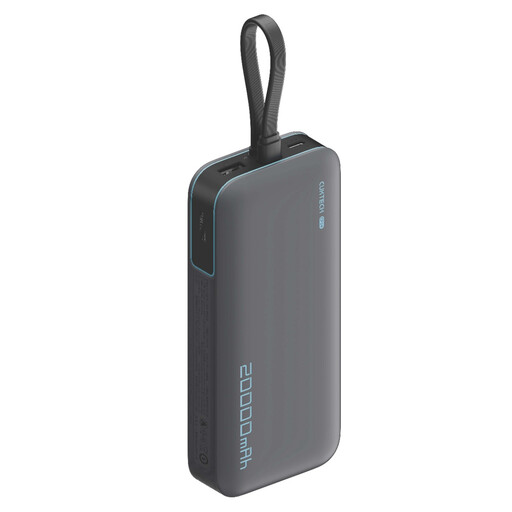 No image available
CUKTECH 20.000 mAh 40 W Power Bank (CP24) + 3C LPB200N, grey
The outputs described for charging several devices at once may be useful when connecting more than one device. Check that your camera supports USB charging.
The product name lists 20.000 mAh and 40 W. The product description mentions three outputs and the ability to charge multiple devices at once.
View at Joybuy
Frequently asked questions
Will a power bank charge my camera battery while I’m filming or taking photos?
Not necessarily. For the relevant cameras, Sony describes USB power during recording as a feature where the mobile battery doesn’t power the camera while also charging its internal battery. Check your model’s manual to find out exactly what USB power and USB charging mean.
What should you check if your camera won’t charge via USB?
First, check whether your camera and battery support in-camera charging, and which cable and power supply are specified. Sony states that USB-PD requirements vary by camera model, while Nikon says that in-camera charging only works with compatible camera models.
Can I take a power bank with me when I fly?
For air travel, EASA says power banks must be carried in hand luggage, not checked baggage, and protected against short circuits. Before you leave, also check your airline’s current conditions, including any requirements for the Wh marking.
Where can I dispose of a flat camera battery?
Don’t put a flat camera battery in your household rubbish. The Dutch government says camera batteries can be taken to suitable battery collection points.


