What should you look for when choosing?
For a painting lesson at a fixed table, the camera angle is a sensible place to start. Once you’ve sorted that, you can decide which camera, lighting and audio setup best suits the way you teach.
Webcam for computer-based lessons
Suitable if: you want to show your worktable during a video call. Logitech describes a mode for the MX Brio that points the webcam at work on a desk.
Bear in mind: the computer, connection and software are all part of the setup. Test whether the available mounting angle shows your entire work area.
Mirrorless camera with interchangeable lens
Suitable if: you want to build a dedicated lesson setup and choose the lens and microphone separately. Canon Netherlands lists an RF mount, microphone input and headphone output for the EOS R50 V; Sony lists interchangeable lenses for the ZV-E10 II.
Bear in mind: the camera body isn’t the only thing that determines the field of view. Check the lens, mounting, power supply and recording settings too.
Camcorder with built-in zoom
Suitable if: you want to switch between the worktable and close-up details during one recording, without changing lenses. Panasonic specifies a built-in 24× optical zoom for the HC-VX3.
Bear in mind: zoom alone doesn’t tell you whether a close-up will work. Panasonic states that the quoted 25 mm wide-angle setting, in 35 mm-equivalent terms, is available only in certain recording modes.
Compact gimbal camera
Suitable if: as well as fixed lesson recordings, you want to capture moving close-ups around the pottery. DJI lists a 3-axis gimbal for the Osmo Pocket 3.
Bear in mind: you’ll still need to test the mounting, framing and power supply for a fixed overhead view. The minimum focusing distance of 20 cm doesn’t determine how large the pottery will appear in the frame.
| What to consider |
What to check before buying |
Who it matters to |
| Keeping the pottery and brush in frame |
Record a test clip of the whole work area and a close-up from the planned mounting position. Check the framing and focus. |
If you want learners to follow the pottery, your hands and your brushstrokes at the same time, framing should be your first priority. Around 29% of consumers put this first. |
| Paint colours and details |
Record a test clip under your own lighting and check whether you can adjust the exposure and white balance. |
If you want to show paint colours and fine brushstrokes as they look on your worktable, pay particular attention to the image and lighting. Around 23% of consumers consider this their top priority. |
| Clear spoken instructions |
Listen to a test recording while painting and speaking from your usual position. Check the connection and monitoring if you plan to use an external microphone. |
When your hands are busy and you’re giving instructions at the same time, you’ll want your voice to come across clearly. Clear instructions are the top priority for around 18% of consumers. |
| Recording a full lesson |
Check the power supply while recording, available storage and recording time with your preferred settings. Test it for the length of a full lesson. |
If you’d rather not interrupt a lesson to sort out power or storage, these factors are crucial. Around 18% of consumers say uninterrupted recording is their main concern. |
| Teaching live via a computer |
Check the USB connection and software, and test whether you can show the pottery clearly during the lesson. |
If you want to give your demonstration directly via a computer, the connection needs to suit your teaching setup. This is the main concern for around 12% of consumers. |
Joybuy products for computer-based lessons and recording
This selection includes webcams for computer-based lessons and a Sony camera with a zoom lens for recorded demonstrations.
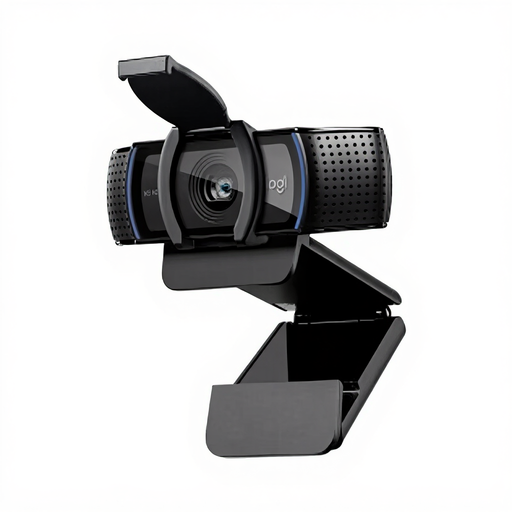 No image available
Logitech HD Pro Webcam C920e
A webcam option for teaching via a computer. Test whether the framing from your intended mounting position shows the pottery and your hands.
View at Joybuy
 No image available
Philips 4000 Series 4K UHD Webcam SPL6408BT/00
A webcam option for computer-based lessons. Check the angle of view and image under the lighting in your room.
The product title lists 4K UHD, autofocus, two built-in microphones, a privacy shutter and the EU version in black.
View at Joybuy
 No image available
Sony ZV-E10 with 16–50mm zoom lens, black
An option for recorded demonstrations where you want to try different framings with a zoom lens.
The product title lists a 16–50mm zoom lens. According to the product information, a suitable memory card and adapter/charger are not included; check what you’ll need for your setup.
View at Joybuy
 No image available
Insta360 Link 2C Standard Bundle, Graphite Black
A webcam option for computer-based lessons. Record a test clip to see whether your worktable and movements stay in frame.
The product title lists 4K, a 1/2-inch sensor, autofocus, Auto-Framing, HDR and a microphone with AI noise reduction.
View at Joybuy
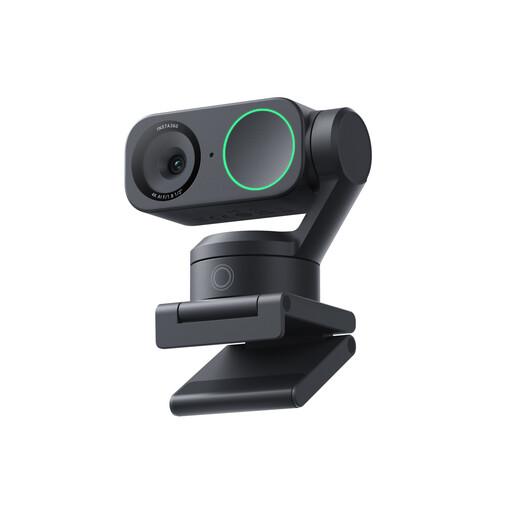 No image available
Insta360 Link 2 Standard Bundle
A webcam option for computer-based lessons or streaming. Test the framing at your workspace and listen to how your instructions sound.
The product title lists 4K, HDR, AI tracking, Auto-Framing and a microphone with AI noise reduction.
View at Joybuy
Frequently asked questions
Do you need 4K to show brushstrokes?
Not necessarily. First check that the brush and pottery are in focus and large enough in your chosen framing. A 4K label alone doesn’t guarantee suitable framing or lighting.
How should you set up a camera for a painting lesson?
Secure the camera in the position you plan to use and record a test clip as you turn the pottery and paint in different areas. Then check the edges of the frame, focus, colour and audio clarity before recording a full lesson.
What should you check before making a longer recording?
Check the power supply, available storage and audio, then test your preferred settings for the length of a full lesson. DJI lists microSD storage for the Osmo Pocket 3 and Panasonic lists USB-C power for the HC-VX3; these features alone don’t determine how long you can record.
What rights do you have when buying a camera online?
For online consumer purchases, ACM ConsuWijzer states that you generally have a statutory 14-day cooling-off period from delivery, with some exceptions. You’re also covered by the statutory guarantee: if a product doesn’t meet what you could reasonably expect under normal use, the seller is responsible for providing an appropriate solution.
Can you film identifiable students and publish the lesson?
It depends on the purpose and context of the recording. According to the Dutch Data Protection Authority, the GDPR applies when images are taken or published on behalf of a company or organisation for professional or commercial purposes; you’ll need a valid legal basis. Additional conditions apply to images in education. Check these before filming or publishing footage of identifiable participants.


