What should you look for when choosing?
Existing camera and setup
Choose this if: you occasionally photograph a small study and mainly want to address inconsistent colours, reflections or crooked framing.
Bear in mind: the features and desired final resolution of your current camera; another setup may still be useful for precise colour correction or larger reproductions.
Canon RF system
Choose this if: you regularly document studies and want to choose an interchangeable RF or RF-S lens.
Bear in mind: the included lens and your shooting distance; camera specifications alone don’t prove reproduction quality.
Sony E system
Choose this if: you’re looking for an interchangeable lens and RAW files, and lens choice is important for your wider setup.
Bear in mind: the specific lens, bundle and working distance; the specifications aren’t an independent comparison of colour or sharpness.
Fujifilm X or Nikon Z system
Choose this if: you want to put together a suitable X-mount or Nikon Z setup with a lens that can capture the whole sheet.
Bear in mind: creative film simulations are different from correcting colour against the original; a two-lens kit may include more than you need for this purpose.
Compare colour control and lighting first, then consider the lens and whether you can position the camera straight and securely. The percentages below show which purchasing priorities may come first for consumers in this window-light scenario.
| What to consider |
What should you check? |
Who is this important for? |
| Paint and paper colours |
Check RAW capture and white balance settings; use a neutral reference under the same lighting. |
If recognisable paint colours and the white of the paper matter for your work, prioritise colour control. Around 33% of consumers put colour accuracy first. |
| Straight framing and detail |
Check the lens and working distance, and whether you can frame the whole sheet; keep the camera plane parallel to the artwork. |
If you want a flat image suitable for a portfolio, look for straight edges and usable detail. Around 27% of consumers prioritise reproduction and detail. |
| Controlling window light |
Check the light across the whole sheet and look for reflections; make sure the camera can be positioned securely. |
If the light at your shooting location changes or creates harsh shadows, you’ll want to assess and repeat the lighting conditions. Around 20% of consumers prioritise controlling window light. |
| Simplicity and the complete setup |
Compare the included lens and the mounting equipment you’ll need; don’t buy an extra lens just because it’s included in a kit. |
If you want to take a usable photo occasionally without unnecessary extras, compare the complete setup with how you’ll use it. Around 20% of consumers prioritise simplicity and the overall setup. |
Joybuy products
This selection includes digital mirrorless cameras and instant cameras. For digital documentation of a watercolour, a mirrorless camera with a lens is more directly suited to the task; instant cameras produce physical prints.
 No image available
Sony ZV-E10 + 16-50mm Zoom Black
The included zoom lens gives you a starting point for adjusting the framing from your shooting location; check that you can fit the whole sheet in the frame.
The product description lists a 24.2 MP APS-C sensor and a 16–50mm lens.
View at Joybuy
 No image available
Sony Alpha A6100 + 16-50mm f/3.5-5.6 OSS II
The included lens gives you a starting point for adjusting the crop; check from your workspace that the whole sheet of paper fits in the frame.
The product description lists a 24.2 MP APS-C sensor and a 16–50mm lens. The kit description also mentions an electronic viewfinder.
View at Joybuy
 No image available
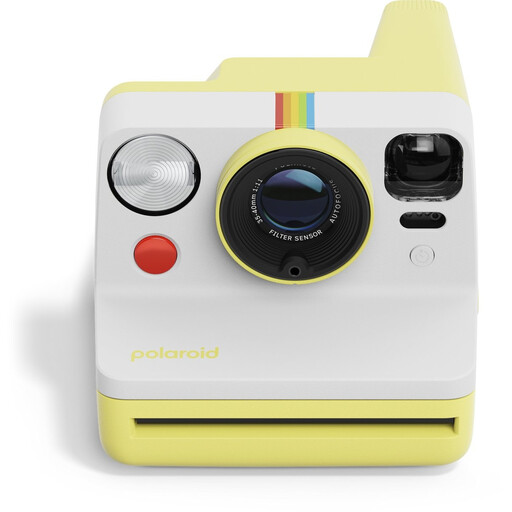
Polaroid Now Generation 3 - Yellow
This analogue instant camera produces physical photos, making it less suited to digital documentation of a watercolour.
Uses Polaroid i-Type or 600 film.
View at Joybuy
 No image available
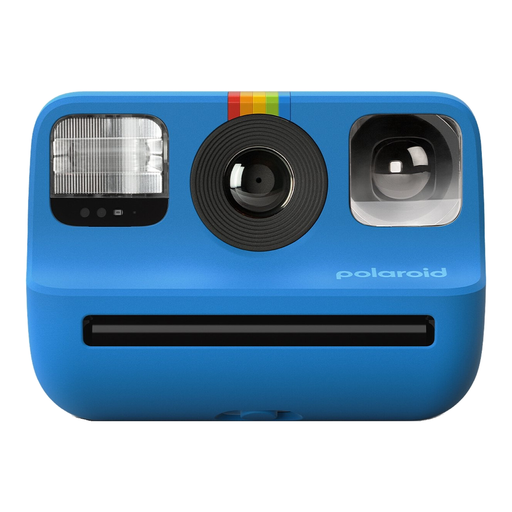
Polaroid Go Gen 2 - Blue
This instant camera produces images on Polaroid Go film; physical instant prints aren’t the same as digital documentation files.
Uses Polaroid Go film.
View at Joybuy
 No image available
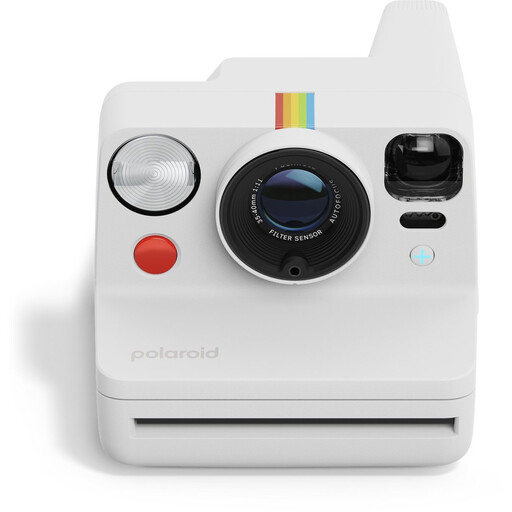
Polaroid Now+ Generation 3 - White
This analogue instant camera produces physical photos; for digital documentation of a watercolour, that’s a different output from a digital file.
The product description lists a tripod mount and self-timer. Uses i-Type or 600 film.
View at Joybuy
Frequently asked questions
Are more megapixels automatically better for photographing a watercolour study?
No. The number of effective pixels contributes to the amount of image information captured, but a straight setup, suitable lens, lighting and colour workflow are separate considerations. The manufacturer specifications mentioned aren’t a direct comparison of how the cameras perform with watercolours.
How can I use window light without a strong colour cast or reflections?
Aim for soft, as even as possible, light across the whole sheet and photograph a neutral reference in the same lighting conditions. Check for reflections on the paper itself; auto white balance can produce a different result from a setting that uses a white reference. A museum setup with two lamps is an example of even lighting, not a prescribed window-light setup.
Should I use a tripod?
A stable mount helps if you want to frame the artwork consistently straight or need a longer exposure in lower light. Check that the camera and mount you choose work together for the place where you photograph your watercolour.
Can I leave a watercolour in direct sunlight for a long time while photographing it?
Avoid exposing it to light for longer than necessary. According to the Library of Congress, light damage to art on paper can build up and be irreversible; this is conservation advice, not a specific legal requirement for cameras.
Who should I contact in the Netherlands if a camera I’ve bought is faulty?
Contact the seller. According to the Dutch government, a product must be of satisfactory quality, and there is no fixed statutory warranty period in the Netherlands; a manufacturer’s warranty is separate from your legal rights. The appropriate solution depends on the fault and the circumstances.


