Cameras at Joybuy
Joybuy camera picks for photographing mosaics. For each model, check that the lens and set-up suit the overview or close-up shot you want.
 No image available
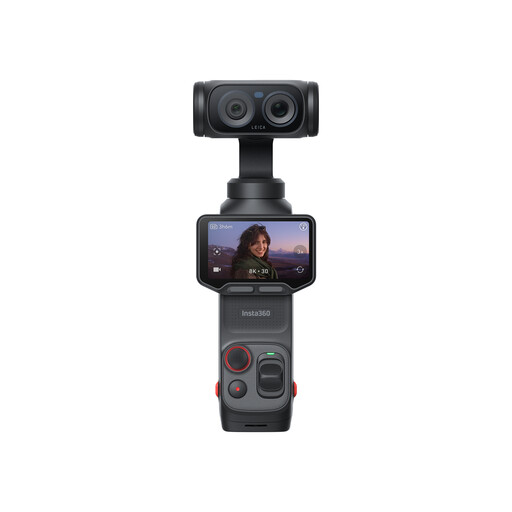
Insta360 Luna Ultra Standard Bundle Cosmic Black
The product title describes this model as a vlogging camera; check whether the included set-up is suitable for taking a flat-on shot of your mosaic sample.
The product description lists a detachable 2-inch OLED screen, 10-bit I-Log and 3-axis mechanical stabilisation.
View at Joybuy
 No image available
Komery W6 digital camera
The title mentions optical zoom; check that its magnification and controls suit the details you want to capture.
The product title lists 64 MP, 12× optical zoom and 4K. The product description mentions Wi-Fi for transferring images to a smartphone.
View at Joybuy
 No image available
DJI Osmo Pocket 3
The product title describes this model as a vlogging camera; check whether its set-up can capture a flat mosaic sample straight-on.
The product description lists a 1-inch CMOS sensor, D-Log M with 10-bit colour depth, fast focusing, 3-axis mechanical stabilisation and a 2-inch rotating touchscreen.
View at Joybuy
 No image available
Sony ZV-E10 + 16-50mm Zoom Black
The listed kit includes a 16–50mm zoom lens; check its magnification for the close-up shots you want to take.
The product description lists a 24.2 MP APS-C sensor, Sony E-mount and a tilting screen.
View at Joybuy
 No image available
Sony Alpha A6100 + 16-50mm f/3.5-5.6 OSS II
The listed kit includes a 16–50mm lens; check that its magnification suits the small details you want to photograph.
The product description lists a 24.2 MP APS-C sensor, Sony E-mount, touchscreen and electronic viewfinder.
View at Joybuy
Frequently asked questions
Do you need to buy a macro lens to photograph a mosaic sample?
Not for every overview shot. If you want to show a small tile or grout line in detail, check the maximum magnification of the lens you’ll use. A kit zoom’s magnification isn’t the same as that of a separately chosen close-up lens.
How should you set up your camera and lighting at home?
For a flat reproduction, position the camera securely and parallel to your work. Use even lighting, check glossy areas for reflections and, whenever you change your lighting set-up, take a reference shot for white balance and colour. The Canadian Heritage Information Network recommends a stable set-up when photographing large objects.
What should you do if a product develops a fault after purchase in the Netherlands?
For consumer purchases, statutory rights apply alongside any manufacturer’s or seller’s guarantee. If a product proves faulty under normal use sooner than you could reasonably expect, the seller is responsible for providing an appropriate solution. According to the Netherlands Authority for Consumers and Markets, there is no fixed term for the statutory guarantee in the Netherlands.
Do you always have 14 days to change your mind when buying a camera online?
When you buy online from a business in the Netherlands, you generally have up to 14 days after delivery to change your mind. There are exceptions, so check the terms that apply to your purchase. The Dutch government and ACM ConsuWijzer provide information about these consumer rights.


