
Artist with a fixed drawing table
You want to capture the whole sheet of paper and your working hands in one overhead shot. The field of view and a suitable mount are therefore key considerations.


If you’ll mainly be filming from a fixed drawing table, first work out the field of view you need from your planned mounting height. A mirrorless camera with a suitable lens gives you the flexibility to choose the right combination. A camcorder with built-in zoom could suit you if you want to reframe while filming without changing lenses, while a compact gimbal camera is an option for adding moving shots of your creative process. Record a test using your own lighting and pastel colours, and check the power supply will last for your planned recording time.
You want to capture the whole sheet of paper and your working hands in one overhead shot. The field of view and a suitable mount are therefore key considerations.
You want to record a drawing session in as few takes as possible, so you’ll need to consider recording time and power. Nikon states that the Z 30 can record continuously for up to 125 minutes; actual recording time depends on the conditions.
You switch between showing the whole artwork and close-ups or moving shots of your process. Your choice will partly depend on whether built-in zoom or a compact camera better suits your filming setup.
Best for: a fixed setup where you want to match the field of view to the paper size and mounting height.
Bear in mind: the camera body alone doesn’t determine the framing. Check which lens comes with the version you’re considering and whether it captures the whole artwork.
Best for: demonstrations where you want to switch between the whole artwork and details while filming, without changing lenses.
Bear in mind: the available wide-angle view can vary by recording mode, so check the framing in the mode you plan to use.
Best for: artists who want to capture moving shots of their creative process as well as their fixed drawing area.
Bear in mind: a fixed lens and gimbal stabilisation won’t automatically give you a suitable overhead shot. Check the mounting, distance and framing.
| What to consider | What should you check? | Who is this important for? |
|---|---|---|
| Framing and focus | From your planned mounting height, check that the paper and your hands fit in the frame together. Also check whether details are sharp enough from that distance. | If I want to show the whole drawing area and my hands in one overhead shot, I want to test the framing with my own paper size. Around 30% of consumers put framing first. |
| Pastel colours under your own lighting | Record a test under the lighting you plan to use, with a neutral white or grey reference. | If I want my pastel shades to look recognisable under my own lighting, I compare the test recording with the drawing. Around 30% of consumers prioritise colour reproduction. |
| Recording time and power | Compare the planned session length with the conditions for the exact model, and test your recording settings, storage and power supply together. | If I want to record a long drawing session in one go, I check that the recording time and power supply suit my plan. Around 20% of consumers prioritise uninterrupted recording. |
| Switching between wide shots and details | Test how the wide shot and the close-up you want look from the same setup. With a camcorder, also check which modes offer the stated wide-angle view. | If I want to switch between the whole artwork and details while drawing, I want to see how that works from my fixed camera setup. Around 10% of consumers prioritise reframing. |
| Spoken explanations | Check the microphone connection on the exact version and listen back to a test recording from your workspace. | If I want to draw and explain what I’m doing at the same time, I want to check that my voice is clear from the camera position. Around 10% of consumers prioritise spoken explanations. |
With a mirrorless camera, the lens you use will partly determine whether the whole drawing area fits in the frame from your available mounting height. Check exactly what’s included in the kit and let the framing you need guide your choice, rather than looking only at the body’s specifications.
A suitable lens and an overhead camera mount may need to be bought separately.
A manufacturer’s maximum doesn’t mean every combination of settings and accessories will achieve that recording time. Before filming a full demonstration, test your planned settings, storage and power supply together.
You may need extra power or storage for your planned recording.
Gimbal stabilisation for moving shots is different from positioning a camera above the paper. Check the mount, distance and framing separately.
You may need a separate, suitable camera mount for a fixed shot.
The EOS R50 mirrorless camera could suit a fixed table setup where you choose your own RF or RF-S lens.
The ZV-E10 II is an option if you want to choose an E-mount lens and video settings to suit your own filming setup.
The Z 30 is a mirrorless camera to consider if the stated continuous recording time and support for an external microphone matter to you.
The HC-VX3 is a camcorder to consider if you’re comparing built-in zoom and power options for a fixed workspace.
The Osmo Pocket 3 is a compact camera to consider if you want to film moving shots of your creative process as well as your drawing table.
The Joybuy picks below are cameras for filming the drawing process. For each version, check whether the camera can capture the paper and your hands from your mounting point.
 No image available
For filming the drawing process: check whether your fixed camera setup captures the whole sheet of paper and your hands.
The product title lists a 1-inch CMOS sensor and a 20 mm f/2.0 lens.
 No image available
For recording a drawing demonstration: test the framing and focus from your planned mounting distance.
The product title lists 4K/240fps video, 2× lossless zoom and 107 GB of built-in storage.
 No image available
For filming the drawing process: check separately whether your mount lets the camera record a stable overhead shot.
The product title lists a 1-inch CMOS sensor, 3-axis stabilisation, 4K/240fps video, 2× lossless zoom and 107 GB of built-in storage.
 No image available
For a mounted recording: check whether the included handle and your chosen mount are suitable for positioning the camera above the drawing area.
The product title lists a 1-inch CMOS sensor, 3-axis stabilisation, 4K/240fps video, 2× lossless zoom, 107 GB of built-in storage and a handle with a 1/4″ thread.
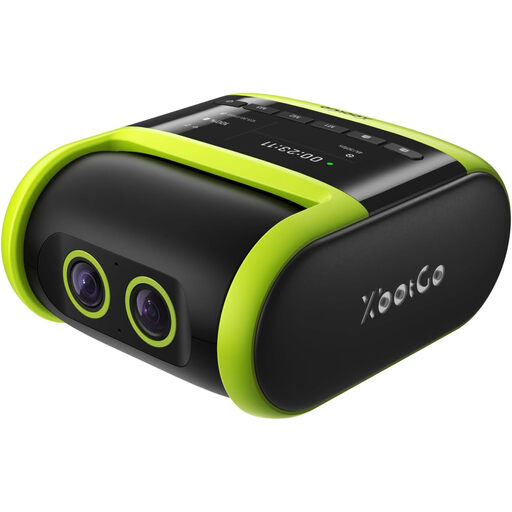 No image available
If you’re considering this camera for pastel videos, check whether its recording and tracking features suit a fixed setup above your paper.
The product information lists recording up to 4K at 30 fps and automatic sports tracking. The stated battery life is around four hours; this may vary depending on the recording settings.
Record a test under your planned lighting, using a neutral white or grey reference, and compare it with the drawing. Adjusting the white balance can reduce a colour cast, but it won’t guarantee identical colour reproduction on every screen.
No. Check the framing and focus from the actual mounting height, and record a test under your own lighting. Interchangeable lenses, built-in zoom and fixed lenses all offer different ways to frame your artwork.
Compare your session length with the stated recording time for the exact model, and test the power supply, storage and settings together. Nikon states that the Z 30 can record continuously for up to 125 minutes; Panasonic lists USB-C power for the HC-VX3. These are different features and don’t guarantee that every session will run without interruption.
This depends partly on how you use the purchase. According to ACM ConsuWijzer, consumer protection doesn’t automatically apply when a contract is used mainly or exclusively for business; the assessment may be different if the purchase is used mainly for personal purposes. Before buying, check who the contracting party is and which terms and conditions apply to your purchase.
For professional or commercial recordings featuring identifiable people, the Dutch Data Protection Authority says you need a legal basis under the GDPR to record and publish the footage. Consent is one possible example, but it isn’t the only legal basis. According to the Dutch government, you may generally use other people’s copyright-protected material only with the creator’s permission. Whether this applies to a particular recording depends on what is visible and audible.