Who is this guide for?

Creator of detail-focused cutting lessons

You want small cutting lines and the position of the scissors to be visible. Assess the shooting distance, framing and focus together: a high video resolution alone won’t tell you whether the details will appear large enough on screen.

Online retailer with a fixed filming table

You want to film lessons from a repeatable overhead angle and keep paper colours looking consistent. Canon points out that white balance and lighting can affect how colours appear, so test them in your own set-up.

Teacher narrating each step

You explain what you’re doing while your hands are busy and want to check in advance that your voice is clear in the recording. Test the microphone, recording settings and intended lesson length together in a full practice run.

What should you look for when buying?

Mirrorless camera with interchangeable lens

A good fit if: you want to switch between showing the whole sheet of paper and close-up details, and are happy to match the lens to your working distance.

Worth noting: the camera body or a kit lens won’t automatically give you a useful crop; check the lens and what’s included in the kit.

Camcorder for a fixed set-up

A good fit if: you mainly film lessons from one spot and want to consider built-in zoom and dual card slots.

Worth noting: the Canon LEGRIA HF G70 has a fixed lens, so you won’t have the same choice of lenses as with a mirrorless camera.

Compact gimbal camera

A good fit if: alongside a fixed instructional recording, you want to capture moving introductions or short handheld clips.

Worth noting: with a fixed lens, check that small cutting details appear large enough at the stated focusing distance, and consider how you’ll mount the camera securely.

ConsiderationWhat should you check?Who should pay particular attention?
Small cutting detailsMeasure the distance to the paper and test the exact camera and lens combination to see both the overall view and the smallest important step.If you want viewers to see exactly where the scissors are cutting, prioritise detail. Around 36% of consumers say small details are their main buying concern.
Fixed overhead view and colourCheck the mount, the visible width of the work area, and whether you can control the lighting and white balance in your set-up.If you want to record a series of lessons with the same work area and realistic paper colours, test your table set-up with white and coloured paper. Around 29% of consumers prioritise a repeatable frame and colour.
Clear narrationMake a test recording while you speak and cut; also check the audio input if you want to use an external microphone.If you explain what you’re doing as you cut, you’ll want to know whether your voice is clear in the actual room. Around 21% of consumers prioritise spoken instructions.
Long recordingsCompare the longest lesson step with your chosen recording settings, and test the power supply and storage during a full practice lesson.If you’d rather record long steps in one go, check in advance how recording, power and storage will fit into your workflow. Around 14% of consumers make uninterrupted recording their top priority.

How to avoid common buying mistakes

  • Comparing only the camera body or the 4K label

    With a mirrorless camera, the lens you choose helps determine what you can frame from your filming distance. The camera’s position and the lighting also affect how consistent the image is.

    Compare the complete filming set-up and make a test recording at the planned height, showing both the overall view and a small detail.

    You may need a suitable lens, a stable mount or adjusted lighting for the set-up you have in mind.

  • Assuming gimbal stabilisation makes a camera suitable for fixed close-ups

    DJI lists a fixed lens and focusing from 0.2 m for the Osmo Pocket 3. That alone doesn’t tell you whether a small cutting detail will appear large enough from your working distance.

    Check the detail framing and the mount separately before choosing a compact gimbal camera for your main recording.

  • Assuming a camera set-up will automatically give you good sound

    A microphone input doesn’t tell you how clearly your voice will come through as you cut in your room.

    Record a full narrated step and check the connection and microphone position before settling on your set-up.

    An external microphone and time for test recordings may need to become part of your workflow.

  • Assuming you automatically have private-customer return rights when placing a business order

    Ondernemersplein states that the statutory 14-day cooling-off period does not apply to business purchases. The applicable return and warranty terms also depend on the contracting party and the purchase.

    Before paying, check whose name you’re buying under and which terms apply. KVK points out that small businesses may be able to rely on consumer protection in some situations.

Camera brands to consider

Canon

Canon offers both a mirrorless camera and a camcorder option for video recording.

  • Canon specifies 4K 30p and support for RF and RF-S lenses for the EOS R50.
  • Canon does not list sensor-shift stabilisation for the EOS R50; the lens remains key to getting the detail framing you need.
  • For the LEGRIA HF G70, Canon lists 20× optical zoom, a microphone input and two SD card slots.
  • The HF G70 does not have an interchangeable lens; check the field of view and focus above your table.

Sony

The ZV-E10 II is an E-mount mirrorless camera for creators looking for an interchangeable lens and a range of video settings.

  • Sony lists several 4K recording settings, including 4K 50p in 10-bit 4:2:2.
  • Check that your chosen kit includes the lens you need: the E PZ 16-50 mm OSS II listed is part of a specific kit and is not automatically included with a body-only purchase.
  • Test how your chosen file format handles and check the detail framing in your own set-up.

Nikon

The Nikon Z 30 is a mirrorless camera option for creators who want to factor in external audio and lesson length.

  • Nikon lists 4K 30p and support for an external microphone.
  • Nikon states a maximum continuous filming time of 125 minutes; this is not a guaranteed recording time for every setting or set-up.
  • Test how clearly your voice comes through and whether you can record for the required length with your complete lesson set-up.

DJI

The Osmo Pocket 3 is a compact gimbal camera to consider for moving or supplementary footage alongside a fixed instructional recording.

  • DJI specifies three microphones, mechanical gimbal stabilisation and focusing from 0.2 m.
  • The lens is fixed; check that the smallest details on the paper appear clearly enough from the distance you need.
  • Check separately how you can mount the camera securely above the work area.

Panasonic

The LUMIX G100D is a Micro Four Thirds mirrorless camera option for anyone exploring lens choice and a compact video set-up.

  • For the DC-G100DW kit, Panasonic specifies two lenses, 4K 30p and various audio recording modes.
  • The availability information for this specific kit does not tell you what applies to other G100D versions or retailers. Check exactly what’s included in the kit.

Cameras at Joybuy

This selection includes compact vlog and action cameras for lesson recordings and supplementary footage. Check for each model whether the lens, mount and filming distance will also work for your fixed overhead view.

KINSI Mini Vlog Camera with rotating lens and mini tripod

KINSI Mini Vlog Camera, 64 MP

The rotating lens and included mini tripod make this model worth considering for a compact instructional set-up; test the overhead view and detail framing for yourself.

The product name lists 4K video, Wi-Fi, a 330° rotating lens and a 1.72-inch touchscreen.

View at Joybuy

DJI Osmo Pocket 3 Creator Combo

DJI Osmo Pocket 3 Creator Combo

This compact gimbal camera may suit supplementary moving footage. For a fixed paper-cutting lesson, first check the framing of small details and where you can mount it.

The product name lists 4K video at 120 fps, 3-axis stabilisation and an included microphone.

View at Joybuy
DJI Osmo Nano Standard Combo with 64 GB

DJI Osmo Nano Standard Combo, 64 GB

This compact camera is worth looking into for supplementary or hands-free footage; check whether the wide field of view suits the framing you want above the paper.

The product name lists 4K 60 fps, a 143° field of view and a stated recording time of 200 minutes.

View at Joybuy
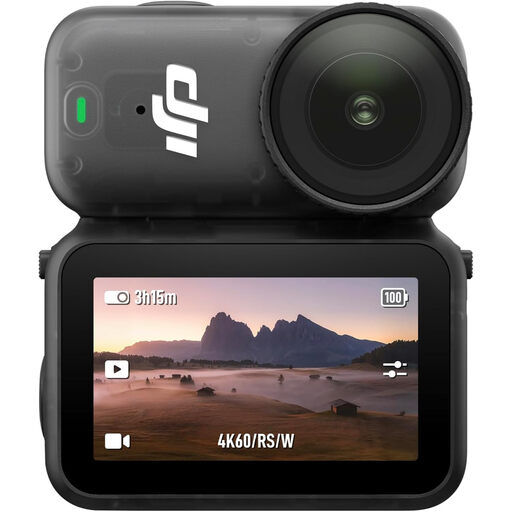
DJI Osmo Nano Standard Combo with 128 GB

DJI Osmo Nano Standard Combo, 128 GB

This version may be worth considering if you’re looking for a compact camera for lessons or supplementary footage; assess the wide field of view and camera position in your set-up.

The product name lists 4K 60 fps, a 143° field of view and a stated recording time of 200 minutes.

View at Joybuy
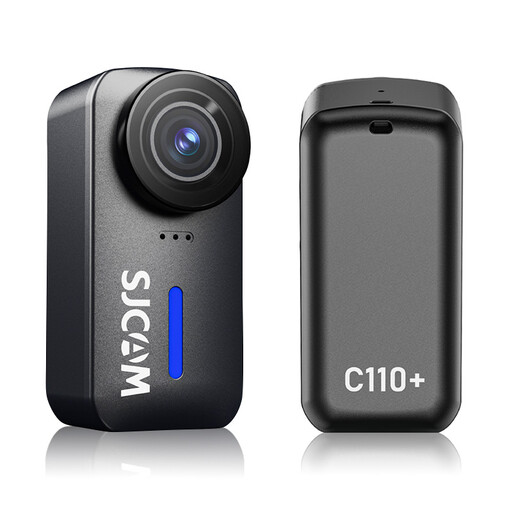
SJCAM C110+ 4K Action Camera

SJCAM C110+ 4K Action Camera

This compact action camera could be an option for supplementary footage; test whether the ultra-wide angle captures too much of the area around your paper.

The product information lists 4K 30 fps, a 170° field of view and recording times of up to 120 minutes.

View at Joybuy

Frequently asked questions

Is 4K enough to show small cutting details?

No, 4K alone doesn’t guarantee that. With your chosen camera and lens at the planned height, test whether both the paper and the smallest important step appear sharp and large enough on screen.

How do you get started with a fixed overhead view?

Test a stable mount above the work area and keep the composition and lighting as consistent as possible. Record a test clip with white and coloured paper and check whether you need to adjust the white balance for your lighting.

How can you check whether your instructions are easy to hear?

Record a test step while speaking and cutting as you normally would. If you want to use an external microphone, check that the version you’ve chosen has the right input and test the microphone position in your actual set-up.

Does the statutory cooling-off period apply to business camera purchases?

Not automatically: Ondernemersplein states that the statutory 14-day cooling-off period does not apply to business purchases. KVK points out that small businesses may still be able to rely on consumer protection in certain situations. Before buying, check who the contracting party is and which return and warranty terms apply.

Can I include identifiable people in a commercial lesson video?

According to the Dutch Data Protection Authority, the GDPR applies when filming identifiable people for business or commercial purposes, and you need a valid legal basis for making and publishing the footage. Consent is one possible example, but it is not automatically the only legal basis; decide in advance which basis applies to your situation. There are additional considerations when filming employees.

Can I use someone else’s music or design in my video without checking first?

Not without checking the rights first. Ondernemersplein lists music, films and drawings among works that may be protected by copyright. Check whether you own the rights or whether your use is covered by valid permission or a licence.
