
The painter filming on their own
Your camera is already recording, but you want to check from your painting spot that the whole sheet and your brushstrokes stay in frame and in focus. The monitoring tools on Portkeys models can help with this.


If your camera records the footage itself, an HDMI camera monitor can help you check framing, focus and exposure from your painting spot. A monitor-recorder is only relevant if you also want to record externally. Check your camera’s output, where you’ll position the screen and how you’ll power it, and set the white balance to suit the room’s lighting.
Your camera is already recording, but you want to check from your painting spot that the whole sheet and your brushstrokes stay in frame and in focus. The monitoring tools on Portkeys models can help with this.
You want to assess the lighter areas of the paper and changes in colour. The monitor’s tools matter, as do your camera’s white balance and the room’s lighting. Nikon explains how to adjust white balance to suit the current lighting conditions.
You film longer sessions from a fixed setup and want to work out in advance where the screen, cables and power supply can go. Power options vary by model; Atomos and FEELWORLD, for example, describe different connections and power options.
Suitable when: your camera records the footage itself and you mainly want to check framing, focus and exposure beside your painting table.
Trade-off: a smaller screen takes up less space, but the paper appears smaller than it does on a larger screen.
Suitable when: the screen is further from your eyes or you want to see the whole sheet from your workspace.
Trade-off: a larger screen doesn’t automatically mean more screen pixels. Portkeys lists 1280 × 720 pixels for the 7-inch HD7H and 1920 × 1080 pixels for the 5-inch PT5 II.
Suitable when: your setup uses SDI, or you want to record externally with a monitor-recorder.
Trade-off: extra connections or recording features won’t make an incompatible camera output suitable. Check the full model specifications, as well as the power supply and storage you’ll need.
| Consideration | What to look for | Who is this most important for? |
|---|---|---|
| Framing and detail | Match your viewing distance and screen position to the screen size and resolution. Check whether the model has tools such as peaking or magnification. | If I want to see from my painting spot whether the whole sheet and fine brushstrokes are in frame, I’m mainly looking for a screen that’s easy to read from my viewing distance. Around 28% of consumers say checking framing and focus is their main reason for buying. |
| Colour and exposure | Look for tools such as waveform or false colour, and set your camera’s white balance to suit the lighting you’re filming in. | When I want to assess the white of the paper and changes in colour, I don’t want to rely on screen brightness alone. Around 22% of consumers give colour and exposure monitoring top priority. |
| Camera connection | Compare your camera’s HDMI output while filming, output format and frame rate with the monitor’s input. | If I need a live view from my existing camera, I want to know in advance whether its output signal is compatible with the screen. Around 22% of consumers prioritise camera and signal compatibility. |
| Power and positioning | Check the required battery type or external power supply, what’s included in the box and the mounting options. | For long recordings from a fixed position, I want to decide in advance where the screen and power supply can go. Power and positioning are the main reason for buying for around 17% of consumers. |
| Visibility in light from a window | Try to position the screen away from direct reflections, and compare the brightness and any anti-glare features of the exact model. | If daylight from a window falls on my screen, I want to keep viewing my camera image from my workspace. Around 11% of consumers say visibility in bright conditions is their main consideration. |
According to Portkeys, the 7-inch Portkeys HD7H has a resolution of 1280 × 720 pixels, while the smaller 5-inch PT5 II has a resolution of 1920 × 1080 pixels.
Compare viewing distance, screen size and resolution together if you want to check fine brushstrokes.
Portkeys lists a screen resolution of 1920 × 1080 for the PT5 II and a maximum input of up to 4K UHD 30p. The input specification and screen resolution refer to different things.
Compare your camera’s HDMI output with the supported input, and check the screen resolution separately.
The monitor displays the image supplied by the camera; white balance and lighting affect how colours appear. Nikon describes white balance settings that can be adjusted to suit the current lighting conditions.
Check the lighting and camera white balance first. Use monitor tools as an extra check, not as a substitute for suitable recording settings.
Atomos describes the Shinobi II as a monitor and the Ninja range as monitor-recorders. Features and required components depend on the exact model and setup you choose.
First decide whether you want to record externally, then check what’s included and which components you’ll need for the full model.
Depending on your setup, you may also need a compatible battery, power supply, cable or storage.
Portkeys offers a range of compact and larger HDMI monitors. Compare the features of the specific model you’re considering.
The FW568 PRO is an HDMI monitor, while the LUT7S also has SDI connections.
The Shinobi II is a monitor, while the Ninja range consists of monitor-recorders for anyone who also wants to record externally.
The Video Assist range may be worth considering if a larger screen and external recording are part of your workflow.
The Indie 5 is a compact monitor option to compare if you need HDMI and 3G-SDI.
The products below are screen options for a fixed HDMI workspace or for filming with a compatible phone. Before choosing, check what type of live view your watercolour setup uses.
 No image available
The 24-inch IPS screen offers plenty of viewing space for a fixed workspace. Check that your camera’s HDMI output is suitable for display on this monitor.
 No image available
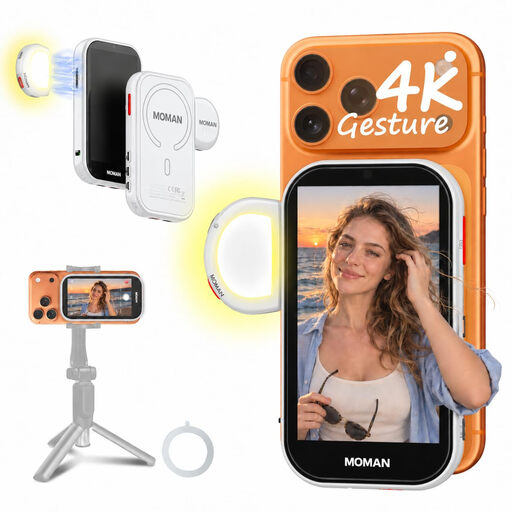
Designed to show a live view from the rear camera of a compatible phone. Its compact screen offers less space for assessing a whole sheet and fine brushstrokes at the same time.
Not automatically. Use a standard monitor if your camera records the footage itself. Consider a monitor-recorder only if you want to record externally, and check the full model specifications and your camera’s output.
For your exact camera model, check the HDMI connection, video signal while filming, frame rate and whether information is displayed on the external output. Compare these details with the monitor’s input specifications. Sony describes an HDMI setting on supported Sony cameras that controls whether information appears on the external display; this doesn’t automatically apply to every camera model.
First, set your camera’s white balance to suit the room’s lighting, then check bright areas using the exposure tools available. Nikon describes a manual white balance setting for current lighting conditions; monitor calibration or a LUT doesn’t replace this camera setting.
Check whether the power supply, HDMI cable and any storage you need are included. According to Your Europe, for a standard online consumer purchase you generally have a 14-day right to withdraw from the contract from the date you receive the goods, subject to exceptions. You may have to pay return costs if the seller informed you of this in advance. Your Europe also describes a minimum EU legal guarantee of two years for faulty goods; a manufacturer’s guarantee does not reduce these rights.
Electrical and electronic equipment must meet the applicable safety requirements. According to Ondernemersplein, CE marking is mandatory for certain product groups; this requirement doesn’t automatically apply in the same way to every product. Check the product information and the markings that apply to the model on offer.