
Filming stamp details
When shooting close-ups, you want to see where the focus falls as you film, for example on small lettering or along the edges. SmallHD describes focus assist as a way to identify the point of focus by looking for sharp edges.


For close-ups of stamps, choose a camera monitor based on the control you need: magnification or focus peaking for detail, and waveform, histogram or false colour for exposure. Before buying, check that the monitor accepts your camera’s HDMI output in your chosen recording mode, and that the screen, cable, mounting and power supply suit your workbench. A monitor-recorder is only relevant if you also want to record externally.
When shooting close-ups, you want to see where the focus falls as you film, for example on small lettering or along the edges. SmallHD describes focus assist as a way to identify the point of focus by looking for sharp edges.
If you’re filming stamps on light-coloured paper, you’ll want to assess the exposure in the image rather than relying on how bright the monitor screen looks.
You want to monitor the footage from your workstation while the camera is recording. The camera signal, cable, mounting and power supply all affect how practical the set-up is.
First, work out which image controls you’re missing. Then check that your camera, monitor and workbench set-up are compatible.
| What to consider | What to look for when buying | Who should prioritise this? |
|---|---|---|
| Focus and framing | Compare focus peaking, image magnification, screen size and placement. SmallHD describes focus assist as a way to identify sharp edges; check details in a test recording too. | For close-ups, I want to assess fine lettering and edges on screen; around 36% of consumers say focus and framing are their top reason for buying. |
| Exposure of the stamp and background | Check whether the exact model has waveform, histogram or false colour. Review a test recording under your own lighting; a brighter screen won’t correct the exposure of the footage. | When filming on light-coloured paper, I want to check that the lighter areas remain distinguishable in the recording; around 29% of consumers prioritise exposure control. |
| Reliable camera signal | Compare your camera’s output in the chosen video mode with the monitor’s HDMI input and supported formats. Also check whether the camera can record at the same time. | When I want to monitor footage on an external screen while filming, my camera must actually output a picture in the selected mode; around 21% of consumers prioritise signal compatibility. |
| Power and positioning | Decide where you can see and mount the screen. Check the power options and accessories included with the exact version. | With a camera positioned above the workbench, I want to see the screen without cables or the power supply getting in the way; around 14% of consumers prioritise a practical set-up. |
An HDMI input that accepts certain 4K signals doesn’t mean the monitor itself has a 4K-resolution screen. According to Portkeys, the Portkeys PT5 II has a 1920 × 1080 screen and supports certain 4K signals.
Compare the HDMI formats output by your camera separately with the monitor’s input specifications and screen resolution.
A standard camera monitor is designed for viewing. According to Blackmagic, the Blackmagic Video Assist 5-inch 3G has an SD card recorder; this version supports video formats up to 1080p60.
First decide whether recording on the camera is sufficient. Only compare monitor-recorders if you actually need a separate recording file.
With a monitor-recorder, you’ll also need to consider a suitable recording medium and a camera signal compatible with the version you choose.
What’s included can vary by version. FEELWORLD offers different bundles for the F5 PROX, while Atomos states that the Shinobi II has no built-in battery.
Check the contents listed for the exact version and plan the cable and power routes for your workbench.
Depending on the version, you may also need a suitable battery, power adapter, cable or mount for your set-up.
The PT5 II is designed for those who want a larger image, focus control and exposure tools at a fixed workbench.
The F5 PROX is worth comparing if you’re looking for a higher stated screen brightness and exposure tools.
The Shinobi II is a compact monitor for checking your footage; camera control may only be relevant for separately supported cameras.
The DC-X2/DC-X3 series is worth comparing if you’re looking for a 6-inch screen with high stated brightness.
The Video Assist range is worth considering if you want to record externally as well as monitor your footage.
An external screen for a fixed workstation; before buying, check that your camera can send the required signal to the HDMI input.
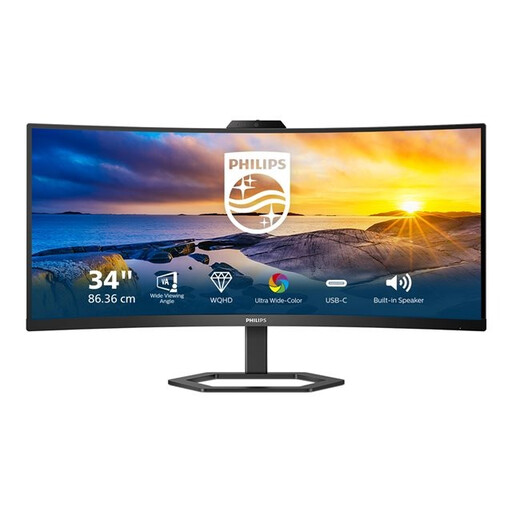 No image available
Could be considered as a large external screen for a fixed workbench; check that your camera supports the chosen HDMI output.
34 inch; 3440 × 1440; 21:9; 300 cd/m²; 4 ms; connections: HDMI, USB and DP.
Not without checking your camera model and the video mode you’ve selected. Canon Europe provides mode-dependent information about external display and recording to the camera card for the EOS R50 V. Compare your camera’s manual with the monitor’s input signals, and make a test recording.
Focus peaking helps you identify sharp edges in the monitor image. SmallHD describes focus assist as a way to find the point of focus; also check the recorded image, as the peaking indicator alone doesn’t prove that every detail you want is in focus.
No, it depends on the model and bundle. FEELWORLD offers an F5 PROX standard package without a battery or power adapter, as well as a package with a battery. Atomos states that the Shinobi II has no built-in battery. Check what’s included and how the exact version is powered.
No, the statutory 14-day cooling-off period doesn’t apply to a business purchase made as an entrepreneur. The Dutch government’s Ondernemersplein distinguishes between consumer and business purchases. Also check the seller’s contractual returns and service terms before placing your order.
The European Commission lists electrical and electronic equipment among the product groups that may be covered by CE rules. The requirements for a specific model and the power supply included must be checked for each product. A CE marking says nothing about signal compatibility with your camera.