
Creator filming by a bright window
Films during the day close to a window and wants to keep checking the camera image when daylight falls on the screen.


First, choose a monitor that supports your camera’s video signal and fits where you want it in your setup. If daylight from a window falls on the screen, compare the stated brightness and anti-reflection features. Exposure and focus tools are also useful for white paper and fine lines. A brightness specification doesn’t guarantee that the screen will be easy to read from your viewing angle.
Films during the day close to a window and wants to keep checking the camera image when daylight falls on the screen.
Wants to check before buying that the camera’s video output, cable and monitor input are compatible.
Wants to check white paper, pencil lines, and the framing of the page and hands while filming.
First, check that your camera sends a usable signal to the monitor. Then compare visibility where you’ll be filming, tools for working with paper and drawings, and the space available for power and mounting.
| What to consider | What to look for | Who is this important for? |
|---|---|---|
| Visibility in daylight from a window | Compare the stated brightness and screen surface. Also consider whether you can angle the monitor away from direct light. | If I want to keep seeing the image in daylight, readability comes first; around 25% of consumers give visibility in daylight from a window top priority. |
| Connection to the camera | Check your camera’s video output and output mode, the cable you need, and the input supported by the monitor. | If I’m using my existing camera, I want to know the connection will work before buying; around 25% of consumers prioritise compatibility with their own camera. |
| Exposure and focus | Check which tools are included, such as waveform, false colour or focus peaking, and which ones you need. | If I want to assess light-coloured pages and fine lines, image-assist tools matter; around 20% of consumers prioritise checking exposure and drawing details. |
| Framing the page and hands | Compare the screen size and panel resolution with your viewing distance and mounting position. | If I want to keep the page and my hands in frame at the same time, I consider how clearly I can see everything from my workspace; around 15% of consumers base their choice mainly on framing. |
| Power and mounting | Check what power supply and mounting points you need, and what’s included with the version you’ve chosen. | If I don’t want to keep adjusting my setup while filming, I look for a suitable power supply and mounting position; around 15% of consumers give these practical considerations top priority. |
According to Portkeys, the Portkeys HD7H has a panel resolution of 1280 × 720 pixels. A claim about a supported input signal doesn’t automatically tell you the panel’s resolution.
Compare supported input signals and panel resolution as separate specifications.
The stated screen brightness doesn’t determine how clearly you’ll see the image from your viewing angle or in the light coming through your window.
Consider positioning and reflections, and treat brightness specifications as a way to compare monitors—not as a guarantee for your setup.
The box contents for the LUT6, as described by FEELWORLD, don’t include a battery.
Check the contents of the specific version, the compatible power supply and the mounting options before ordering.
The Shinobi GO is a compact HDMI monitor. The Shinobi II is worth considering if you also want to control your camera from the screen.
The HD7H is an option to consider if you want a larger display; the PT6 is a compact model with image-assist tools for controlled lighting.
The LUT6 is worth considering if a high stated brightness and HDMI loop-through are important to you.
The Indie 5 is worth considering for setups that need its specified SDI and HDMI connections or professional monitoring features.
The products below are selfie monitors for filming with a compatible iPhone or Android phone. They’re designed for phone filming, not as HDMI monitors for a separate camera.
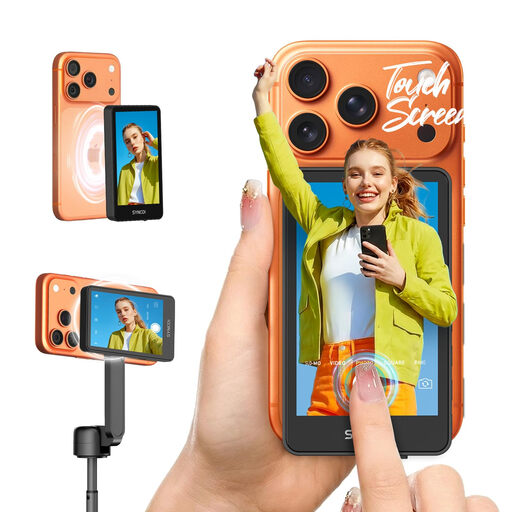 No image available
Suitable for monitoring your image while filming with a compatible iPhone or Android phone.
The product title lists a touchscreen and compatibility with iPhone 7–17 and Android.
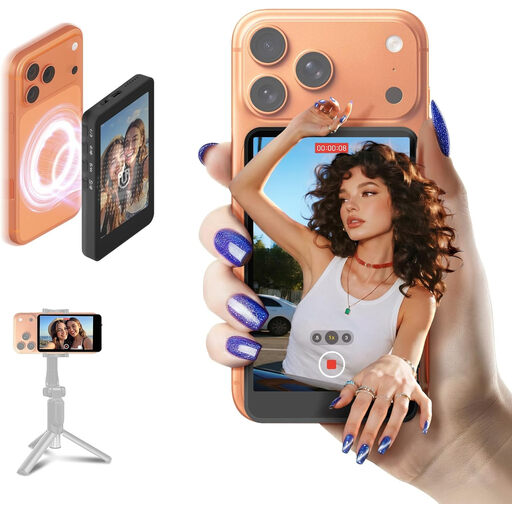 No image available
Suitable for monitoring your image while filming with a compatible iPhone or Android phone.
The product title lists compatibility with iPhone 7–17 and Android.
No, not if you only want to check the live image. A monitor and a monitor-recorder are different types of product. Check what recording features your camera offers and what you need.
Compare your camera’s video output mode and connection with the input supported by the exact monitor model, then choose a suitable cable. For example, the Portkeys PT6 specifications list HDMI input up to UHD 4K30; always check what’s supported by the version you’re considering.
According to the box contents described by FEELWORLD, a battery isn’t included. Check the contents of the specific version and which power supply will suit your setup.
No, a CE marking isn’t an assessment of image quality. Business.gov.nl explains that the marking relates to compliance with the relevant EU product rules; the requirements depend on the product.
For many qualifying distance purchases from a business, you have a 14-day cooling-off period, with some exceptions. This is separate from your rights if a product is faulty; the Dutch government explains both. Check who the seller is and which terms apply to your purchase.