
Puzzle filmer who wants to see the whole playing area
You’re filming from a spot where the camera screen is hard to see, and want to check that all the puzzle pieces and your actions stay in frame as you work.


Start by choosing a spot where you can see the full camera image while working on your puzzle. Then check that your camera sends a compatible video signal to the monitor. Focus or exposure aids are most useful when you want to assess small details or changing light. Screen size, power and cables all affect how practical your setup will be. The Videomakers distinguishes between monitors and monitor-recorders, so don’t assume that a camera monitor records footage itself.
You’re filming from a spot where the camera screen is hard to see, and want to check that all the puzzle pieces and your actions stay in frame as you work.
You want to check focus and exposure while filming your hands and small details. Image aids are only useful if the camera signal reaches the monitor.
You want to position the monitor within easy reach without a battery, power cable or mount getting in the way of working on your puzzle.
| What matters | What to look for | Which consumers |
|---|---|---|
| Seeing the whole puzzle | Consider screen size, viewing distance and viewing angle. Also check where the monitor can be mounted. | If I want to keep the playing area and my hands in shot while filming, framing comes first; around 36% of consumers feel the same. |
| A working camera connection | Check your camera’s video output and compare the selected output format with the monitor’s input and supported signals. | If I first want to make sure the camera image is coming through, the signal connection is my top priority; around 29% of consumers prioritise it too. |
| Assessing small details | Check whether the model has focus peaking and useful exposure aids. If necessary, assess the results with a test recording. | If I want to see small details in focus or check the exposure, I look for suitable image aids; around 21% of consumers put this need first. |
| Power and positioning | Check the power options, included accessories, mounting position and expected session length. | If I want to keep cables and loose parts to a minimum around the puzzle table, I focus on power and positioning; around 14% of consumers start with this. |
A monitor may accept a 4K signal even if its own screen has a lower resolution. These two specifications tell you different things about the picture.
Compare the screen resolution separately with the supported HDMI input format.
A monitor doesn’t automatically turn the camera signal into a recorded video file. The Videomakers distinguishes between standard monitors and monitor-recorders.
Check the recording function of the exact model and decide which device will capture your puzzle video.
If the camera itself can’t make the recording you want, you may need separate recording equipment.
Power options and included accessories vary by version. A bundle listing doesn’t automatically tell you which accessories are included.
Before buying, check the exact version, power connection, package contents and expected session length.
The Shinobi GO and Shinobi II are worth comparing if you’re looking for an external HDMI monitor. Their features and power options differ.
The P6XL is a 6-inch HDMI monitor with a built-in battery. The FW568 PRO is a separate product line with different power and control options.
The PT5 II is a 5-inch HDMI monitor for anyone looking for an extra screen with image aids.
The GM6S Pro is a model to consider when comparing camera monitors.
The DC-550 Pro II is an option if you’re considering different power options and image aids as well as HDMI.
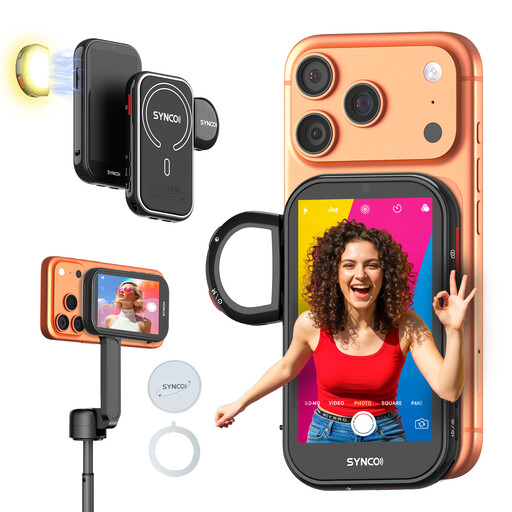
If you film with an iPhone and want to view the rear camera’s image on a separate screen, this phone monitor is worth considering. Check that it’s compatible with your device.
 No image available
This monitor is designed to show the rear camera’s image on a separate screen. The product information lists compatibility with iPhone, but not Google Pixel.
The description mentions wireless monitoring up to 50 m and wired mirroring as a zero-latency option. Check which connection method suits your phone and setup.
No. According to Portkeys, the PT5 II accepts a signal up to 4K30p, but the screen itself has a resolution of 1920 × 1080 pixels. Check the screen resolution and supported input signals separately.
Position the monitor so you can check the frame without blocking the puzzle, and test the cable, mount and power supply beforehand. FEELWORLD states that the P6XL runs for 2 hours at 100% brightness; compare your expected recording time with the power options of the exact model.
Not automatically. The Videomakers distinguishes between standard monitors and monitor-recorders, so check the recording function of the exact model and which device will actually save the video.
For qualifying distance purchases from a business, you’ll often have 14 days to change your mind, according to the Rijksoverheid. You’re also entitled to a product that is fit for purpose, and the seller must provide a solution if a product is faulty. The Rijksoverheid states that the Netherlands has no fixed statutory guarantee period.
This depends, among other things, on how widely you share the video. According to the Autoriteit Persoonsgegevens, a recording that stays private or is shared with a very limited group may fall under the exception for personal or household use. That exception doesn’t apply when identifiable people are shown in a wider public or business publication, which requires a lawful basis under the GDPR. According to the regulator, consent is the appropriate basis in many cases.