
Painters checking brushwork details
You film small hand movements and want to check during recording that the details stay in focus, not just the composition.


Start with a monitor that supports your camera’s video output signal. Then compare its focus and exposure aids with the space taken up by the screen, mount and power supply. A compact HDMI model may be more practical beside a small work table, while a built-in battery or extra connection is mainly relevant if your setup needs one. Manufacturer specifications for brightness and features don’t, by themselves, tell you how easy the screen will be to read in your workspace.
You film small hand movements and want to check during recording that the details stay in focus, not just the composition.
You want to see the screen without the monitor, mount, cables and power supply getting in the way of your painting. Screen size and power options also matter.
You want to assess light and dark areas while filming, so you’re looking at exposure aids and the stated screen brightness.
First, check that your camera can send the right signal to the monitor. Then make sure the monitor fits on your table and that its focus and exposure aids help you check what you need to see while painting.
| What to consider | What should you check? | Who is this important for? |
|---|---|---|
| Sharp brushwork details | Focus peaking or focus assist; screen size and viewing position. | I want to see while painting whether fine brushstrokes stay sharp; around 33% of consumers say checking detail is their main reason for buying. |
| Camera signal | Input type and supported resolution and frame rate. | I want the image from my camera to appear on the monitor; around 27% of consumers give signal compatibility top priority. |
| Space and power | Screen size, mounting position and battery or power connection. | I want to see the screen without losing painting space or freedom of movement; around 27% of consumers prioritise positioning and power. |
| Exposure and readability | Exposure aids, stated brightness and possible reflections. | I want to assess light and dark areas under my work lights; around 13% of consumers say checking exposure is their main reason for buying. |
A monitor may accept a particular 4K signal without its own panel having that resolution. Atomos lists a maximum HDMI input of up to UHD 4K30 and a screen resolution of 1920 × 1080 pixels for the Shinobi GO. A monitor with a camera signal input also doesn’t automatically record footage.
Check the input specification, panel resolution and any recording capability separately before choosing a model.
A monitor needs to fit on your table alongside your hands, painting supplies and camera. The mount, cable or power supply may also take up space.
Decide in advance where the camera, screen and cables will go, and check what’s included in the exact package.
Depending on the monitor and setup, you may need a suitable mount, cable or power supply.
A brightness figure in cd/m² describes a stated screen specification, but it doesn’t determine how easy the picture will be to read on your table with your lights and any reflections.
Compare the specification for the exact model and consider where the screen will sit in relation to your work lights.
According to Portkeys, the PT5 II is a compact HDMI monitor with a 5-inch screen and focus aids. The manufacturer lists HDMI input and output, and a brightness of 500 nits.
The F5 Pro V2, F5 PROX and P6XL offer different screen and power options to compare.
The Shinobi GO and Shinobi II are HDMI monitors with monitoring aids for a compact filming setup.
The Indie 5 is worth comparing if your setup needs SDI or specific production tools as well as HDMI.
The GM6S Pro is a camera monitor range worth comparing if you’re looking for a monitor or a version with accessories.
This Joybuy selection features portable monitors for anyone considering a separate screen beside their painting table. Before buying, check that your camera can output the required video format through the connection listed, and that the screen size fits your workspace.
 No image available
This may suit you if your camera outputs a compatible video signal via Mini HDMI or USB-C, but the screen takes up a lot of space on a small table.
23.8 inches, 1920 × 1200 and IPS; the product description lists Mini HDMI and USB-C for displaying images.
 No image available
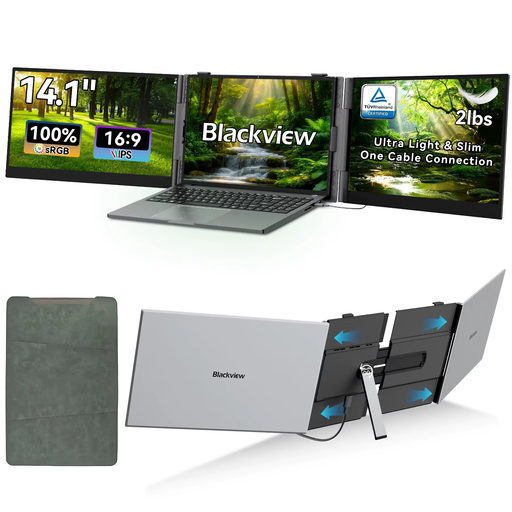
The 14-inch screen still needs space beside your painting area. Check that your camera can output a compatible signal via Mini HDMI or USB-C.
FHD IPS screen with 1920 × 1080 pixels and 60 Hz. The product description lists Mini HDMI and USB-C.
 No image available
This monitor is only an option if your camera can output an image via USB-C with DisplayPort Alt Mode. Check compatibility and available table space.
WUXGA resolution of 1920 × 1200, IPS panel and integrated adjustable stand. The description lists two USB-C ports with DisplayPort Alt Mode.
 No image available
Check that the Mini HDMI input supports your camera’s output signal and that the 16-inch screen fits on your small work table.
Resolution of 2560 × 1600, 144 Hz and a stated brightness of 450 nits.
 No image available
The 16-inch screen needs space beside your painting area. Check that the HDMI input supports your camera signal and that the built-in stand can sit where you want it.
Resolution of 2560 × 1600, IPS panel and built-in stand.
Not necessarily. Check separately which resolution and frame rate the HDMI input accepts and the resolution of the screen itself. Atomos lists a maximum input signal of UHD 4K30 and a screen resolution of 1920 × 1080 pixels for the Shinobi GO.
First, check the connections and whether the cable and monitor support the camera’s selected signal. For signal problems, Viltrox recommends checking the cable and output resolution, among other things; also consult your camera’s manual.
It depends on the model and version. Atomos states that the Shinobi II has no built-in battery and can be powered by a compatible NP-F battery or USB-C PD. FEELWORLD describes the P6XL as having a built-in rechargeable battery. Check which power supply and cables are included with the version you choose.
According to the Dutch government, you’re entitled to a product that works properly and should contact the seller if there’s a problem. A manufacturer’s warranty or an extended warranty doesn’t replace your statutory rights; what you could reasonably expect from the product is also taken into account when assessing your claim.
First, consider the privacy rules that apply to the specific recording and publication. The Dutch Data Protection Authority explains that recognisable people in footage count as personal data; the rules that apply depend, among other things, on who is filming and what happens to the footage. A recording made solely for personal use is treated differently from footage that is published.