
Close-up video creator
If you film small components, you can use the screen to check focus and framing. Peaking can help, but it won’t focus the camera for you. Portkeys and Atomos list peaking as one of their monitor tools.


Choose a monitor that supports your camera’s HDMI output and lets you check focus and exposure from your workspace. A compact screen with tools such as peaking is a better fit for a small table; a larger screen or monitor-recorder is mainly worthwhile if you need more viewing space or separate recording. Keep housemates out of shot and check any recognisable footage before sharing or publishing it.
If you film small components, you can use the screen to check focus and framing. Peaking can help, but it won’t focus the camera for you. Portkeys and Atomos list peaking as one of their monitor tools.
If you share a bedroom, you may want a screen that’s visible from your workspace without needing a bulky set-up. Compare the screen size with the space available and your viewing distance.
If you want to record separately as well as monitor the image, or need audio features, you’ll need to distinguish between a standard monitor and a monitor-recorder. Blackmagic Design lists SD card slots and mini-XLR connections for the Video Assist 7 3G.
A good fit if: your camera provides a supported HDMI signal and you mainly want to check focus and framing at a small table.
Bear in mind: it has less screen space than a 7-inch model and doesn’t record. Portkeys specifies a 5-inch screen for the PT5 II, with input and output support up to 4K UHD 30p.
A good fit if: you work in bright daylight or want to control the camera from the screen, and your exact camera model is supported.
Bear in mind: extra brightness and controls aren’t automatically necessary in a bedroom. Atomos lists a 5-inch, 1500 cd/m² screen for the Shinobi II; camera control and touch focus depend on the camera and software.
A good fit if: you sit further from the camera, monitor the footage with someone else or want a separate recording workflow.
Bear in mind: a 7-inch device needs more space. Blackmagic Design specifies recording up to 1080p60 for the Video Assist 7 3G; the 4K recording capability of 12G HDR models does not automatically apply to this 3G model.
| What to consider | What should you check? | Who is this important for? |
|---|---|---|
| Focus on small components | Check whether the model has peaking and image magnification, and whether the live view remains visible while recording. | If I’m filming small jewellery components, I want to see on screen which detail is in focus. Around 33% of consumers put this check first. |
| Connection to the camera | Compare the HDMI resolution and frame rate of your exact camera and recording mode with the monitor’s input specifications; check the connectors too. | I want the live view to work with my camera and chosen video mode, rather than relying on a connector that simply fits. Around 27% of consumers give this compatibility top priority. |
| Positioning and power | Measure the available space and viewing distance; check the mounting options, cable routing, power supply and which accessories are included with the version you’ve chosen. | In a shared bedroom, I want to see the screen from my workspace without cluttering the table unnecessarily. Around 20% of consumers put saving space first. |
| Exposure and separate recording | Check whether the screen has the exposure tools you need. Choose a recorder only if it’s compatible with your camera, recording format and storage workflow. | If I want to assess exposure more accurately or record separately, these features matter more than simply having a larger live view. Around 20% of consumers give these capabilities top priority. |
Screen resolution and the resolution of the accepted input signal are different specifications. Portkeys specifies a 1920 × 1080 screen for the PT5 II, with input and output support up to 4K UHD 30p.
Compare both specifications separately with your own camera’s output.
A standard HDMI monitor displays the camera image, while a monitor-recorder also has a recording function. Features can also vary between versions in the same product range.
Decide in advance whether the camera should record by itself or whether you need a separate recorder. Separate recording may also require compatible storage media.
A larger screen takes up more space, while extra brightness is mainly useful if your viewing conditions call for it.
Choose based on viewing distance, daylight and the space available for mounting, rather than simply opting for the highest screen specification.
A housemate could be recorded unintentionally and be recognisable. The Dutch Data Protection Authority distinguishes between personal use or sharing with a very limited group and wider or commercial publication.
Point the camera at your work table and check for recognisable people in the footage before sharing or publishing it.
The PT5 II is a compact HDMI monitor for a small workspace.
The FW568 PRO is a 6-inch monitor with tools and framing markers.
The Shinobi II is a compact monitor with extra brightness and camera control options; the Ninja is a separate product range with a recording function.
The Video Assist 7 3G is designed for anyone who needs a larger screen and an HD monitor-recorder.
The Indie 5 is a 5-inch option for anyone who needs specific PageOS tools and connections.
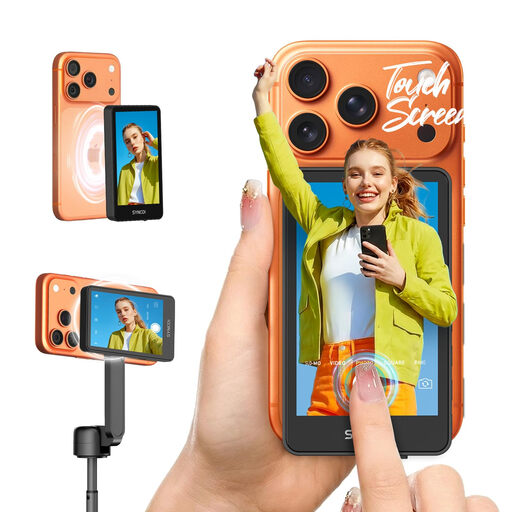
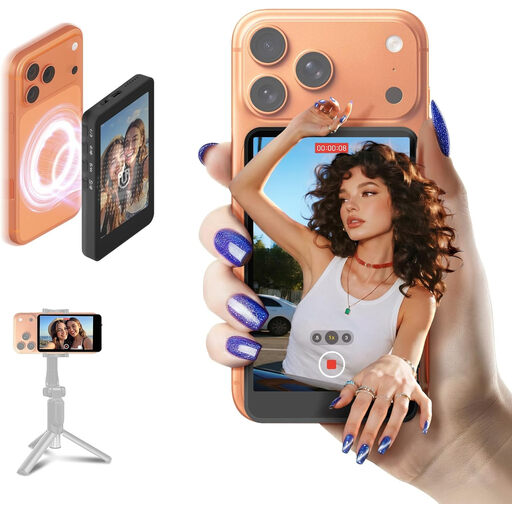
The Joybuy products below are selfie monitors for filming with a phone; they are not external HDMI monitors for a camera.
 No image available
As the product name suggests, this is a touchscreen selfie monitor for filming with iPhone and Android phones; it is not an external HDMI monitor for a camera.
The product name lists compatibility with iPhone 7-17 and Android. Check that your phone and intended set-up are supported.
 No image available
As the product name suggests, this is a selfie monitor for filming with iPhone and Android phones; it is not an external HDMI monitor for a camera.
The product name lists compatibility with iPhone 7-17 and Android. Check that your phone and intended set-up are supported.
A standard external monitor displays the image supplied by the camera; it doesn’t replace the camera. If you want to record separately on the monitor, choose a monitor-recorder and check the supported formats and storage media.
Compare the HDMI output of your exact camera and recording mode with the monitor’s supported HDMI input. Also check the connectors, mounting options and power supply for the version you’ve chosen, as specifications vary by model.
Measure the available space and viewing distance from your workspace, and route cables so they don’t get in the way. Check which battery, power adapter, mount and cables are included with the version you’ve chosen.
For a consumer purchase in the Netherlands, you’re entitled to a product that meets the required standards; there is no fixed statutory warranty period in the Netherlands. According to the Government of the Netherlands, the seller is your point of contact if a product develops a fault. An additional warranty does not replace these statutory rights.
Where possible, point the camera at your own work table and check who appears recognisably in shot. According to the Dutch Data Protection Authority, the exception for personal or household use applies to private use or sharing with a very limited group; it does not apply to commercial purposes. If you publish footage of recognisable people to a wider audience, you need a lawful basis under the GDPR, depending on the recording and how it is used.