
Embroiderer checking stitches while filming
You want to see during close-ups whether the thread, needle and embroidery lines remain in sharp focus. So, look at the panel resolution and focus-assist tools, not just the screen size.


A separate camera monitor is most useful if you can’t properly assess the stitches and framing on the screen you already use. First, check that your camera outputs a suitable video signal in your chosen recording mode; a larger or brighter screen won’t fix a missing or unsupported signal. If your existing camera screen or computer preview already works well, an extra monitor could mean unnecessary cables, power and mounting equipment.
You want to see during close-ups whether the thread, needle and embroidery lines remain in sharp focus. So, look at the panel resolution and focus-assist tools, not just the screen size.
You want to position a screen next to the embroidery hoop without obstructing your workspace. The dimensions, mounting options, cable routing and power supply all affect how practical your set-up is.
You want to know in advance whether the camera sends a picture to the screen in your chosen recording mode. Output and simultaneous display or recording can vary by camera model and settings.
Choose this if: you can already assess the stitches and framing from your embroidery station, and can comfortably turn or position the screen.
The trade-off: you avoid an extra cable, power supply and mount, but may have less space to examine details or use focus-assist tools.
Choose this if: your camera outputs a supported HDMI signal in your chosen recording mode, and you want a larger preview with focus-assist tools beside your embroidery.
The trade-off: as well as the screen, you’ll need a suitable cable, mount and power supply. Camera control via touchscreen is not a standard feature of HDMI monitors.
Choose this if: you’re already filming or streaming via a computer and have a useful preview there.
The trade-off: the HDMI set-up described by Canon Europe requires a compatible HDMI-to-USB capture device; a camera’s HDMI output does not automatically provide a USB webcam connection.
| What to consider | What should you check? | Who is this most important for? |
|---|---|---|
| Seeing small stitches clearly | Compare the panel resolution and check whether the model offers magnification and focus peaking. | If I want to check the thread and fine stitches during a close-up, a clear picture and useful focus assistance matter most. Around 25% of consumers prioritise checking fine detail. |
| Connecting to the camera | Check your camera’s output in your chosen recording mode and compare it with the monitor’s supported HDMI signals. | I want to know before filming whether my camera actually sends a picture to the screen in the mode I’ve chosen. Around 25% of consumers give a working camera connection top priority. |
| Positioning in a small workspace | Check the dimensions, weight, mounting point and the direction in which the cables come out of the screen. | If I want to put a monitor beside the embroidery hoop, it needs to leave my hands and workspace clear. Around 19% of consumers focus on positioning that doesn’t obstruct their workspace. |
| Power and accessories | Check which battery or power input the exact model uses, and what’s included with the version you’ve chosen. | I want to know how the screen is powered during an embroidery session and which components I’ll need. Around 19% of consumers consider power and a complete set-up their most important selection criteria. |
| Screen visibility in bright conditions | Compare the stated brightness of the exact model and consider whether you can avoid reflections by adjusting its position. | If light makes the screen difficult to read where I plan to use it, brightness matters more to me than extra picture features. Around 12% of consumers prioritise screen visibility in bright conditions. |
A monitor can receive a 4K signal even if its panel has a lower resolution. Portkeys lists a panel resolution of 1920 × 1080 pixels for the PT5 II, despite its supported HDMI input formats.
Compare the panel resolution with the supported input signals, and check which focus-assist tools the model offers.
What you need for your set-up varies by model. Atomos says the Shinobi II has no built-in battery, while FEELWORLD lists a built-in rechargeable battery for the P6XL.
Check what’s included with the exact version and compare it with your existing cables, mounting equipment and power solution.
For the Shinobi II, Atomos describes camera control via an additional USB connection and supported camera systems. An HDMI picture alone doesn’t confirm that the controls will work.
If camera control is one of your reasons for buying, check which cameras are supported and what connections are required for your exact model.
The PT5 II is a compact HDMI monitor worth comparing if you want a larger picture and focus-assist tools beside your embroidery hoop.
The P6XL has a built-in battery, while the F5 PROX is a separate model with a higher stated brightness.
The Shinobi II is a compact HDMI monitor with picture-assist tools; the Shinobi GO is a separate model for camera preview.
The GM6S Pro is a model to include when comparing camera monitors.
The Indie 5 is particularly relevant if you need HDMI and SDI or specific PageOS features.
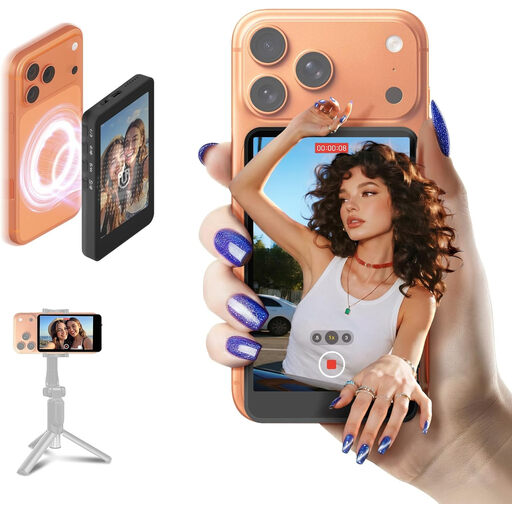
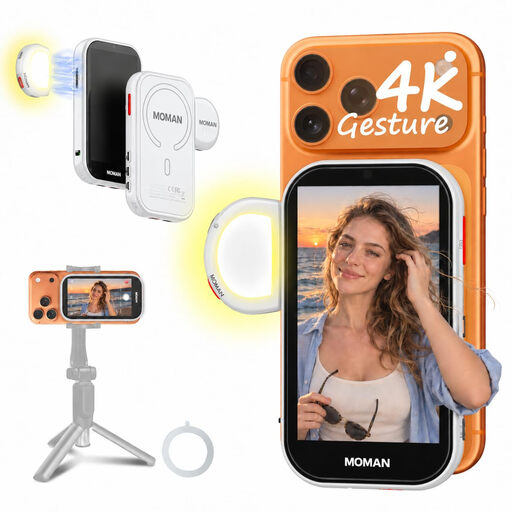
The products below are selfie monitors for a compatible smartphone, not HDMI camera monitors. They may suit you if you film embroidery videos on your phone and want to see a live preview from the rear camera.
 No image available
An option to consider if you film with a compatible smartphone and want to see the view from the rear camera. The product information excludes Google Pixel, so check that your phone is supported.
 No image available
An option if you film with a compatible phone and want a live preview from the rear camera. For a wired Android connection, the product information states that HCCast is required; check the connection for your phone.
That depends on the camera and the computer’s connection. In the HDMI set-up described by Canon Europe, the camera signal goes through a compatible HDMI-to-USB capture device. Also check your camera’s output in your chosen recording mode.
Check the HDMI display settings for your camera model and recording mode. Canon describes recording modes on the EOS R50 V where simultaneous output affects recording to the memory card, and Sony also describes model-specific screen behaviour. So, a monitor’s specifications alone won’t tell you what your camera outputs while recording.
Check that you have a suitable HDMI cable, a compatible mount and the right power supply for the exact screen. According to Atomos, the Shinobi II has no built-in battery; FEELWORLD says the P6XL has a built-in rechargeable battery and model-specific charging requirements.
Not necessarily. According to the Dutch Data Protection Authority, there is an exception for strictly personal use, but generally not for wider publication. Publishing recognisable people requires a lawful basis under the GDPR; if others don’t need to be in the shot, it’s best to point the camera only at your own work.
For an online consumer purchase in the Netherlands, you generally have a statutory 14-day cooling-off period from delivery. ACM ConsuWijzer also explains the conditions and exceptions for trying out and returning a product. If the product is faulty, contact the seller about your applicable consumer rights as well.