Magnification or focus peaking can help you check stitches and hands during a crochet lesson, while waveform or false colour can help you assess bright areas against a white background. Then check that the camera signal, power supply and mounting suit your setup. Extra brightness or recording features are only relevant if you actually need them.
Who is a camera monitor useful for?
Creators of detailed crochet lessons
If you want to check stitches and hands clearly while filming, look for magnification and focusing aids. Foto-Groep explains that a field monitor can display a larger, more detailed image than a camera screen; Portkeys and Atomos describe focus peaking on their monitors.
Creators using light-coloured yarn and a white background
If you want to check bright areas of the image, look for tools such as waveform or false colour. SmallHD describes waveform as a way to view signal levels; FEELWORLD lists waveform as a feature of the F5 PROX.
Creators with a fixed camera setup
If you film at a worktable, you’ll benefit from a screen that fits where you want to place it and works with your camera and power supply. Check the camera output, as well as the connections and power options for the exact monitor model.
What should you look for when choosing one?
Start with the check that matters most while you’re crocheting, then compare the camera signals, power options and placement.
| What to consider |
What to check before buying |
Who is this important for? |
| Sharpness of stitches and hands |
Check whether the exact model offers magnification and focus peaking, and whether you can position the screen so you can see your crochet clearly. |
If I want to check that stitches and hands are in focus while filming, I’ll look first for magnification and focusing aids. Around 29% of consumers put focus checking first. |
| Exposure against white |
Check whether the model offers waveform, false colour or zebra, and make a test recording with the yarn and lighting you use. |
When using light-coloured yarn against a white background, I want to check that details remain visible, not just how bright the screen looks. Around 24% of consumers give exposure control top priority. |
| Camera compatibility |
Compare the camera output and its selected resolution and frame rate with the inputs and supported signals of the exact monitor model. |
If I want to connect my camera without any surprises, I’ll check the signals supported by both devices first. Around 18% of consumers name a working camera connection as their top priority. |
| Power and positioning |
Check the mounting options, available space, power options and what’s included in the bundle you’re considering. |
For a fixed worktable, I want to position the screen without it getting in the way of my hands or crochet, and know how it’s powered. Around 17% of consumers prioritise power and positioning. |
| Features you need |
Decide whether you want to record externally. If you’re considering a recorder, check camera compatibility, supported recording formats and storage media too. |
If my camera records video itself, image monitoring may be enough, so I may not need to choose a recorder. Around 12% of consumers consider the balance between essential features and extra recording options most important. |
Buying pitfalls
-
Confusing ‘4K HDMI’ with a 4K screen
A supported incoming video signal and the screen’s physical resolution are two different specifications. Portkeys lists a screen resolution of 1920 × 1080 pixels for the PT5 II and support for a 4K30p signal.
Compare the input signals and screen resolution separately for the exact model.
-
Assuming a brighter screen means better exposure in your recording
The brightness of the monitor screen and the brightness levels in the video signal are not the same. Turning up the screen brightness does not change the exposure of your recording.
Where available, use waveform, zebra or false colour, and check a test recording too. The SmallHD manual describes a flattened top on the waveform as a sign of clipped highlights.
-
Assuming the required power supply is included as standard
According to Atomos, the Shinobi II does not have a built-in battery. FEELWORLD lists different accessories as included with different versions of the F5 PROX.
Before buying, check the power options and what’s included with the specific bundle.
Some versions may require a compatible battery, adapter or cable.
-
Choosing a monitor-recorder when you only need to view the image
The Blackmagic Video Assist 5-inch 12G HDR also offers recording features; Blackmagic says RAW recording only works with supported cameras.
First decide whether external recording is necessary for your workflow, then check compatibility.
External recording may also require suitable storage media.
Brands to consider
Portkeys
Portkeys describes the PT5 II as a compact HDMI monitor with focusing and exposure tools.
- Portkeys lists the PT5 II as having a 5-inch, 1920 × 1080-pixel screen, focus peaking, waveform and a specified brightness of 500 nit.
- Consider whether that brightness and screen size suit your lighting and viewing distance. The listed specifications are not an independent comparison of image quality.
FEELWORLD
FEELWORLD describes the F5 PROX as a 5.5-inch monitor with focusing and exposure tools; according to the manufacturer, the P6XL has a built-in battery.
- For the F5 PROX, FEELWORLD specifies 1600 nit and lists tools such as focus peaking and waveform.
- The accessories included with the F5 PROX vary between bundles, so don’t assume every version comes with a battery. The P6XL’s battery specifications don’t automatically apply to the F5 PROX.
Atomos
Atomos positions the Shinobi II as a monitor for checking images, with focus peaking and exposure tools.
- Atomos specifies 1500 nit brightness and HDMI video input up to 4K 30p for the Shinobi II.
- The Shinobi II has no built-in battery. USB-C camera control depends on compatibility with your camera model.
Blackmagic Design
According to Blackmagic Design, the Video Assist 5-inch 12G HDR is designed for image monitoring and external recording.
- Blackmagic Design lists HDMI and SDI, scopes, and recording to an SD card or USB-C storage.
- According to the manufacturer, Blackmagic RAW works only with supported cameras. If you only need to view the image, the recording features don’t add an essential monitoring function.
SmallHD
SmallHD describes the Indie 5 as a 5-inch monitor with HDMI and SDI.
- SmallHD specifies a brightness of 1000 nit for the Indie 5.
- Camera control is described as optional, so check whether that feature is included with the version you’re considering.
Joybuy products
These product selections are general computer monitors. An HDMI connection in a product listing doesn’t in itself prove that a screen is compatible with your camera. Before buying, check the signals and connections supported by both devices.
 No image available
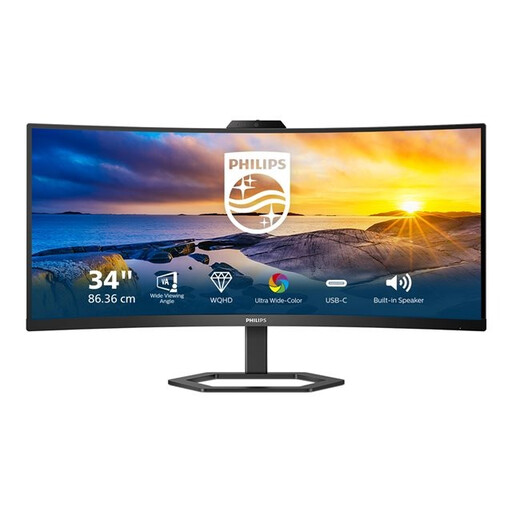
Philips 34E1C5600HE/00 monitor with Windows Hello webcam
The product name lists HDMI; use this screen to view your camera feed only if the camera outputs a supported signal.
3440 × 1440, 21:9, 300 cd/m², 4 ms; HDMI, USB and DP.
View at Joybuy
 No image available
KTC H27D9 27-inch QHD monitor
The product name lists HDMI; check whether the camera outputs a signal supported by this screen before choosing it for camera monitoring.
2560 × 1440, 120 Hz, IPS, HDR; HDMI and DP.
View at Joybuy
 No image available
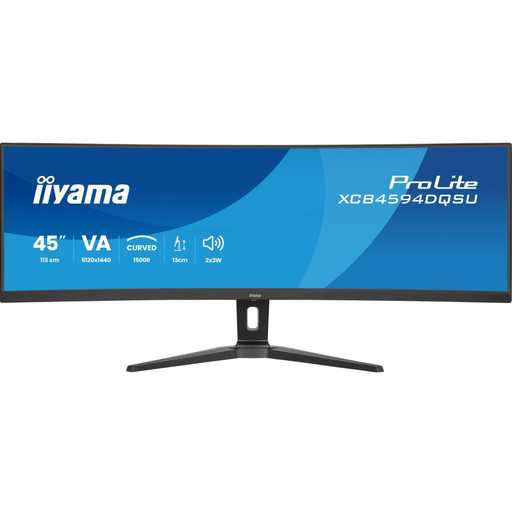
iiyama ProLite XCB4594DQSU-B1 44.5-inch monitor
First check the video inputs and supported camera output; the product name alone doesn’t confirm compatibility for camera monitoring.
113 cm, 5120 × 1440 pixels.
View at Joybuy
 No image available
KTC H27T27 27-inch QHD monitor
The product name lists HDMI; check that the camera outputs a supported signal before considering this screen for viewing camera footage.
2560 × 1440, 120 Hz, Fast IPS; HDMI and DP.
View at Joybuy
 No image available
KTC H24B9S 24-inch FHD monitor
The product name lists HDMI; compare the signals supported by this screen with the camera output before choosing it for camera monitoring.
1920 × 1080, IPS, 144 Hz; HDMI and DP.
View at Joybuy
Frequently asked questions
Can I connect an HDMI monitor to any camera?
No, having the right plug isn’t enough. Compare your camera’s video output and selected resolution and frame rate with the monitor’s supported HDMI signals. Atomos, for example, lists HDMI input up to UHD 4K 30p for the Shinobi II.
How can I stop light-coloured yarn disappearing against the background?
Make a test recording with your yarn and lighting, then check both the stitches and the bright areas of the image. A waveform shows signal levels; according to the SmallHD manual, a flattened top may indicate clipped highlights. Assess the recording itself, not just the brightness of the monitor screen.
Do I need a battery for a lesson at my worktable?
That depends on where you’re placing the monitor and what power is available. Atomos says the Shinobi II has no built-in battery and can be powered, among other ways, with a compatible NP-F battery or USB-C PD. For the FEELWORLD F5 PROX, check which accessories are included with the version you’re considering.
What safety information should I check for a camera monitor?
Electrical and electronic equipment sold in the Netherlands must comply with the applicable European safety and EMC rules. Business.gov.nl explains that the responsible market operator must meet these rules and, where required, provide CE marking and an EU declaration of conformity. Check the product information for the model you intend to buy.
What if the monitor doesn’t work properly after I’ve bought it?
For a consumer purchase in the Netherlands, the product must be of satisfactory quality and the seller must resolve any problems. According to the Dutch Government, there is no fixed statutory warranty period; the circumstances and the product’s expected lifespan are taken into account.


