First, choose a camera monitor with an HDMI input and supported signal mode that match your camera. Then compare its focusing and exposure aids, screen size and power options. The Videomakers describe focusing and exposure aids as ways to assess the camera signal, but a monitor won’t increase your lens’s focusing range. And with shiny coins, a higher brightness setting doesn’t guarantee that reflections will disappear.
Who is a camera monitor for?
Filming coin details
You want to assess small relief details and lettering on screen. Compare the panel resolution and focusing aids, but also check whether your lens can focus at the distance you need. The Videomakers and Nikon respectively describe monitor aids and the importance of using a lens suited to close-ups.
Filming in changing light on your table
You want to assess bright or shiny areas while filming. Look for exposure aids, and check whether reflections on the monitor screen affect your view. The Videomakers and Portkeys mention tools such as waveform and zebra.
Filming with limited table space
You need room for the screen, its mount and power supply without blocking the area where you work with the coins. Screen size and power options vary by model; FEELWORLD, for example, specifies a built-in battery for the P6XL.
What should you look for?
First, check that the monitor supports your camera’s video signal. Then decide whether detail, visibility in ambient light or a clear space on your table matters most to you.
| What to consider |
What to look for |
Who does this matter most to? |
| Clarity of small coin details |
Check the panel resolution and whether the exact model offers focus peaking or image magnification. Test the focus with your own camera and lens. |
If you want to assess small relief details and lettering, focusing aids and the amount of detail available on screen come first; around 28% of consumers make detail clarity their top buying priority. |
| Exposure and visibility |
Compare waveform, zebra or false colour, as well as the stated screen brightness. Check the screen in the place where you plan to position it while filming. |
If you want to check bright areas and shiny coins, both exposure aids and screen visibility matter; around 22% of consumers give lighting and reflections their top priority. |
| Camera signal compatibility |
Compare your camera’s video output with the resolution and frame rate supported by the monitor’s input. Also check which HDMI cable connector you need. |
If you first want to make sure your camera can send a picture to the monitor, a compatible signal connection matters most; around 28% of consumers name compatibility as their top buying priority. |
| Positioning and power |
Check the screen size, mounting options, cable routing, power supply and what’s included in the exact package you choose. |
If you need to keep your coin-working area clear and avoid loose cables or batteries getting in the way, size and power are key; around 22% of consumers put a clear, simple table setup first. |
Common buying mistakes
-
Assuming ‘4K HDMI’ means ‘4K screen’
The supported HDMI input and the number of pixels on the screen are different specifications. According to Portkeys, the Portkeys PT5 II supports 4K30p input, while its panel has 1920 × 1080 pixels.
Compare your camera’s output mode, the monitor’s supported input mode and the panel resolution separately.
-
Assuming a bigger screen shows more detail
According to NEEWER, the NEEWER F100 has a 1280 × 800-pixel screen; according to Portkeys, the Portkeys PT5 II has a 1920 × 1080-pixel panel. Screen size alone doesn’t tell you how many pixels are available.
Consider viewing area and panel resolution together, taking into account your viewing distance and the space available on your table.
-
Assuming the monitor is ready to use straight away
According to NEEWER, the NEEWER F100 sold on its own comes without an NP-F battery or 12V adapter. Godox lists two HDMI cable options for the GM6S Pro Kit 2; even then, check that the connection and signal mode suit your camera.
Check what’s included in the version you choose, and make sure the power supply, cable and mount suit your setup.
Brands to compare
Atomos
Compare the Shinobi II and Shinobi GO if brightness and a compact HDMI monitor are important to you.
- Atomos specifies a brightness of 1500 cd/m² for both models. For the Shinobi II, Atomos also lists a 5-inch screen with 1920 × 1080 pixels and a 4K HDMI input.
- Camera control and touch-to-focus on the Shinobi II work only with supported camera models and functions. Check compatibility separately.
FEELWORLD
The P6XL is worth comparing if a built-in battery could make your table setup simpler.
- FEELWORLD specifies a 6-inch screen and a built-in 22,2 Wh battery.
- FEELWORLD quotes around 2 hours of use at 100% brightness. Bear your chosen settings in mind when planning your filming time.
Portkeys
The PT5 II is a compact HDMI option to compare if you’re looking for focusing and exposure aids on a 5-inch screen.
- Portkeys specifies a panel with 1920 × 1080 pixels and lists features including peaking, waveform and zebra.
- The stated brightness is 500 nit. Check separately whether the monitor will be easy to see where you film.
Godox
Compare the GM6S Pro Kit 2 if you also want to factor in the supplied cables and power options.
- The Godox manual lists HDMI input and output, and power via DC, USB-C or NP-F. For Kit 2, the manual lists three HDMI cable options.
- Check that your camera’s connection and signal mode are compatible with the monitor and cable you choose.
NEEWER
The F100 is a 7-inch alternative if a larger viewing area matters more than compact positioning.
- NEEWER specifies 1280 × 800 pixels, 450 nit and focus peaking for the F100.
- According to NEEWER, an NP-F battery and 12V adapter aren’t included with the monitor sold on its own. A bigger screen doesn’t automatically mean you get a complete power kit.
Joybuy products for smartphone preview
These models are designed as preview monitors for filming with a smartphone. They aren’t confirmed as HDMI monitors for a standalone camera, so check compatibility with your phone and how you plan to mount the screen.
 No image available
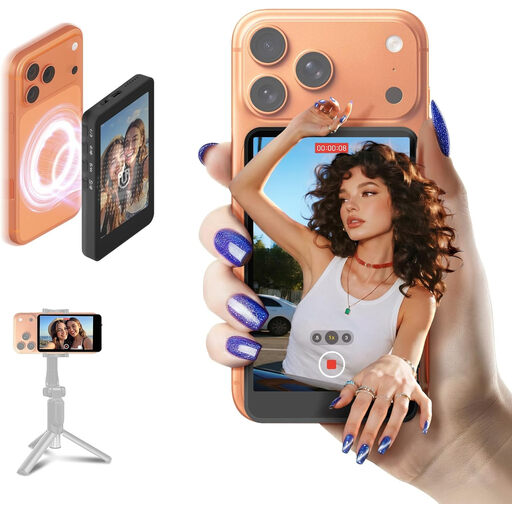
SYNCO XView M4 Selfie Monitor for iPhone 7–17 and Android
For anyone who wants to view a preview while filming with a compatible smartphone; the stated use is for selfies and vlogs, not general camera monitoring.
The product description mentions adjustable screen brightness, a built-in battery offering up to 3 hours of use and magnetic mounting with a metal ring. Check that the phone and mounting method suit your setup.
View at Joybuy
 No image available
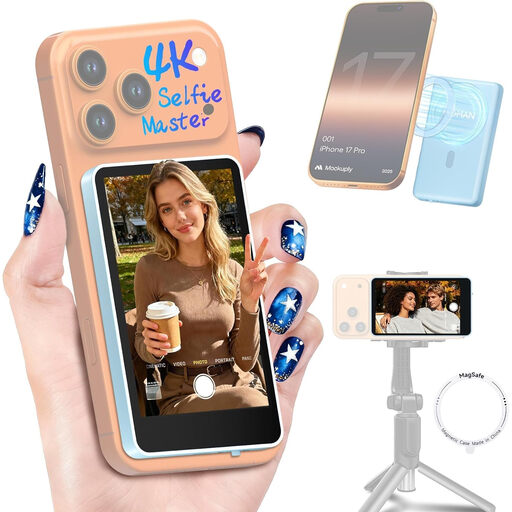
Moman M4 Phone Vlog Selfie Monitor, blue, for iPhone 7–18 and Android
For smartphone users who want to see a live preview while filming; the stated use is for vlog previews, not as a confirmed monitor for a standalone camera.
The product name lists a 5-inch 1080P screen. The product description mentions screen rotation, mirror display and brightness control, as well as magnetic mounting and a sticker for non-magnetic phones.
View at Joybuy
Frequently asked questions
Do I need a monitor with a 4K screen for 4K video?
Not necessarily for viewing: the input and panel resolution are separate specifications. Portkeys lists 4K30p input and a 1920 × 1080-pixel screen for the PT5 II. Check that the supported resolution and frame rate match your camera’s video output.
How should I position and power a monitor on a small table?
Position the screen so your coin-working area stays clear, and check the mount, cable routing and power supply in advance. FEELWORLD quotes around 2 hours of use at 100% brightness for the P6XL’s built-in battery. According to NEEWER, an NP-F battery and 12V adapter aren’t included with the F100 sold on its own.
What are my rights if a monitor bought online is faulty or I change my mind?
When you buy as a consumer in the Netherlands, the product must be of satisfactory quality; if there’s a fault, contact the seller. The Dutch Government states that the Netherlands has no fixed statutory guarantee period. For eligible distance purchases from a business, you’ll usually have a 14-day cooling-off period, with some exceptions.


