
Teacher filming from above
You film the pen and paper from above and want to check focus and framing as you write. Atomos and Viltrox describe monitor features that can help with this.


First, choose a monitor that accepts your camera’s video signal and is easy to read from where you’re filming. Then prioritise tools for focusing on fine pen strokes and assessing white paper. A higher stated screen brightness may be useful in bright conditions, but it’s no substitute for testing the monitor in your own setup.
You film the pen and paper from above and want to check focus and framing as you write. Atomos and Viltrox describe monitor features that can help with this.
You want to be able to read the screen and assess the lighter areas of the paper as the light changes. Atomos and Viltrox mention features for monitoring the image and exposure.
You regularly reposition your camera and monitor, so you’re considering power, weight and mounting. Feelworld describes the P6XL as having a built-in battery; also check what will work with your setup.
First, check that your camera and monitor use the same video signal in your chosen recording mode. Then check whether you can see the pen tip and white paper from your workspace, and choose a power supply and setup that suit the length of your lesson.
| What to consider | What to look for when buying | Who is this important for? |
|---|---|---|
| Reading the screen in window light | Compare the stated brightness and screen size, and consider where the screen will sit in your setup. | If I need to read the screen from my workspace while writing, I consider the light and viewing angle; around 28% of consumers prioritise readability. |
| Sharpness of the pen tip and lines | Check whether features such as focus peaking are available, and test whether the pen tip remains visible as you write. | When making fine strokes, I want to see whether the pen tip is in focus; around 22% of consumers make sharpness their top priority. |
| Exposure of white paper | Check whether the monitor has tools such as waveform, zebras or false colour, and see how they work with your camera’s signal. | When the window light changes, I want to assess the lighter areas of the paper without relying solely on the overall appearance of the screen; around 22% of consumers prioritise exposure monitoring. |
| Camera connection | Check the connection, output signal and settings for your exact camera model in the recording mode you use. | I want to know before the lesson whether my camera sends a picture to the monitor while recording; around 17% of consumers make camera compatibility their top priority. |
| Power and positioning | Check the power options, charging requirements, mounting and space needed around your camera and table. | For a longer lesson or a setup I move around often, I want power and positioning to be practical; around 11% of consumers prioritise these factors. |
A stated brightness level doesn’t tell you on its own how easy the screen will be to read from your viewing angle and in your window light. Focus and exposure tools also vary between monitors.
First, decide where you’ll be looking while you write and which tools you need. Then compare the specifications and, where possible, try the screen in your own setup.
On some cameras, what appears on the camera and external monitor depends on the recording and HDMI settings. Sony describes this for certain camera models, so the behaviour isn’t necessarily the same for every model.
Test your exact camera and monitor combination in the video mode you plan to use for recording the lesson.
Feelworld states that the P6XL’s built-in battery provides two hours of use at 100% brightness. The available operating time therefore also depends on your chosen power solution and settings.
Compare the stated operating time with the length of your planned lesson, and check the charging requirements for the exact model.
Atomos positions the Shinobi GO as a compact HDMI monitor with image-assist tools. The Shinobi II adds camera control for supported cameras.
According to the manufacturer, the Feelworld P6XL is a portable monitor with a built-in battery and a 6-inch screen.
The GM6S Pro 4K Ultra Bright Camera Monitor Kit is a standalone HDMI monitor option.
According to Viltrox, the DC-A1 is a larger 7-inch monitor designed for viewing from a distance or in bright conditions.
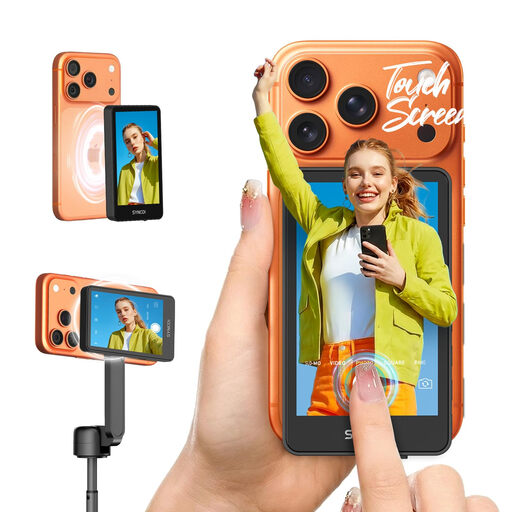
This option is designed for filming with a compatible smartphone. It’s intended for smartphone vlogging, so check that your phone and preferred overhead setup are suitable for your lessons.
 No image available
Designed as a touchscreen selfie monitor for smartphone vlogging with a compatible iPhone or Android phone.
The product name states that it supports iPhone 7–17 and Android. Before buying, check that your phone and preferred setup are compatible; the product name does not confirm that it connects to a separate camera.
No. Don’t rely on the presence of an HDMI connection alone. Check the output signal, cable and formats accepted by the monitor for your camera model and chosen recording mode. Sony explains that, on certain models, the display during recording depends on the settings.
If your monitor has these features, use waveform, zebras or false colour alongside the standard image display. Atomos lists these tools for the Shinobi GO; check what they show as the window light changes.
Choose a power supply that suits the lesson length and exact model. Feelworld states that the P6XL provides two hours of use at maximum brightness and requires 9 V for charging. Viltrox lists NP-F, USB-C and DC power options for the DC-A1, among others.
For an online purchase by a consumer, there is generally a 14-day cooling-off period after delivery, subject to statutory exceptions. Faulty products are also covered by the statutory guarantee: according to the Dutch government, the seller must provide a solution. The Netherlands has no fixed statutory guarantee period.
Not automatically. According to the Dutch Data Protection Authority, the GDPR applies when someone films identifiable people on behalf of a business or organisation and publishes the footage professionally or commercially. A lawful basis is required, such as consent.