What should you look for when choosing?
Start with your viewing angle and the space around your writing area. Then check your camera’s output and decide whether you need focus and exposure aids, better visibility in ambient light or a recording function.
| What to consider |
What should you check? |
Who should pay particular attention? |
| Fine strokes and exposure |
Check zoom, focus peaking and an exposure aid such as waveform or false colour on the exact model. Portkeys lists these tools for the PT5 II; Atomos describes features including waveform and histogram for the Shinobi II. |
If I want to assess fine brush strokes and light areas of the paper, I look for focus and exposure aids. Around 33% of consumers make this their top priority. |
| Video signal compatibility |
Compare your camera model, HDMI connector, output resolution and frame rate with the supported monitoring formats. Test your chosen recording mode; Sony describes screen behaviour that depends on the camera and its settings. |
If you want to check first that your camera outputs a picture in the video mode you intend to use, put signal compatibility at the top of your list. Around 27% of consumers say this is their main consideration. |
| Workspace, mounting and power |
Measure the available space and plan the mounting position and cable route. Check the connections, battery type, power options and included accessories for the exact model; according to Atomos, the Shinobi II has no built-in battery. |
At a small table, I want to keep the screen, mount and power source out of my brushwork area. Around 20% of consumers give workspace, mounting and power top priority. |
| Visibility in ambient light |
Consider the screen’s position and whether light will reflect on it, as well as the quoted brightness for the exact model. Portkeys lists 500 nits for the PT5 II, FEELWORLD 1600 cd/m² for the F5 PROX and Atomos 1500 cd/m² for the Shinobi II. |
When daylight makes a screen difficult to see, I want to consider both brightness and positioning. Around 20% of consumers say visibility in ambient light is their top priority. |
Joybuy products for smartphone preview
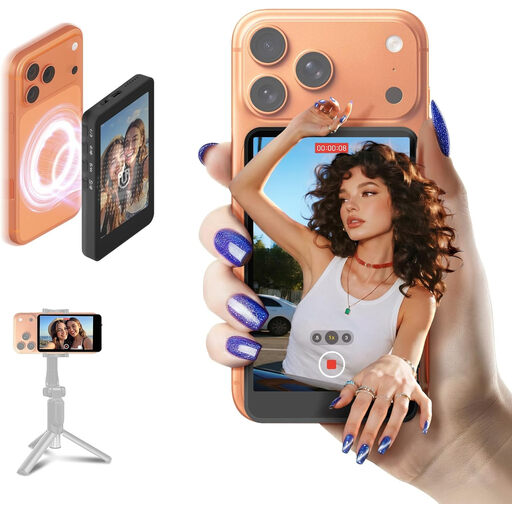
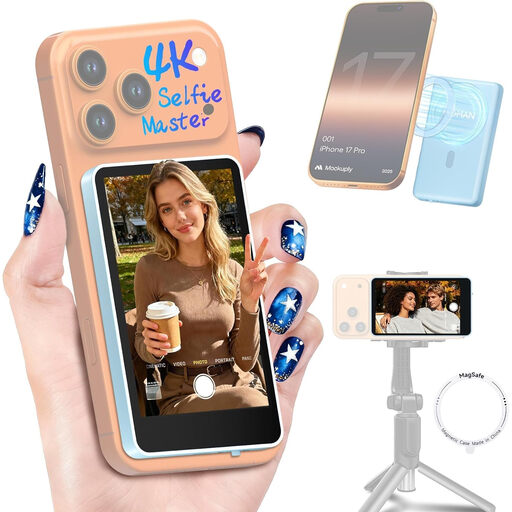
These products are designed to preview the rear camera on a compatible smartphone while filming. They are smartphone preview monitors, not general-purpose HDMI field monitors for cameras.
 No image available
SYNCO XView M4 Selfie Monitor Screen for iPhone 7-17 and Android
For anyone who wants to preview a compatible smartphone’s rear camera while filming and control recording wirelessly. The product information lists a battery life of up to 3 hours and adjustable brightness. Not compatible with Google Pixel phones.
View at Joybuy
 No image available
Moman M4 Phone Vlog Selfie Monitor Screen, Blue, for iPhone 7-18 and Android
For anyone who wants to preview a smartphone’s rear camera and control photos or recordings wirelessly. The product information lists image rotation, mirroring, adjustable brightness and a battery life of up to 3 hours. Not compatible with Google Pixel phones.
View at Joybuy
Frequently asked questions
Does the screen itself need to be 4K to view a 4K camera signal?
No. Portkeys specifies HDMI input up to 4K UHD 30p for the PT5 II, while the screen has a resolution of 1920 × 1080 pixels. Compare your camera’s output resolution and frame rate with the monitor’s supported formats.
How can I position a monitor for an overhead shot without blocking my workspace?
Position it outside your writing area but within your field of view, then test the framing with your hand and brushes in shot before recording a full lesson. Portkeys lists a monitor mount and HDMI cables among the PT5 II’s standard contents; check the contents and connections for the specific model.
Will a camera monitor also record my lesson?
Not automatically. Atomos describes the Shinobi II as an HDMI monitor; Blackmagic describes the Video Assist 7” 3G as a monitor with SD card recording. Choose a recorder only if you need that function and your camera outputs the required signal.
What can I do if a monitor develops a fault after a consumer purchase in the Netherlands?
Contact the retailer. According to the Government of the Netherlands, there is no fixed statutory guarantee period in the Netherlands; you are entitled to a product that works properly, depending on what you can reasonably expect from it. Online purchases from a business also often come with a 14-day cooling-off period, subject to exceptions.
Which product markings may apply to a monitor in the Netherlands?
Applicable EU rules may require electrical and electronic equipment to carry the CE marking; the manufacturer is responsible for compliance. According to EU information, electrical and electronic equipment must generally also carry the WEEE symbol indicating separate collection. A marking does not tell you whether the monitor will work with your camera.


