
Printmaker looking for colour-accurate online shop photos
You want the ink and paper colour in the photo to look as close as possible to the print you’re selling. A repeatable lighting setup and checking the final image are important.


If you mainly need an overview shot, start by taking a test photo with your existing smartphone. A stable setup and controlled lighting matter more than buying a new camera body straight away. A camera with an interchangeable lens may be worthwhile if you regularly want to edit colours or need more control over cropping and print details. However, make sure the lens suits your print and shooting distance.
You want the ink and paper colour in the photo to look as close as possible to the print you’re selling. A repeatable lighting setup and checking the final image are important.
You want to show both the entire print and close-ups of fine lines and the texture of the impression. So check sharpness at both overview and detail distances.
You want to keep extra equipment to a minimum and first find out whether an existing phone, good lighting and a fixed setup are enough for the photos you need.
Choose this option: if a test photo of the entire print is sharp enough and, once checked, the colour suits your online shop.
Bear in mind: settings, close-up capabilities and editing options vary by phone. Keep the camera steady and avoid digital zoom.
Choose this option: if you want a separate, straightforward camera and the specific model can capture both the whole print and the details you want in focus.
Bear in mind: check the focusing distance and controls on the exact model. Automatic settings may limit your control over colour and exposure.
Choose this option: if you photograph prints regularly and want more control over lens choice, image files and repeatable settings.
Bear in mind: RAW files and interchangeable lenses require a suitable lens, a stable setup and time for editing.
Assess the camera, lens and shooting setup together. The right choice mainly depends on what you want to show in the overview photo and any detail shots.
| What to consider | What should you check? | Who should give this more weight? |
|---|---|---|
| Colour and paper shade | Take test photos under the same lighting and compare the finished image with the physical print. | If I want the online photo to show the ink and paper colour clearly, I focus on the finished image; around 36% of consumers prioritise colour reproduction. |
| The whole print, sharp and straight | Check that the setup is stable and aligned, and that the lens can frame the entire print from the available distance. | For an online shop’s main photo, I want to show the entire flat print in focus, without unnecessary perspective distortion; around 29% of consumers prioritise this overview shot. |
| Fine lines and texture | Check the minimum focusing distance of the exact lens or camera and take a test close-up. | If I want to show cutting lines or the texture of the impression separately, I check that the desired crop is sharp; around 21% of consumers prioritise these details. |
| Extra equipment and work | Test your existing equipment first, then compare complete setups, including any lens and support you’ll need. | If I want to limit extra purchases and avoid a complicated workflow, I start with a test photo; around 14% of consumers prioritise simplicity and minimal extra equipment. |
A stated pixel count doesn’t tell you whether a flat print will appear straight and sharp throughout the image. Alignment and framing matter too.
Compare test photos of the entire print and assess the camera together with the lens and setup you’ll actually use.
Focusing distance depends in part on the lens and settings you use. A camera body on its own won’t tell you whether you can photograph the details you want.
Check the minimum focusing distance of the specific lens and take a test photo of a detail.
Colours that look different or inconsistent lighting can give a different impression of the ink and paper shade from the physical print.
Compare the finished image with the original, and keep the lighting and setup as consistent as possible for future shots.
The EOS R50 is an APS-C mirrorless camera with an RF lens mount.
The Alpha 6400 is an APS-C mirrorless camera with an E-mount.
The X-S20 is a mirrorless camera with an X mount and RAW capture.
The LUMIX G100D is a Micro Four Thirds mirrorless camera with RAW capture.
Joybuy camera options related to this topic. For each model, check whether you can photograph the print steadily and straight, and whether the lens or focusing distance suits the detail shots you want.
 No image available
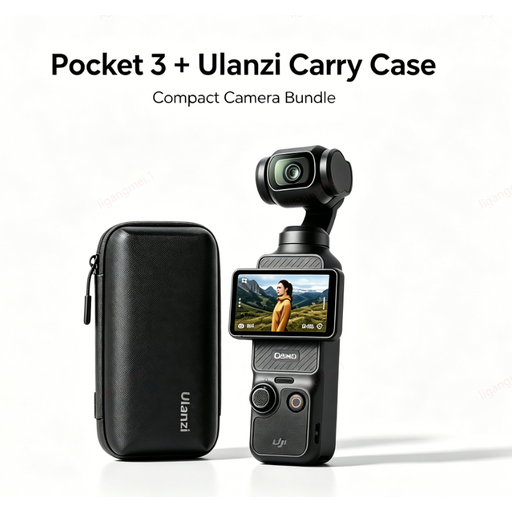
Use a test setup to check whether you can capture the entire print straight and in focus.
The product information describes a compact handheld camera with stabilisation and a storage case.
 No image available
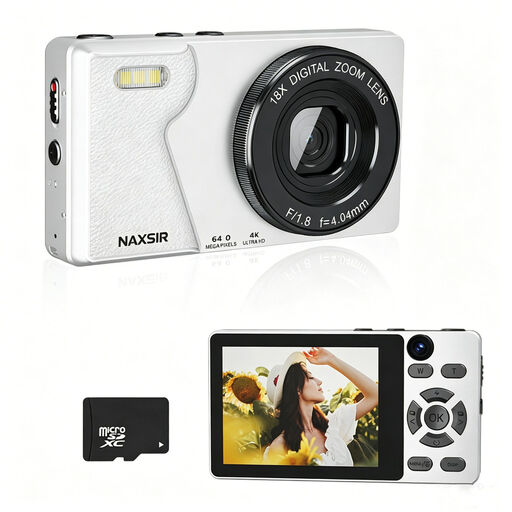
If you’re considering a separate camera, use test photos to check whether the model captures the whole print and the details you want in focus.
The product name lists a 64 MP photo resolution, autofocus, 18× digital zoom and a 32 GB memory card.
 No image available
Check that you can position the camera steadily and straight opposite the flat print in your shooting setup.
The product information lists a 1-inch CMOS sensor, still images, 4K/120 fps video, 3-axis stabilisation and an included microphone.
 No image available
Take a test close-up and check that the camera focuses at the distance you need before relying on it for close-ups.
The product name lists 44 MP, 4K, 16× zoom and autofocus.
 No image available
With a mirrorless camera, it’s important that the included lens suits both the size of the print and the shooting distance you want.
The product information lists 24.2 MP and a Sony E mount; the kit name specifies the 16–50mm f/3.5–5.6 OSS II lens.
No. Start by taking a test photo with your existing phone, good lighting and a stable setup. Compare the photo with the physical print and check that both the overview and the details you want are usable.
Keep the print flat and the camera steady and aligned. Note the lighting conditions too, so you can repeat them as closely as possible for future shots. A copy stand is one option, but it isn’t essential for every online shop photo.
First decide whether you’ll use the camera mainly for personal or business purposes. ACM ConsuWijzer states that consumer protection doesn’t automatically apply when you use a purchase mainly or exclusively for business. If you buy as a consumer, the seller is responsible for the statutory guarantee. For business use, check the applicable sales and warranty terms.
Not without permission. KVK points out that photos are protected by copyright and that using them on a business website without permission may infringe that right. Use your own photos or obtain the necessary permission.
Check the current requirements of the sales platform where you’ll upload the photo. Before uploading, make sure you meet the permitted file formats and required dimensions.