
Product set creator
If you want to photograph several sets with the same framing and consistent colours, a fixed camera and lighting setup can help. Canon Europe recommends using a tripod for consistent framing.


Choose your camera and lens based on the smallest detail you want to show and the space available for your camera and lighting. A compact camera with a close-up mode means you won’t need to change lenses; a mirrorless camera gives you more lens options, but check whether the kit includes the macro lens you need. For consistent photos, it’s also important to use a fixed setup, keep the lighting under control and pay attention to white balance.
If you want to photograph several sets with the same framing and consistent colours, a fixed camera and lighting setup can help. Canon Europe recommends using a tripod for consistent framing.
If you want to show printed details, pen nibs or paper texture, check the close-up capabilities of the specific lens. Nikon Netherlands points out that depth of field becomes very shallow at high magnifications.
If you want to check whether your current device is good enough before buying a separate lens, start with a test setup. Adobe suggests a smartphone as an option if you’re on a limited budget.
Choose this option: if you’re photographing complete sets and your current device already captures the details you want clearly enough.
Bear in mind: the crop you can achieve depends on your device. First try a fixed position and controlled lighting. Adobe suggests a smartphone as an option, not as a replacement for every close-up.
Choose this option: if you want to photograph small details without changing lenses. OM SYSTEM lists a Microscope Macro mode for the TG-7.
Bear in mind: take a test shot to check that the crop and working space are suitable; according to OM SYSTEM, the TG-7 has a 12 MP sensor.
Choose this option: if you want to photograph complete sets from different angles and have the flexibility to use another lens later.
Bear in mind: the Canon EOS R50 kit reviewed includes an RF-S 18-45mm zoom lens, while the Nikon Z50II kit includes a NIKKOR Z DX 16-50mm zoom lens. Neither kit description mentions a separate macro lens.
Choose this option: if you need small printed details or paper texture to appear larger in the frame and want to choose a suitable separate lens.
Bear in mind: Canon specifies a maximum magnification of 1:2 for the separate RF 35mm F1.8 MACRO IS STM; Nikon specifies 1:1 for the separate NIKKOR Z MC 50mm f/2.8. These figures apply to the lenses mentioned, not the kit zoom lenses.
| What to consider | What to look for | Who is this important for? |
|---|---|---|
| Keeping the product visible | Check that you can light the product without unintentionally lighting up the dark background. Also allow space for a stable setup and light source. | If light and dark parts of a set need to remain recognisable, you’ll want to be able to adjust the product lighting; around 31% of consumers prioritise lighting. |
| Capturing small details | Compare the magnification and focusing distance of the specific lens or camera mode, and check whether the lens is included in the kit. | If you want to show small printed details or paper texture clearly, focus on close-up capabilities; around 25% of consumers prioritise magnifying details. |
| Reproducing colour and framing | Check the white balance settings and whether you can position the camera securely; assess a test series taken under the same lighting. | When photographing several sets, you’ll want similar colours and crops without having to reposition the camera each time; around 25% of consumers prioritise consistency. |
| Choosing a complete setup | Check which lens is actually included and whether you’ll need extra lighting or a separate lens to achieve the detail crop you want. | If you first want to see whether one existing device or camera will do, a simple starter setup can help keep your kit to a minimum; around 19% of consumers prioritise simplicity. |
Whether a small detail appears large enough in the frame also depends on the lens or close-up mode. A standard kit doesn’t automatically include a separate macro lens.
Make a note of the detail you want to show and check the magnification and contents of the exact model before choosing.
Depending on your setup, you may need an extra light source or something to soften the light.
Image stabilisation doesn’t determine where the camera is positioned. If you move the camera, the framing will change between product photos.
Plan a stable shooting position if you want to photograph several sets in the same way.
A tripod or fixed camera support may be part of the setup you need.
The EOS R50 kit is a mirrorless camera option for overview shots; a separate macro lens is a different setup.
The Z50II kit pairs a mirrorless camera with a standard zoom lens; for macro photography, you’ll need to choose a separate lens.
The TG-7 is a compact camera with a built-in close-up mode for anyone who doesn’t want to change lenses.
The ZV-E10 II is an E-mount mirrorless camera for anyone who wants to shoot video as well as product photos.
This selection from Joybuy includes compact action cameras and Sony mirrorless cameras with kit zoom lenses. For each model, check that the close-up distance, lens and lighting controls suit the crop you want for your stationery.
 No image available
The built-in LED lights may be useful if you’re looking for a compact setup with extra lighting; check that you can adjust the lighting to suit a dark background.
The product name lists a 140° lens, app control and a 1,200 mAh battery.
 No image available
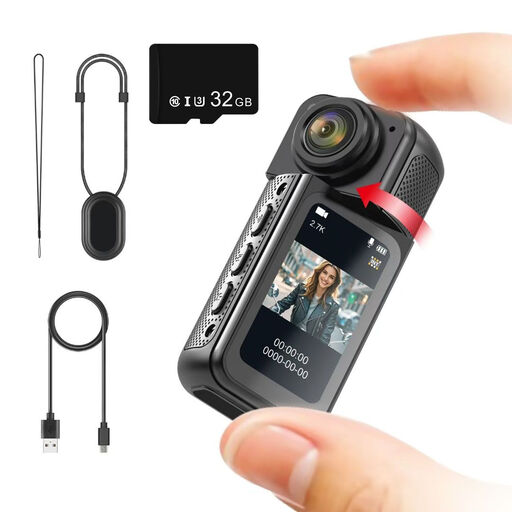
If a compact camera with a rotating lens suits your setup, check that you can achieve the crop you want and find a suitable place to mount it.
The product name lists a 180° rotating lens, a magnetic mount and an included 32 GB memory card.
 No image available
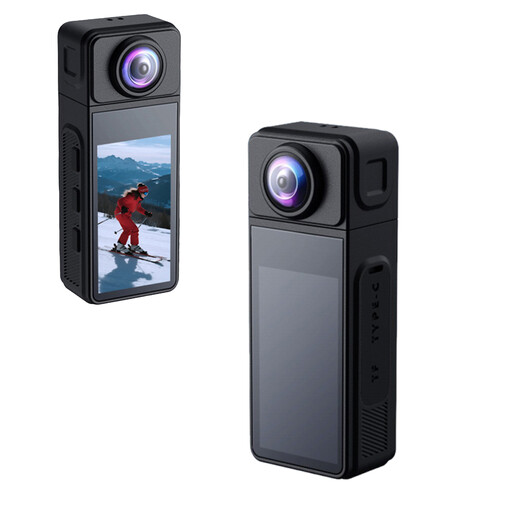
If you want to adjust settings for product photos, use test shots to see how the listed image settings work with your set and lighting.
The description lists photos up to 16 MP, adjustable ISO, white balance presets and exposure compensation. The product name mentions a 270° rotating wide-angle lens and electronic image stabilisation.
 No image available
The kit includes a zoom lens for photographing complete sets from different angles; for small details, check whether the lens can achieve the crop you want.
The product description lists a 16-50mm zoom lens, Sony E-mount and a vari-angle screen.
 No image available
If you want to photograph complete sets with a kit zoom lens and consider other lenses later, check that this model suits the detail crop you want.
The product description lists a 24,2 MP sensor, a 16-50mm zoom lens, an electronic viewfinder and a tilting screen.
Not necessarily. First check whether the included zoom lens can show the complete set and the smallest detail you want to display at a suitable size. If it can’t, compare the magnification of a separate lens with the shooting distance available.
Set up a test shot that lights the product while keeping the background less brightly lit. This applies general low-key lighting principles to a still product; it isn’t a fixed setting for every set. Use a stable camera setup if you want to repeat the same framing.
Keep the lighting as consistent as possible and check the white balance using a test image or reference card. Nikon shows that auto white balance and a reading taken from a white card can produce different results.
Check which lens is actually included and whether you need a separate lens to achieve the detail crop you want. Also consider a stable camera support and lighting. If you’re on a limited budget, you can first test whether your current smartphone is good enough for the photos you want to take.