
Online shop owner who wants to show the details
You want the stitching, leather grain and finish to be clear in close-up photos. Compare the maximum magnification of the exact lens or camera mode, and leave enough room for lighting.


For full-wallet shots, a repeatable setup with consistent lighting, white balance and framing is just as important as the camera. For large close-ups of stitching or the grain of the leather, check the magnification of the exact lens or close-up mode: a compact camera has a fixed lens, while a mirrorless camera gives you more lens options but may require a separate macro lens.
You want the stitching, leather grain and finish to be clear in close-up photos. Compare the maximum magnification of the exact lens or camera mode, and leave enough room for lighting.
You photograph wallets in different colours or styles and want consistent framing and colour reproduction. Canon describes a tripod as a way to keep framing consistent; Nikon and Adobe explain why white balance and consistent lighting matter.
You want to photograph both the whole wallet and its details without immediately having to choose several lenses. Compare a compact camera’s built-in close-up mode with the zoom kit’s magnification and what’s included.
A good fit if: you want to take both overview and close-up photos with one camera, and its close-up mode suits your setup. OM SYSTEM lists a microscope mode for the TG-7; the manual describes shooting from 1 cm away.
The trade-off: the lens is fixed, and the short shooting distance may leave less room to light the wallet.
A good fit if: you mainly photograph whole wallets and may want to choose a different lens later. The Canon EOS R50 kit includes the RF-S 18–45mm lens.
The trade-off: Canon specifies a maximum magnification of 0.14–0.16× for that zoom with autofocus and, depending on the zoom setting, 0.21–0.26× with manual focusing; it is not a 1:1 macro lens.
A good fit if: you want small details to appear large in the frame, or want to choose your own lenses for overview and close-up shots. Nikon specifies 1:1 for the Z MC 50mm, Sony 1.0× for the E 30mm F3.5 Macro, and Fujifilm 1:1 for the XF30mmF2.8 Macro.
The trade-off: check that the lens mount is compatible and that there is enough room for lighting at the short working distance. You’ll need to choose the camera body, lens and other equipment to work together.
| What to consider | What to check before buying | Who it matters most to |
|---|---|---|
| Showing stitching and leather grain in close-up | Compare the maximum magnification of the exact lens or close-up mode, and check whether the working distance leaves enough room for lighting. | If I want to show small details clearly, I need the close-up framing to work without getting in the way of the lighting. Around 33% of consumers say details such as stitching and leather texture are their top purchase priority. |
| Reproducing colour consistently | Check the white balance settings and keep the lighting consistent across variations and photo sessions. | When photographing wallets in different colours, I want the photos to look consistent with one another. Around 27% of consumers say accurate, consistent colour is their top priority. |
| Photographing lots of products with the same framing | Check that the tripod, camera angle and available working space suit the views you want. | When photographing lots of wallets, I want a consistent composition without having to reframe every time. Around 20% of consumers prioritise a repeatable workflow. |
| Starting with a simple setup | Check exactly what’s included and compare the supplied lens’s close-up capabilities before considering additional lenses. | As a beginner, I want to take both overview and close-up photos without having to work out which separate accessories to buy. Around 20% of consumers say simplicity and a compact setup are their main purchase priorities. |
The Canon RF-S 18–45mm kit lens has a lower maximum magnification than the 1:1 macro lenses mentioned above. A camera with more pixels does not change the lens’s magnification.
Before deciding whether you need an additional lens, compare the close-up framing you want with the magnification of the exact lens supplied.
A compatible macro lens may be an additional part of your setup.
Consistent framing and lighting are separate parts of taking repeatable product photos.
Set up a test shot in advance with the wallet, background and angles you want, and assess the whole working area.
A fixed setup takes time and space to arrange.
The TG-7 manual describes shooting from 1 cm away; with the Fujifilm XF30mmF2.8 Macro, the subject can be close to the front element. In both cases, you still need to be able to get light onto the wallet.
Consider the distance, camera angle and lighting together at the magnification you actually need.
The EOS R50 with the RF-S 18–45mm is a mirrorless camera kit for photographing whole wallets. For finer details, compare a separate compatible lens.
The TG-7 is a compact option with a fixed lens and a built-in microscope mode.
The Z50II can be paired with a separate Z MC 50mm f/2.8 macro lens when you want to capture details at a larger scale.
The Alpha 6400 with an E-mount can be paired with a separate E 30mm F3.5 Macro.
The X-S20 and a separate XF30mmF2.8 Macro make a system for comparing overview and close-up shots.
These cameras are worth comparing for product photography. For leather wallets, check separately that your setup can deliver the close-up framing, colour reproduction and consistent exposure you want.
 No image available
If you’re considering this camera for different types of framing, check that it suits the wallet shots you want to take.
The product name lists 12× optical zoom, 4K and 64 MP. For close-ups, also check the focusing distance and magnification you need.
 No image available
If you’re considering this compact camera model for product photography, check that its framing style and the close-up shots you want suit your work surface.
The product name lists a 1-inch CMOS sensor, 4K/120fps video, 3-axis stabilisation and a 2-inch rotating touchscreen.
 No image available
If you’re comparing a compact model for wallet photos, check that you can achieve the distance and close-up framing you need for details.
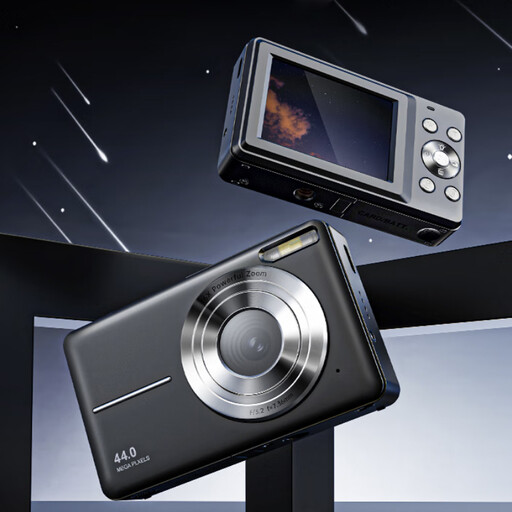
The product name lists 4K, 44 MP and 16× zoom. Also check whether its close-up capabilities suit the stitching and leather grain you want to show.
 No image available
If you’re comparing a mirrorless camera with a zoom lens, check that you can frame both the whole wallet and the details you want in your setup.
The product information lists a 24.2 MP APS-C sensor, a vari-angle screen and a Product Showcase setting that focuses on an object. The kit name lists a 16–50mm zoom lens.
 No image available
If you want to capture different views with a zoom lens, check that your chosen shooting angle and framing suit your photo setup.
The product information lists a 24.2 MP APS-C sensor, a tilting touchscreen and an electronic viewfinder; the product name specifies a 16–50mm f/3.5-5.6 OSS II lens.
No, not always. The TG-7 has a built-in microscope mode, and the Canon RF-S 18–45mm can focus at close range. Compare the framing you need with the magnification of the exact lens or mode. For details that fill much of the frame, you could consider a compatible 1:1 macro lens, while checking that there’s still room for lighting.
Keep the framing consistent with a tripod and make the lighting as constant as possible. Check the white balance for your light source. RAW gives you the flexibility to adjust white balance later, but it doesn’t automatically make mixed light sources easy to correct.
Don’t assume you’ll have the same protection as you would with a personal purchase. The Netherlands Authority for Consumers and Markets describes the statutory consumer guarantee for sales to consumers; the Chamber of Commerce explains that different principles apply to business contracts, although small businesses may sometimes be able to rely on consumer protection. Before placing a business order, check the contract and warranty terms for the camera and lens.
Not without permission or another valid basis for using it. The Chamber of Commerce warns that photos online may be protected by copyright, and editing or cropping them does not in itself give you permission. Make sure you have the rights to use both your own photos and any supplied images on your online shop.