Cameras and webcams at Joybuy
This selection of Joybuy products features cameras and webcams for filming a lesson. For each model, check that the mounting, field of view and recording process suit your work area.
 No image available
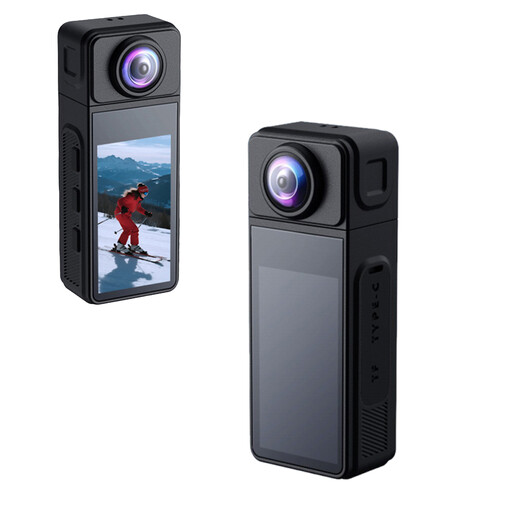
Mini Action Camera 4K with clip, 1.54-inch display and 140° field of view
The clip gives you a mounting option; check that the camera frames your knitting well from that position.
The product name lists 4K video, a 1.54-inch display, a 140° field of view, app control, an LED light and a 1200 mAh battery.
View at Joybuy
 No image available
Full HD 1080P webcam with microphone
For a computer-based teaching setup, the product name lists USB Plug & Play for PC and laptop; check the picture and sound using your chosen software.
The product name lists Full HD 1080P video and a microphone.
View at Joybuy
 No image available
NAXSIR 2K Mini Action Camera
The product name mentions a rotating lens; check that your work area stays in frame at the angle you want to use.
The product name lists a 270° rotating wide-angle lens, a magnetic housing and electronic image stabilisation.
View at Joybuy
 No image available
DJI Osmo Pocket 4 Standard Combo
The rotating screen may be useful if you're framing the recording yourself; check that you can see the screen from where you'll be sitting.
The product name lists a 1″ CMOS sensor, 4K/240fps, 3-axis stabilisation, 2× lossless zoom, 107GB of built-in storage and a 2″ rotating screen.
View at Joybuy
 No image available
Philips 4000 Series 4K UHD Webcam SPL6408BT/00, EU Version, Black
If you're looking for a webcam for a computer setup, make a test recording to check that your work area and explanations come across clearly on screen and in the audio.
The product name lists 4K UHD video, autofocus, dual built-in microphones and a privacy cover.
View at Joybuy
Frequently asked questions
How can I check whether a camera can focus on knitting stitches up close?
Measure the distance from the camera to your work area, then frame a test shot from that distance. Canon specifies 1 cm at wide angle for the LEGRIA HF G70, but 60 cm across the full zoom range; check the focusing limit at the zoom setting you plan to use.
Can I record with a webcam through my computer?
Yes, provided the webcam and computer work together and you use suitable software. OBS Project explains how to add a webcam as a video source; then make a test recording and check the picture and sound.
Do I always need a second memory card for a longer lesson?
No, not just because of the lesson length. Canon lists two SD card slots for simultaneous or relay recording on the LEGRIA HF G70. Decide how much storage you need based on your recording mode and planned duration.
Can I publish a knitting lesson featuring identifiable participants?
Not without taking the relevant privacy rules into account. The Dutch Data Protection Authority points out that identifiable people are personal data, and that a GDPR lawful basis may be needed for business or wider publication. Consent is one possible lawful basis, but it isn't automatically the only one.
Can I use other people's music or photos in a lesson video?
Not without permission. The Dutch Government states that, in principle, you may only use copyright-protected music, photos and films with the creator's permission; personal use doesn't automatically give you permission to distribute or publish the material.


