
Teacher showing stitches
You mainly want to show your hands and knitting from above. IPEVO describes the V4K PRO as an adjustable USB document camera; check that its base and arm will fit on your small work surface.


If you mainly want to show your hands and stitches from above, start with an adjustable document camera. If you teach using a computer and also want to show yourself, compare webcams that you can point at your desk. If you want to record without a computer permanently connected, a standalone camera may be a better fit. Whichever option you choose, check that the mounting, focus at your working distance and sound all work in your own set-up.
You mainly want to show your hands and knitting from above. IPEVO describes the V4K PRO as an adjustable USB document camera; check that its base and arm will fit on your small work surface.
You teach using a computer and want to show your work on the table while you talk. Logitech describes a mode on the MX Brio that lets you tilt the camera towards your desk; check that the angle and connection suit your set-up.
You record lessons to share later and want to choose between a computer-connected camera and a standalone set-up. Canon lists a built-in stand and microSD card support for the PowerShot V10; also check the recording angle and how much storage you need.
A good fit if: you mainly show your hands and stitches from above and work with a computer. IPEVO specifies a minimum focusing distance of 10 cm for the V4K PRO.
Things to consider: the base and arm take up space, and you’ll need a compatible computer and recording software. The stated focusing distance doesn’t guarantee that stitches will be clear in your lighting and frame.
A good fit if: you teach using a computer and may also want to point the camera at your work on the table. Logitech describes a Show Mode for desk work on the MX Brio.
Things to consider: this mode doesn’t guarantee a clear view of your knitting or an unobstructed overhead shot. Check the mounting, connection and frame; Elgato specifies USB 3.0 or higher with Type-C for the Facecam Pro.
A good fit if: you want to record lesson videos without keeping a computer connected. Canon lists a built-in stand, tilting screen and microSD support for the PowerShot V10.
Things to consider: a built-in stand isn’t necessarily suitable for stable recording directly above your knitting. Check the angle, focus at your working distance, recording time, power supply and the card you’ll need.
| What to consider | What should you check? | Who is this important for? |
|---|---|---|
| Filming stitches clearly from above | Measure the distance between the lens and your knitting, then check the focusing range. Try framing the shot while moving your hands. | If I want to show stitches and hand movements clearly, my work needs to be sharp and large enough in the frame. Around 36% of consumers prioritise a clear view of stitches. |
| Desk space | Measure where the base, clip or any tripod mount will go. Check that the camera stays stable while you knit. | When I have little table space, I want to knit without a base or arm taking up my work surface. Around 29% of consumers prioritise a camera that fits on a small desk. |
| Clear speech | Make a test recording while talking and knitting. Check the distance to the microphone and which microphone your recording software is using. | If my spoken instructions are the priority, I want students to be able to follow my voice clearly while I knit. Around 21% of consumers prioritise clear speech. |
| Recording without a computer | Choose between recording live through a computer and recording independently. Check the connection, storage, power supply and recording time you’ll need. | When I want to film without a computer permanently connected, I look for a set-up that suits this and check the storage and power supply in advance. Around 14% of consumers prioritise standalone recording. |
A stated video resolution doesn’t tell you whether stitches will look large and sharp in the final frame at your working distance.
First check the working distance, viewing angle and mounting. If possible, try framing a shot with your hands moving, then compare resolutions.
Canon lists a built-in stand for the PowerShot V10, but that doesn’t establish whether the camera will sit securely directly above your knitting.
Before choosing a camera or mount, mark out where the lens will go and how much room your hands need.
Depending on your desk, you may need a different mount.
A USB document camera and a camera that records to a card require different connections and recording equipment.
First decide whether you’ll teach through a computer or record independently. Then check which computer, software, storage and power supply you’ll need.
Document cameras for an adjustable view of work on the table. The V4K PRO is a USB option for knitting demonstrations.
Computer-connected webcams. The MX Brio and Brio 4K have different features, so assess each model individually.
The Facecam Pro is a computer-connected webcam to consider if focusing at close range is important.
The PowerShot V10 is a compact camera for a different type of set-up from a USB document camera that stays connected.
The ZV-1 II is a compact camera to consider if you also want to use it away from your regular knitting set-up.
The selection below includes webcams for use with a computer and a portable mini camera. For a webcam, check that the mounting and viewing angle show your knitting clearly. Choose the mini camera only if a separate camera set-up suits your recording plans.
 No image available
A webcam for computer-based video; check that you can position it to keep your hands and knitting in view.
Full HD 1080P; USB Plug & Play; for PC and laptop.
 No image available
A PC webcam to consider if you teach using a computer; check the angle for showing your work on the table.
2K QHD; noise-cancelling microphone; silver EU version.
 No image available
A webcam for PC and Mac for computer-based lessons; check that its positioning gives you the overhead view you need.
4K webcam; 1/2-inch sensor; HDR.
 No image available
A webcam for PC and Mac to compare for computer-based lessons; check the mounting and frame above your work.
4K webcam; 1/2-inch sensor; HDR.
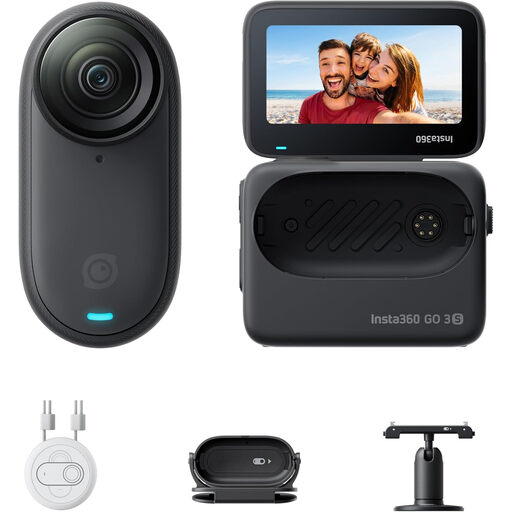 No image available
A portable mini camera to compare if you don’t necessarily want to use a webcam with your computer. Check how you can mount it securely above your knitting.
Portable 4K mini camera; 128 GB.
If you have a pacemaker: don’t wear the GO 3S on your chest or use the magnetic pendant.
Measure the distance from where you plan to position the lens to your knitting, then compare it with the stated focusing range. Next, try the full frame with your hands moving; the minimum focusing distance alone doesn’t tell you how many stitches will remain visible.
Don’t assume so: the IPEVO V4K PRO is a USB document camera. Check which computer, connection and recording software you plan to use. If you want to film without a computer, compare it with a standalone camera.
Before each recording, check that the mount is stable, your hands can move freely, your work stays in focus and the correct microphone is selected. Follow the instructions for your model when cleaning it and installing any software updates.
When you buy online from a business, you often have a 14-day cooling-off period; the Dutch Government advises checking the terms and any exceptions that apply to your purchase. If a product is faulty, the seller is responsible for providing a solution and can’t simply send you to the manufacturer.
Publishing identifiable people requires an appropriate legal basis under the GDPR; the Dutch Data Protection Authority explains that it depends on the circumstances. According to the Dutch Government, you can’t make copyright-protected music available to the public without the creator’s permission.