Video products at Joybuy
This Joybuy selection includes action, vlog, 360° and pocket cameras. Check whether the focusing distance and framing of the exact camera are suitable for the smallest piece of jewellery you want to film.
 No image available
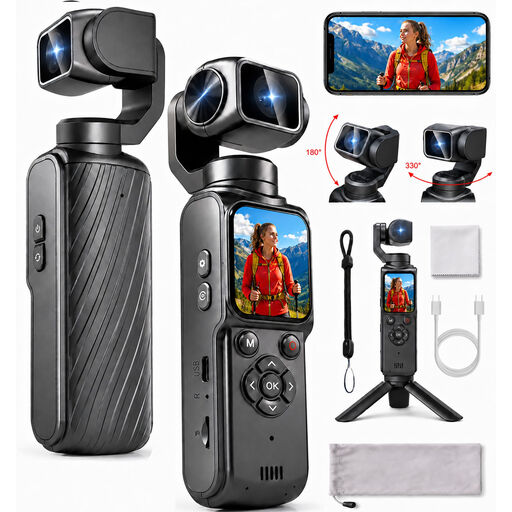
4K action camera with 330° rotating lens and touchscreen
An action camera; check whether its focusing distance is suitable for your smallest piece of jewellery.
The product name lists 4K, a 330° rotating lens and a 1.72-inch touchscreen.
View at Joybuy
 No image available
KINSI Mini Vlog Camera 4K
A mini vlog camera to consider for demonstrations; check its close-up capabilities before choosing it for small jewellery details.
The product name lists Wi-Fi, 64 MP, a 330° rotating lens, a 1.72-inch touchscreen and a tripod.
View at Joybuy
 No image available
DJI Osmo 360 Standard Combo
A 360° camera for demonstrations from different angles; check separately whether it can achieve the jewellery close-up you want.
The product name lists the Standard Combo.
View at Joybuy
 No image available
DJI Osmo Pocket 4 Standard Combo
A pocket gimbal camera for demonstrations on the move; check whether its focusing distance suits the size of your product.
The product name lists 4K/240fps, 3-axis stabilisation, 2× zoom, 107 GB of built-in storage and a 2-inch rotating screen.
View at Joybuy
 No image available
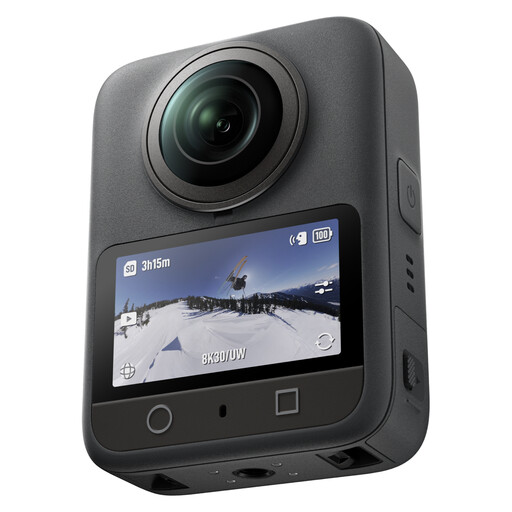
Insta360 Luna Ultra Standard Bundle Cosmic Black
A vlog camera to include in your comparison; check its close-up capabilities and filming distance for the jewellery you want to show.
The product name lists the Standard Bundle in Cosmic Black.
View at Joybuy
Frequently asked questions
Is 4K enough to show a ring or clasp close up?
Not on its own: the lens also needs to make the component large enough in the frame at the distance you want to film from. Canon lists a maximum magnification of 0.25× in MF mode for the RF-S 18-45mm, while Sony specifies 1:1 for the separate E 30 mm F3.5 Macro. Test the exact combination with the smallest piece of jewellery you want to film.
How should I start setting up a jewellery video?
Record a test clip with the jewellery in the position where you want to demonstrate it, then check the focus, framing and reflections. Shopify Netherlands highlights reflections, marks and lighting as things to consider in jewellery photography. Move the light or camera if they’re hiding details.
Is a product showcase mode suitable for macro shots?
Not automatically. DJI lists a Product Showcase focusing mode for the Osmo Pocket 3, but also gives a minimum subject distance of 20 cm. Check whether your smallest piece of jewellery appears large enough in the frame from that distance.
Do I automatically have a consumer cooling-off period when buying a camera for my business?
No, it doesn’t automatically apply to a business purchase. According to Business.gov.nl, consumer rights and the associated cooling-off period generally don’t apply to business sales; exceptions may apply to some small businesses. Check the capacity in which you’re making the purchase and the seller’s terms and conditions.
Can I add music to a video for my online shop?
Only use music if you have the relevant permission. Business.gov.nl states that permission from the rights holders is needed to use music in a business, including on a website. Check that the rights also cover use in your online shop video.


