
Maker with glossy jars
You want the contents and label to remain visible, without distracting bright spots on the glass or lid. Shopify Netherlands identifies reflections as something to watch out for when photographing glossy products.


Start with your setup: diffused light and a steady camera position help you assess reflections on glass and how legible the label is. If your phone already captures the crop you need in sharp focus, there’s no automatic need to buy a new camera. If you want to magnify small details significantly, compare a mirrorless camera with the specific lens you’ll need.
You want the contents and label to remain visible, without distracting bright spots on the glass or lid. Shopify Netherlands identifies reflections as something to watch out for when photographing glossy products.
You want to capture small label text, ingredients or texture clearly. So check the crop you need and the magnification of the specific lens. Canon and Nikon quote different magnification figures for the lenses they mention.
You photograph new jars and want to keep the camera position, background, lighting and colour as consistent as possible. Canon discusses using a tripod for consistent product photos; Nikon recommends checking the white balance again when the light changes.
First, take a test shot of your own jar in your lighting setup. Then decide whether to keep using your phone, choose a standard zoom or buy a separate macro lens.
| What to consider | What should you check? | Who should factor this in? |
|---|---|---|
| Reflections on glass | Take a test shot and check that the contents, lid and label remain visible. Try changing to different, diffused lighting before replacing your camera. | If I photograph glossy jars, I want to make sure the glass doesn’t obscure the contents. Around 33% of consumers say controlling reflections is their top priority. |
| Label details | Check the crop and the magnification of the lens actually included with the camera. Canon quotes a maximum of 0.25× for the RF-S 18–45 mm in MF mode; Nikon quotes 1:1 for the separate NIKKOR Z MC 50 mm f/2.8. | If small text or texture needs to fill the frame, I want to know whether the lens can capture that detail. Around 27% of consumers prioritise legible labels and small details. |
| Consistent shots | Check that you can secure the camera position and review the white balance when the light changes. Canon discusses using a tripod for a repeatable composition; Nikon covers adjusting the white balance when the light changes. | When I photograph several batches, I want a similar frame and consistent colour. Around 20% of consumers say consistency is their main concern. |
| Complete setup | Check what’s included in the exact offer and what you already own, such as a lens, tripod, background or lighting. Compare the complete setup, not just the camera body. | If I may be able to keep using my existing phone, I want to find out first which items I really need. Around 20% of consumers prioritise keeping the total cost down. |
Glass reflects its surroundings and light sources. Simply choosing a different camera won’t automatically solve the lighting problem.
First, test the same jar with adjusted, diffused lighting. Then decide whether your camera is still holding you back.
Magnification varies by lens and shooting settings. Canon quotes a maximum of 0.25× for the RF-S 18–45 mm in MF mode; Nikon quotes 1:1 for the separate Z MC 50 mm f/2.8.
Before buying, check the magnification of the exact lens included in your chosen kit and compare it with the smallest crop you need.
A useful product photo also requires a suitable lens and setup. What’s included can vary between offers.
Compare complete setups with the equipment you already own, and only buy an extra lens if a test shot shows that you need one.
An EOS R50 setup to compare if you want to use interchangeable RF or RF-S lenses.
A Z50II system to compare if you’re considering a separate Z macro lens for small details.
The X-S20 is an APS-C system with an X mount to compare if you want interchangeable lenses and RAW shooting.
The ZV-E10 II is an E-mount option to compare if you want to shoot video as well as product photos.
These Joybuy products range from mini action cameras and pocket vlog cameras to a mirrorless camera with a 16–50 mm zoom lens. Check whether each model can capture the crop and label details you need.
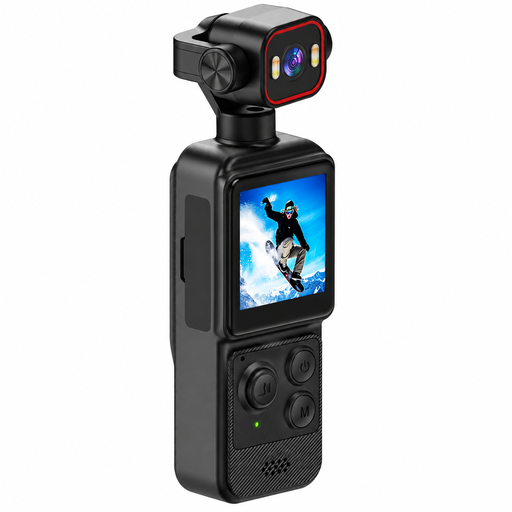 Image unavailable
Take a test shot to see whether this mini action camera captures the crop you need of your jar and label.
The product name lists a clip, a 1.54-inch display, a 140° field of view, LED lighting and a 1200 mAh battery.
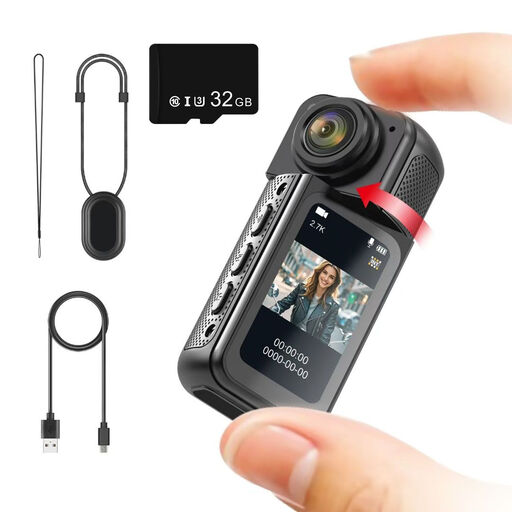 Image unavailable
Check how clearly this mini action camera captures the label crop you need using one of your own jars.
The product name lists a rotating lens, magnetic mount, 1.47-inch IPS screen and included 32 GB memory card.
 Image unavailable
If you also want to shoot video, compare the listed video features separately from how well small labels appear in still photos.
The product name lists a 1-inch CMOS sensor, 4K/240fps, 3-axis stabilisation, 2× lossless zoom, 107 GB of built-in storage and a 2-inch rotating screen.
 Image unavailable
Consider this model for photos of your jars only after using a test shot to assess whether it gives you the crop and level of detail you need.
The product name lists a 1-inch CMOS sensor, 4K/120fps video, 3-axis stabilisation, face and subject tracking, fast focusing and an included microphone.
 Image unavailable
If you want to compare interchangeable lenses, check whether the included zoom lens gives you the framing you need for your jars.
The product name lists a mirrorless camera with a 16–50 mm zoom lens.
No. Start by taking a test shot with your existing phone. Shopify Netherlands highlights a steady setup and controlled lighting; check for yourself whether the jar and label are clear in the crop you need.
Consider a macro lens if you need small details to fill the frame. Compare the magnification of the exact lens and check its working distance too, so there’s room to light the jar.
Keep the camera position and setup as consistent as possible, and review the white balance whenever the light changes. Nikon explains that a change in lighting conditions may mean you need to check this setting again.
Check separately whether the mandatory food information is available before purchase. According to the NVWA handbook, this applies to prepacked foods offered for sale at a distance; the information requirements depend on the product and its packaging.
Make sure the photo doesn’t give a misleading impression of what you’re selling. The Netherlands Authority for Consumers and Markets warns that incorrect, unclear or omitted important information can mislead consumers.