
Harbour photographer on the move
You want to capture the quay, water and sky without carrying too much weight. So compare the field of view and weight of the complete camera-and-lens combination.


First decide whether you mainly want to capture harbour views, boats in motion or handheld shots as the light fades. Then assess the camera and lens as a combination. RAW and exposure bracketing can give you more leeway when the sky is bright and the quay is dark, while stabilisation can help reduce camera shake but won’t freeze a moving boat. If you want to take photos in the rain, check the protection offered by both the body and the lens.
You want to capture the quay, water and sky without carrying too much weight. So compare the field of view and weight of the complete camera-and-lens combination.
You might be shooting at sunrise, in overcast conditions or at dusk, and want to handle a bright sky above a dark harbour. Look at RAW, exposure options and handheld shooting.
You want to keep taking photos in the rain or near splashing water. Check the protection offered by both the camera body and the lens you choose.
Start with the photos you want to take and the conditions you’ll be shooting in. Then choose a body and lens that work together to suit your preferred field of view, the weight you’re happy to carry and the way you like to shoot.
| What to consider | What to look for | Who is this important to? |
|---|---|---|
| Contrast and exposure | Check for RAW support and exposure features; also try out whether your current camera and workflow meet your needs. | If I want to retain detail in both the bright sky and the dark quay, I look for RAW and exposure bracketing. Around 33% of consumers say contrast is their most important purchase need. |
| Sharpness when shooting handheld | Check whether stabilisation is in the body, the lens or both; for moving subjects, also consider the shutter speed. | When I’m shooting without a tripod as the light fades, I want to know where the stabilisation is and what it can and can’t do. Around 27% of consumers say sharpness when shooting handheld is their primary need. |
| Field of view and carrying weight | Compare the lens or kit’s mount and focal lengths, and check the weight of the complete set. | If I want to frame both a harbour view and details on the other side, I weigh up the field of view against what I’m willing to carry. Around 20% of consumers say field of view and kit weight are their main considerations. |
| Protection in wet weather | Check the protection and conditions of use for the body, lens and connections separately. | When I want to keep shooting in the rain or near splashing water, I want to know what protection the complete combination offers. Around 20% of consumers prioritise protection in wet weather. |
The lens also affects how much of the harbour appears in the frame. And the body’s weight isn’t the same as the weight of the complete kit.
Compare specific kits by mount, focal length, included lenses and total weight.
A suitable lens, or a second lens for a different field of view, may mean a separate purchase and extra luggage.
Stabilisation can help reduce camera shake, but a boat can still move during the exposure.
Choose an appropriate shutter speed for moving subjects. Consider stabilisation mainly in terms of your need to shoot handheld.
A protection claim for the body doesn’t automatically apply to the lens attached to it or to open connections.
Check the conditions for the body and lens separately before shooting in the rain. An IP53 claim doesn’t mean the camera can be used underwater.
Commercial guarantees are in addition to your statutory rights. According to ACM ConsuWijzer, statutory cover in the Netherlands depends on what you can reasonably expect from the product under normal use; there is no fixed general end date.
Check what a paid guarantee adds and keep the seller’s details.
The EOS R50 is an APS-C mirrorless camera for anyone looking for a compact body with interchangeable lenses.
The α6700 is an APS-C option for anyone looking to combine RAW and in-body stabilisation with E-mount lenses.
The Z50II gives you access to Z lenses; the contents of the kit you choose will affect the zoom range, among other things.
The OM-5 Mark II is a mirrorless camera for anyone looking for a portable body and a clearly specified weather-resistance rating.
The X-T50 is an APS-C option with an X mount for anyone weighing up the choice of X-mount lenses and resolution.
This selection includes a vlogging camera and action and 360° cameras. Not every model is a traditional camera for harbour landscapes, so check that its photo capabilities, lens and controls suit what you want to capture.
 Image unavailable
The title describes this model as a vlogging camera; check that its photo capabilities and controls suit the harbour shots you want to take.
The title lists a 1-inch CMOS sensor, 4K video up to 120 fps, 3-axis stabilisation and a 2-inch rotating touchscreen.
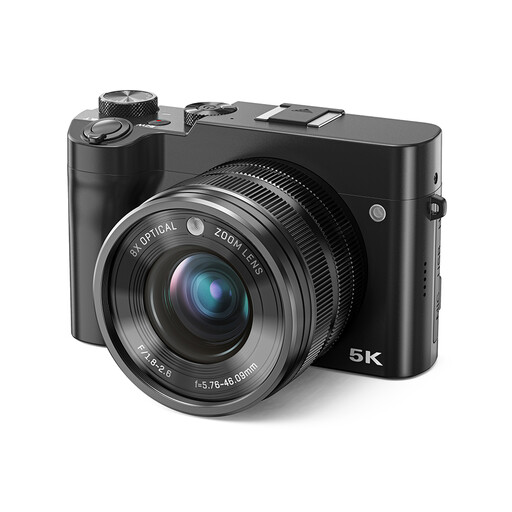 Image unavailable
The listing describes a digital camera with photo capabilities and manual zoom and focus controls; check that it suits the way you like to take photos.
The product title lists 8× optical zoom, 5K and 64 MP. The instructions describe zooming and focusing using the lens ring.
 Image unavailable
According to the product information, this kit combines an APS-C mirrorless camera with a 16–50mm zoom lens for a range of framing options.
The listing specifies a 24.2-megapixel APS-C sensor and an E PZ 16–50mm f/3.5–5.6 OSS lens. The product information warns against exposing the camera to rain or moisture.
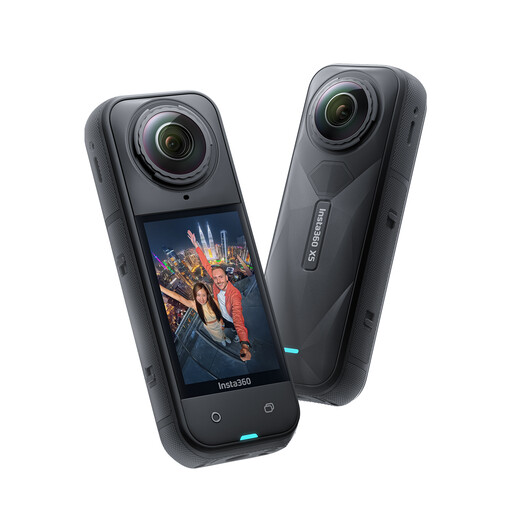 Image unavailable
This model is designed for 360° video; check that this way of capturing footage suits the framing you want for harbour photos.
The product information lists two 1/1.28-inch sensors and 360° video in 8K at 30 fps. The claim that it can be used underwater to a depth of 15 metres is a product specification; check the relevant conditions of use.
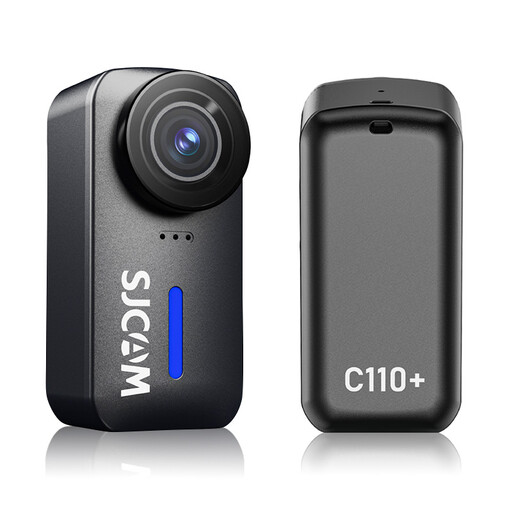 Image unavailable
The product title describes a compact action camera with an ultra-wide-angle lens; consider whether its field of view suits the harbour composition you want.
The title lists a 170° lens, an f/1.8 aperture, 20 MP photos and 4K video. The stated water resistance to 30 metres applies when used with the housing.
Not necessarily. First, try adjusting the exposure and, if your camera offers them, using RAW or exposure bracketing. With exposure bracketing, you take several photos at different exposures; boats in motion may change position between shots.
No. Stabilisation is designed to help compensate for camera movement; it doesn’t freeze a boat in motion. You’ll also need to choose an appropriate shutter speed for the moving subject.
Read the conditions of use for both the body and the attached lens, and follow the product instructions for the connections. OM SYSTEM lists IP53 for the body of the OM-5 Mark II; that doesn’t mean the camera can be used underwater.
Not automatically. According to ACM ConsuWijzer, you have statutory cover alongside any commercial guarantee for as long as the product should last under normal use; the law doesn’t set a fixed general duration. Compare what a paid guarantee adds, and contact the seller if something goes wrong.
It depends on how you use it. The Dutch Data Protection Authority distinguishes between photos for private use and publication to a wider audience. For wider publication of identifiable people, you need a legal basis under the GDPR; the fact that a harbour is public doesn’t automatically make publication permissible.