
Photographing prints behind glass
You want to capture the entire framed piece, but can see lamps or the room reflected in the glass. The Canadian Conservation Institute explains how lighting affects the documentation of objects.


Start by adjusting your lighting and taking test shots with your current camera: a new camera body won’t eliminate reflections in glass. A mirrorless camera with a suitable lens may be worthwhile if you also need RAW, manual control or a different crop. If so, check whether you’re buying a body only or a complete kit.
You want to capture the entire framed piece, but can see lamps or the room reflected in the glass. The Canadian Conservation Institute explains how lighting affects the documentation of objects.
You take photographs regularly and want colours to remain consistent under artificial light. The Canadian Conservation Institute and Canon Europe outline key considerations around light sources and white balance.
You want to capture small details clearly, so you’re considering image resolution, cropping and your choice of lens. The Canadian Conservation Institute, Canon Netherlands and Sony Netherlands offer information to help you weigh up these factors.
Choose this if: your photos have enough detail and reflections or inconsistent colours are the main problem.
The trade-off: you avoid buying a new body, but remain limited by your current camera’s settings and lens options.
Choose this if: you need RAW files, manual control or a different crop.
The trade-off: you’ll also need to choose a suitable lens and check which accessories are included in the version on offer.
When photographing framed prints under artificial light, these four questions can help you choose a camera that meets your main needs.
| Factor | What to look for when buying | Who should consider this? |
|---|---|---|
| Reflections in glass | Try moving the lamps first. If you use a polarising filter, check the filter size and allow for some light loss. | If a reflection covers part of the print, you’ll want to adjust the lighting first. Around 33% of consumers prioritise controlling reflections above all else. |
| Colour consistency | Check whether the camera model supports RAW and manual white balance. Keep the lighting consistent for repeat shots. | If you need a series of reproductions with similar colours, control over white balance and post-processing is important. Around 27% of consumers prioritise colour consistency. |
| Detail and cropping | Compare image resolutions and test whether the lens will work at your available shooting distance. | If you need to keep small details clear, the crop you want and your choice of lens both matter. Around 20% of consumers focus mainly on detail and a straight-on view. |
| Completing your setup | Check whether the offer is for a body or a kit, which lens is included and which accessories you already own. | If you want to avoid buying unnecessary accessories, it helps to work out exactly what you need for your complete setup beforehand. Around 20% of consumers focus mainly on what’s included and the overall setup. |
Reflections are affected by the position of your lights. More megapixels won’t restore details hidden by a reflection.
Move the lamps first and take some test shots before deciding whether you need a different camera.
If you don’t change the lighting, the same distracting reflection may still appear.
A body-only option and a version with a lens don’t include the same components, so comparing them won’t show what else you need for your setup.
Compare the full model and kit descriptions, and check exactly which lens is included.
You may need to buy a suitable lens, filter or support separately.
Canon Europe warns that flickering LED or fluorescent lighting can cause bands in images when used with an electronic shutter.
Test the camera with the lighting you plan to use and, if necessary, try another available shutter setting.
The Canon EOS R50 is an APS-C mirrorless camera body for anyone looking to pair a body with a suitable RF lens.
The Sony ILCE-6400 is an E-mount body for anyone considering RAW shooting and lens choice.
The Z50II is available as a camera body or in versions with a lens kit.
The Fujifilm X-S20 is an X-system camera for anyone who wants to use manual shooting settings and RAW in their workflow.
The products below range from vlog cameras and an instant camera to a mirrorless camera with a lens. For each model, consider whether its shooting style and included accessories are suitable for photographing a framed print.
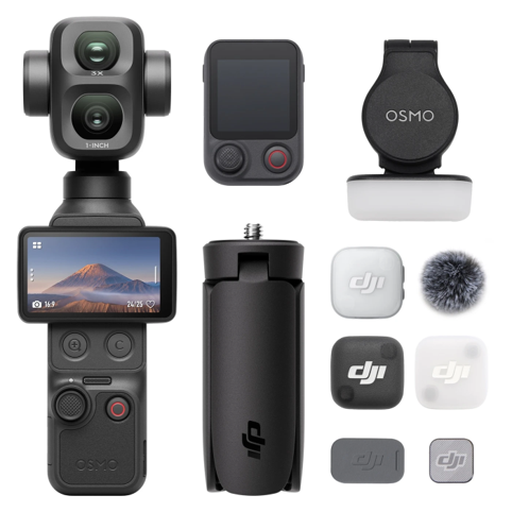 No image available
The product name describes this as a vlog combo; consider whether that shooting style suits your reproduction work.
The product name lists 4K/240 fps.
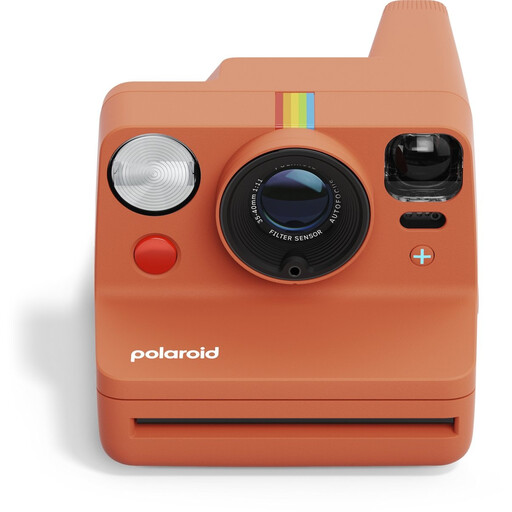 No image available
This is an analogue instant camera; check whether instant photos are right for your reproduction needs.
The product information lists compatibility with i-Type and 600 film. Compatible instant film is required for use.
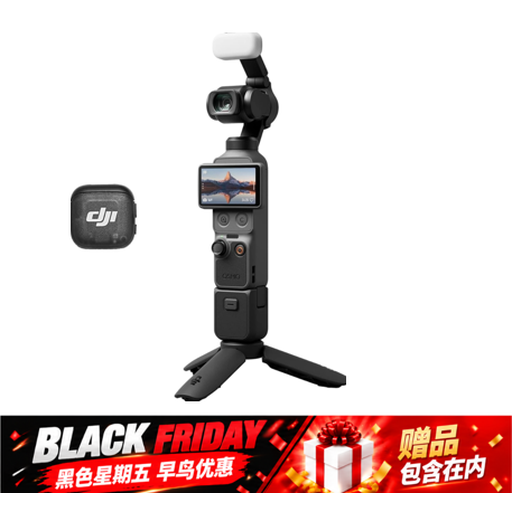 No image available
This version is described as a vlog camera; check whether its shooting style suits photographing a framed print.
The product name lists a 1″ CMOS sensor, 4K/240 fps, 3-axis stabilisation, 2× lossless zoom and 107 GB of built-in storage.
 No image available
The product name describes this version as a vlog camera; check whether it’s suitable for the type of reproduction you want to create.
The product name lists a 1″ CMOS sensor and 4K/120 fps. The product information also mentions a rotatable touchscreen and 10-bit D-Log M.
 No image available
This mirrorless camera comes with a 16–50 mm lens; compare it with the crop you want and your shooting distance.
The product information lists a 24.2 MP APS-C sensor and a Sony E mount.
Not always. A polarising filter can reduce glare on glass, but try moving the lamps as well. Check the lens filter size and allow for some light loss.
Take test shots with the lighting and shutter settings you plan to use. Canon Europe warns that flickering LED or fluorescent lighting can cause banding with an electronic shutter. Check the shutter options on the exact camera model.
For online consumer purchases, you generally have a statutory 14-day cooling-off period after delivery, with some exceptions. You’re also entitled to a legal guarantee; this isn’t simply limited to two years for every camera.
Making a copy for personal use doesn’t automatically give you permission to publish a copyright-protected work. Before publishing, check whether you have permission or another valid legal basis for using it. The answer depends on the work and how you intend to use it.