
Close-up creator
You want viewers to be able to make out small solder joints. Focusing distance and framing matter more to you than showing the presenter.


For soldering at a permanent workbench, a USB document camera is a good fit for a fixed overhead view. If you need to change the framing or film elsewhere, another camera with a suitable lens or mount may be a better choice. Check the focus and framing at your working distance, and make sure the setup works in your shared space. A camera won’t deal with soldering fumes, and you should think carefully before sharing footage more widely if housemates are recognisable.
You want viewers to be able to make out small solder joints. Focusing distance and framing matter more to you than showing the presenter.
You share a bedroom and need a stable, movable setup that doesn’t take up unnecessary space on your work surface.
You switch between showing your work and speaking to camera, and weigh that flexibility against the extra setup or choice of lens.
A good fit for: a fixed overhead view via a computer. IPEVO lists autofocus and a maximum capture area of 342 × 255 mm for the V4K.
Bear in mind: the stated capture area doesn’t guarantee that an individual solder joint will appear large enough. The stated 30 frames per second applies at Full HD.
A good fit for: switching between yourself and small components. BenQ describes the ideaCam S1 Plus as having a desk mode, magnifying lens and tripod socket.
Bear in mind: check focus, working distance and lighting with your circuit board; some features require BenQ EnSpire.
A good fit for: a compact workspace where you regularly change the camera angle. Logitech describes Reach as a USB camera with an adjustable arm.
Bear in mind: Logitech lists the base and desk clamp as separately available mounting options. A 1080p/60 fps specification alone doesn’t tell you how large a solder joint will appear on screen.
A good fit for: filming other types of video as well and choosing your own lens. Sony confirms that the ZV-E10 II has interchangeable lenses.
Bear in mind: how well it captures a small solder joint depends on the lens you choose and the shooting distance; a kit lens doesn’t automatically make it a macro setup.
A good fit for: filming in different places, rather than at just one fixed workbench. DJI lists several focus modes for the Osmo Pocket 3.
Bear in mind: DJI specifies a minimum subject distance of 20 cm. Check that small connections are clear from this distance, and consider how to mount the camera securely above the workbench.
| What to consider | What should you check? | Who is this important for? |
|---|---|---|
| Showing small joints clearly | Compare the focusing distance and framing at your planned camera height. IPEVO lists a focusing range from 10 cm for the V4K PRO; DJI specifies a minimum subject distance of 20 cm for the Osmo Pocket 3. | If I want to show small solder joints clearly, I check both the focus and how large the workpiece appears on screen. Around 33% of consumers prioritise clear close-ups. |
| Setting up on a small desk | Measure the available desk edge, setup height and cable route; check which base or clamp is included with your chosen version. Logitech lists the base and desk clamp as separately available options. | When I share a workbench, I want a stable setup that doesn’t take over the space. Around 27% of consumers prioritise a setup that fits their space. |
| Recording workflow and changing the view | Decide whether you’ll record via a computer or use the camera on its own; check the connections and compatible software you’ll need. | If I want to switch between showing my work and explaining it while recording, I look for a workflow that supports this. Around 20% of consumers prioritise ease of recording and switching viewpoints. |
| Versatility and equipment | Check which lens, mount and recording equipment are included with each version, and what you already own. | If I want to use the camera beyond my fixed soldering setup, I weigh that flexibility against the equipment I’ll need. Around 20% of consumers prioritise versatility and the overall equipment package. |
For the IPEVO V4K, the stated maximum image resolution and the figure of up to 30 frames per second apply under different conditions. Distance and framing also affect how much detail you can see.
Check the resolution, frame rate and focus together at the recording distance you plan to use.
Logitech lists the base and desk clamp as separately available options. With a mirrorless camera kit, the included lens determines what you can film with that version.
Check the exact version and what’s in the box before choosing your setup.
A camera won’t prevent exposure to soldering fumes or automatically protect a housemate’s privacy. The Arbocatalogus MBO describes harmful fumes and source extraction for a practical teaching room; this isn’t automatically a legal standard for soldering as a private hobby.
Plan your soldering area and camera setup separately, and don’t film a recognisable housemate without their consent to share the footage more widely.
Document cameras for capturing a work surface via USB.
According to BenQ, the ideaCam S1 Plus combines webcam, desk and detail use.
Reach is an adjustable content camera for creators who change the camera angle above their workspace.
The ZV-E10 II is a mirrorless camera for anyone who wants to film soldering and other types of video, and choose their own lens.
The Osmo Pocket 3 is a compact camera for creators who film in places other than a single workbench.
Joybuy products for filming soldering demonstrations.
 No image available
A compact camera model for anyone who also wants to film in different locations. The product information specifies 4K/240 fps for slow-motion recording only.
 No image available
A pocket vlog camera for filming beyond a fixed workbench setup. The product name lists 4K/240 fps, 3-axis stabilisation, 2× lossless zoom, 107 GB of built-in storage and a 2-inch rotating screen; 4K/240 fps is for slow motion. Check whether small solder joints appear large enough at your working distance.
 No image available
A webcam for recording at a computer. The product name lists 8 MP, autofocus, two built-in microphones and a privacy cover; autofocus alone doesn’t prove that small solder joints will be clear.
 No image available
A webcam for recording at a computer or monitor; the product name mentions a clip mount and tripod mounting. The description lists QHD video and a noise-cancelling microphone, but doesn’t establish whether small solder joints will be clear.
 No image available
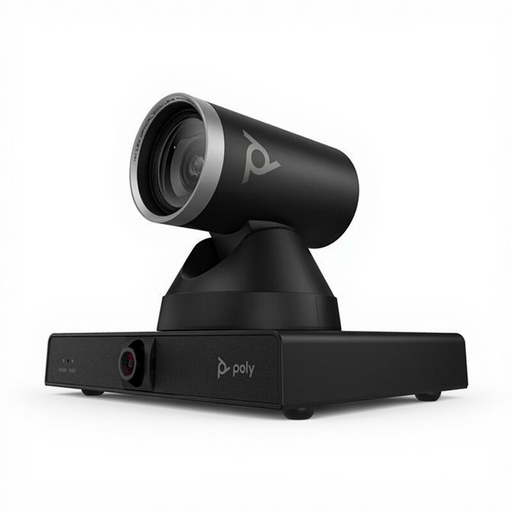
This camera is described as being for large meeting rooms; the product name lists 4K MPTZ and 12× optical zoom. The description mentions professional installation and a weight of 1.79 kg, so check that the required mounting works in a shared bedroom.
Compare the focusing distance and framing at the height you plan to film from. A stated minimum focusing distance means the camera can focus at that distance, but it doesn’t guarantee that the joint will be clear in the finished video.
The IPEVO V4K uses USB/UVC output. Check that your computer and recording software support the resolution and frame rate you want.
No, the camera doesn’t change anything about the fumes. The Arbocatalogus MBO describes harmful soldering fumes and source extraction for a practical teaching room; that description isn’t automatically a legal standard for soldering as a private hobby. Set up your soldering area safely and prevent housemates from being exposed.
The Autoriteit Persoonsgegevens distinguishes between images that remain private and those shared more widely. According to the AP, a recognisable person may generally appear in a social media video only with their consent; it’s better not to film your housemate, or to make them unrecognisable before publishing.
According to the Rijksoverheid, a 14-day cooling-off period applies to many distance purchases, with some exceptions. Check the seller’s information for the specific order.