What should you look for when choosing?
Full cards with a standard zoom lens
Choose this if: you mainly want to photograph full cards and would like to start with one lens.
Trade-off: magnification varies depending on the zoom setting and may not be enough for very small details.
Close-ups with an extra lens
Choose this if: you want to show small text, print or embossing separately, and test shots show that the standard zoom lens isn’t up to the job.
Trade-off: check the lens mount, working distance and magnification you need. If you’re only photographing full cards, an extra lens isn’t necessarily required.
A more advanced body for a wider range of photography
Choose this if: you also need the camera body for other types of photography.
Trade-off: RTINGS reviews the Sony α7 IV for general product photography, but for card photos you’ll also need to assess the lens and lighting.
First assess colour and lighting under your own lights, then check whether your chosen lens can capture both the whole card and the details you want to show.
| What to consider |
What to look for |
Who should prioritise this? |
| Card colours |
Set the white balance for the light you’re using and check the colours in your test shots. RAW can give you more scope for correction afterwards, according to Canon Europe. |
If I sell cards, I want the colours to stay consistent across a series of photos. Around 36% of consumers prioritise colour accuracy. |
| Small details |
Check the minimum focusing distance and magnification of the exact lens you’ve chosen. Canon Europe notes that these values vary by zoom setting on the RF-S 18-45mm. |
When I want small text or embossing to show clearly, I pay attention to both the framing and sharpness at the intended distance. Around 29% of consumers prioritise detail. |
| Flicker and banding |
Take test shots under your own lights and check the saved image. Sony notes that the ZV-E10 II’s anti-flicker setting won’t eliminate the effect with every light source. |
If my lights cause stripes or inconsistent exposure, I want to be able to check what changing the shutter setting does. Around 21% of consumers consider flicker their main concern. |
| Complete setup |
Compare the exact contents of the kit and allow for a suitable lens. According to Canon Europe, a tripod can help reduce camera movement in product photos. |
I want a repeatable way of working without unnecessarily complicated equipment. Around 14% of consumers are mainly looking for a simple, complete setup. |
Camera options at Joybuy
This selection ranges from compact and vlog cameras to mirrorless cameras with a standard zoom lens. For card photos under artificial light, assess colour reproduction, the ability to focus on small details and suitability for a fixed setup separately.
 No image available
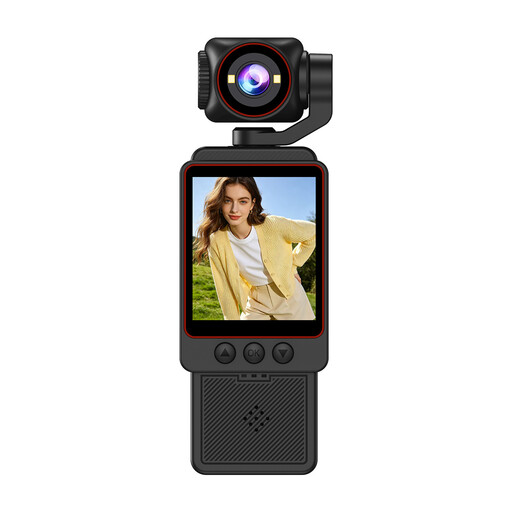
Compact video camera, 1080P HD video and HD photos
The product name mentions HD photos and photography as uses. Take a test shot to check whether the camera delivers the card framing and colour reproduction you want.
The product name lists 1080P HD video, fast focusing and Wi-Fi transfer.
View at Joybuy
 No image available
Komery W6 4K camera with 12× optical zoom, 64MP
The product name describes a digital camera with 12× optical zoom. Take test shots to see whether the framing and focus work for full cards and smaller details.
The product name lists 4K, Wi-Fi and 64MP.
View at Joybuy
 No image available
DJI Osmo Pocket 3 vlog camera, 1-inch CMOS
The product name positions this model as a vlog camera. Consider whether its form factor suits a fixed, repeatable setup for photographing cards.
The product name lists 4K/120fps video, 3-axis stabilisation and a rotating 2-inch touchscreen.
View at Joybuy
 No image available
Sony ZV-E10 with 16-50mm zoom lens, black
The product name describes a mirrorless camera with a 16-50mm zoom lens. In your own setup, check the framing, minimum focusing distance and colour under the lights you use.
The product description says an adapter/charger isn’t included. Check which accessories you’ll need before use.
View at Joybuy
 No image available
Sony Alpha A6100 with 16-50mm f/3.5-5.6 OSS II
The product name describes a camera with a 16-50mm lens. Take test shots to check whether the lens can capture both the full card and the details you want at your shooting distance.
View at Joybuy
Frequently asked questions
Do I need a macro lens straight away to photograph a full greeting card?
No, not necessarily. First take a photo from the distance you want to shoot at, then compare the framing with the minimum focusing distance and magnification of the exact standard zoom lens. A different lens may be useful for very small details shown on their own.
How can I keep photos of a series of cards looking consistent?
Use stable, repeatable framing and control the lighting. Set the white balance for the light you’re using and check your test shots. RAW can make colour correction afterwards easier, according to Canon Europe.
What can I try if LED lights cause stripes in my photos?
First check the saved photo and try suitable shutter settings or, if your camera model has one, an anti-flicker setting. Sony notes that this setting on the ZV-E10 II won’t eliminate flicker under every light source.
What are my rights when I buy a camera online?
When you buy from a business at a distance, you’ll usually have 14 days to change your mind, though exceptions apply. The Netherlands Government says there’s no fixed statutory warranty period in the Netherlands. You’re entitled to a product that meets what you can reasonably expect from it. If there’s a problem, contact the seller.
Can I post photos of greeting cards containing other people’s details online?
Not necessarily, especially if details such as a recipient’s name or a personal message make someone identifiable. The Dutch Data Protection Authority says that, in principle, you may only publish information about other people online with their consent. For a product page, it’s best to use a sample card without personal details.


