What should you look for in a camera for an etching?
First decide whether you want a full reproduction or detail shots. Then match the lens, focusing distance and lighting set-up to the space above the table.
| What to consider |
What to look for |
Who will find this most important? |
| Faithful full image |
Check that the whole etching fits in the frame from the available height, and that the camera can be positioned steadily and parallel to the artwork. |
If I want to capture the whole etching straight from above, I prioritise a faithful reproduction of the edges and paper colour. Around 33% of consumers put an accurate full image first. |
| Fine lines and texture |
Check the focusing distance at the zoom setting or with the lens you’ll use for details; test whether the light shows the texture without losing details in shadow. |
If I want to show small lines or the texture of the print, I look at the direction of the light as well as the composition. Around 27% of consumers give detail reproduction their highest priority. |
| Space above the table |
Measure the intended distance between the lens and the etching, then compare it with the focusing range and field of view of the camera-and-lens combination. |
If there’s little room above the artwork, I want to know in advance whether the camera can be positioned steadily at the required distance. Around 20% of consumers prioritise the space available for setting up. |
| Keeping the set-up simple |
Check which lens is actually included and whether you’ll need a suitable, stable support. |
If I’d rather not put a lens together separately, I weigh up the number of components as well as the composition I want. Around 20% of consumers make a simple purchase their top priority. |
Cameras at Joybuy
This selection includes compact cameras and mirrorless cameras supplied with a zoom lens. For each model, check that the focusing distance, field of view and included lens suit the etching and the space above your table.
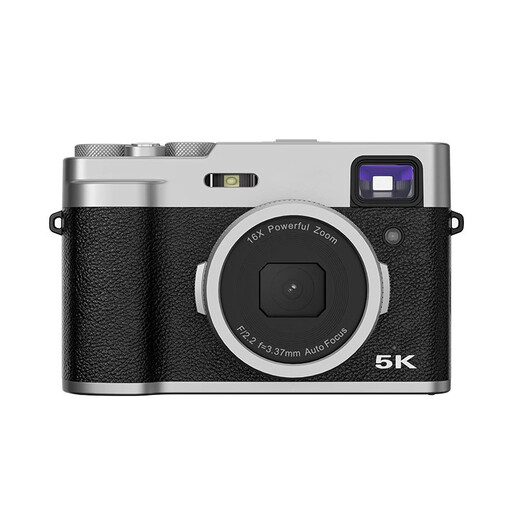 No image available
Songdian digital compact camera, 48 MP, autofocus, black
Worth considering if you want a compact camera with autofocus and a viewfinder; check that the focusing distance and field of view suit your set-up.
The product name lists 48 MP and autofocus. The product description mentions a 2.8-inch LCD screen and an optical viewfinder.
Joybuy
 No image available
Sony ZV-E10 with 16–50 mm zoom lens, black
The included zoom lens makes this one worth considering if you want to compare mirrorless cameras supplied with a lens; check that the combination gives you the composition and working distance you need.
The product name lists a 16–50 mm zoom lens. The product description mentions a Sony E mount, a 24.2 MP APS-C sensor and a tilting screen.
Joybuy
 No image available
Sony Alpha A6100 with 16–50 mm f/3.5–5.6 OSS II lens
This mirrorless camera comes with a zoom lens and may suit you if you want an interchangeable lens; check the focusing distance and field of view against your own table set-up.
The product name lists the 16–50 mm f/3.5–5.6 OSS II lens. The product description mentions a Sony E mount, a 24.2 MP sensor, an electronic viewfinder and a touchscreen.
Joybuy
 No image available
Sony ZV-1 compact camera
A compact camera to consider if you want to work without a separate lens; check that its focusing range suits your shooting distance.
The product specifications list a 24–70 mm lens range, 2.7× optical zoom, 20 MP, JPEG and RAW files, and a tilting screen.
Joybuy
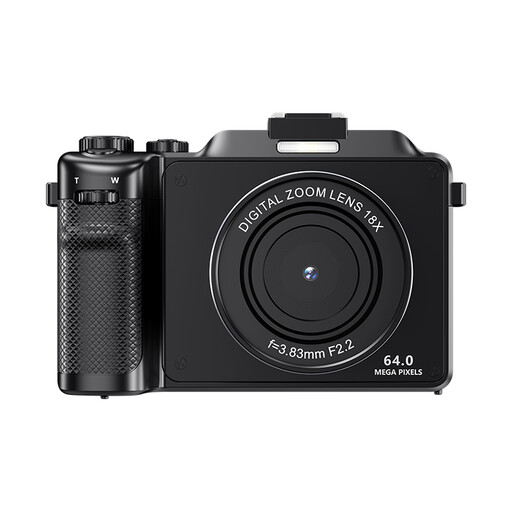 No image available
Komery X9 4K camera, 64 MP, autofocus, black
A camera with autofocus to compare if you want to take still images; check the usable focusing distance and composition for your etching.
The product name lists 4K, 64 MP and autofocus. The product description warns that the 18× digital zoom reduces image quality, so bear this in mind if you want to crop in on details.
Joybuy
Frequently asked questions
How should I position the camera above the etching?
Position the camera steadily, with the lens parallel to the etching. Tour of Art Flevoland recommends aligning the centre of the lens with the centre of the artwork. Use the self-timer if needed, and before taking down your set-up, check that the edges run parallel to the frame.
Should I use even lighting or raking light?
It depends on what you want to show: soft, even light suits a full image, while light falling low across the surface can emphasise texture. National Museums Scotland describes using raking light to make fine details visible. If needed, take separate shots and make sure the shadows don’t hide the details.
What should I check if my camera won’t focus at close range?
Check the focusing range of the specific lens and zoom setting, and try moving further away if needed. Sony lists a focusing distance for the RX100 VII of approximately 8 cm at the wide-angle end and approximately 100 cm at the telephoto end, measured from the front of the lens.
What cooling-off period and guarantee apply to online purchases in the Netherlands?
For an online distance purchase from a business, you generally have 14 days to change your mind; the Dutch government lists exceptions and distinguishes these purchases from those made from a private seller. There is no fixed term for the statutory guarantee in the Netherlands. If a product is faulty, contact the seller.
Can I publish a photo of someone else’s etching?
Taking a photo for your own use doesn’t automatically give you permission to publish it. The Dutch government distinguishes between making a copy for personal use and distributing or making copyright-protected work available to the public. Before publishing, check whether the etching is still protected and what permission you need for your intended use.


