A camera kit with a zoom lens can be a sensible starting point for photographing whole patches; for individual stitches, the lens’s maximum magnification is the key factor. Under artificial light, also consider the working distance, room for lighting and a fixed white balance. A separate macro lens can offer greater magnification, but you’ll need to check the mount and what’s included in the kit.
Who is this choice for?
Photographer of stitch details
You want to capture individual stitches or thread edges in close-up. That makes the magnification and working distance of the specific lens more important than the camera body alone. Nikon Netherlands specifies 1:1 for the NIKKOR Z MC 50mm f/2.8; Sony Netherlands lists 1:1 for the SEL30M35.
Seller of patch collections
You regularly photograph whole patches and want to keep the framing and colour consistent under the same lights. A fixed camera setup and controlled white balance will help you work consistently.
Beginner looking for a single camera kit
You want to photograph a whole patch straight away and know in advance which lens actually comes with the camera. Canon Netherlands Store lists an RF-S 18-45mm lens with the EOS R50 and EOS R100 kits described.
What should you look for?
Zoom kit for whole patches
Choose this approach: if you mainly want to photograph whole patches and larger details, and need a lens straight away.
Bear in mind: the included zoom lens isn’t automatically a 1:1 macro lens. Canon Netherlands Store specifies a maximum of 0.25× in manual focus mode for the RF-S 18-45mm.
Mirrorless camera with a separate macro lens
Choose this approach: if individual stitches need to fill the frame and you want to put together a suitable lens setup.
Bear in mind: the body and lens may need to be bought separately; a short working distance can also leave less room for lighting. Nikon Netherlands specifies 1:1 for the Z MC 50mm, as does Sony Netherlands for the SEL30M35.
Compact camera with macro modes
Choose this approach: if you don’t want to change lenses and a compact setup matters to you.
Bear in mind: OM SYSTEM lists macro modes and RAW support for the TG-7; check whether it can achieve the framing you want for your patches.
| What to consider |
What should you check? |
Who is this more important for? |
| Magnifying small stitches |
Check the maximum magnification, working distance, lens mount and whether the lens is included. |
If I want to capture individual stitches in close-up, I look at both magnification and room for my lights. Around 31% of consumers put detail magnification first. |
| Colour under artificial light |
Check the white balance settings and, if you want to make corrections afterwards, RAW support for the exact model. |
If thread colours need to remain recognisable under my fixed lights, I want to be able to control the white balance. Around 25% of consumers put colour consistency first. |
| Consistent shots for a series |
Check whether you can position and operate the camera steadily without shifting the framing. |
For a series of patches, I want to keep the camera position and framing the same between shots. Around 25% of consumers put a repeatable workflow first. |
| Complete starter kit |
Compare what’s in the box and check whether the lens, lighting and any tripod will suit your setup. |
If I want to photograph whole patches straight away, I want to know in advance which lens actually comes with the body. Around 19% of consumers put a ready-to-use kit first. |
Common buying mistakes
-
Confusing a short focusing distance with enough room for lighting
The distance from the sensor and the working distance in front of the lens aren’t the same. Sony Netherlands lists a working distance of around 2 cm at the closest focusing distance for the SEL30M35. This can affect where you can position lights around the patch.
Check both distances and sketch out where the camera and lights will go in your setup.
-
Treating a kit zoom as a 1:1 macro lens
Canon Netherlands Store lists a maximum of 0.25× in manual focus mode for the RF-S 18-45mm. Nikon Netherlands and Sony Netherlands specify 1:1 for the separate macro lenses mentioned.
Compare the maximum magnification of the exact lens you’re buying, not just the camera body. For very small details, you may need a separate macro lens.
-
Comparing a body-only offer with a complete kit
The Sony ILCE6400AB.CEC is listed as body only, while the Canon EOS R50 kit examined includes an RF-S 18-45mm lens.
Check the full model code, box contents and lens mount before comparing kits.
-
Blaming the camera for every colour difference
Canon Netherlands and Adobe explain that artificial light can cause a colour cast if the white balance isn’t set appropriately.
Take a test shot under the lights you actually use, and check the colour against a neutral surface in the same light.
Camera brands to consider
Canon
The EOS R50 and R100 kits are described with an RF-S zoom lens; a separate RF macro lens could be a next step.
- Canon Netherlands Store specifies a maximum of 0.25× in manual focus mode for the RF-S 18-45mm.
- That magnification isn’t the same as 1:1; check the lens and contents of the specific kit.
Nikon
With a Z system camera and a separate Z macro lens, you can choose the body and lens yourself.
- Nikon Netherlands specifies 1:1 for the NIKKOR Z MC 50mm f/2.8.
- This is a lens specification; don’t assume the macro lens comes with every camera kit.
Sony
An APS-C camera with an E mount can be paired with a separate E-mount macro lens.
- Sony Netherlands specifies 1:1 for the SEL30M35.
- Sony lists a working distance of around 2 cm at the closest focusing distance, so leave room for lighting. The ILCE6400AB.CEC version is body only.
OM SYSTEM
The Tough TG-7 is a compact alternative with built-in macro modes and no interchangeable lens.
- OM SYSTEM lists macro modes and RAW support for the TG-7.
- Check whether it can achieve the framing you want for your patches and whether the version meets your needs.
Cameras and kits on Joybuy
These product picks are related to cameras for patch photography. For each model, check that the lens, magnification and setup suit the framing you want.
 No image available
Osmo Pocket 4P Standard Combo, black
For patch photos, check that the framing and close-up distance suit your subject.
Joybuy
 No image available
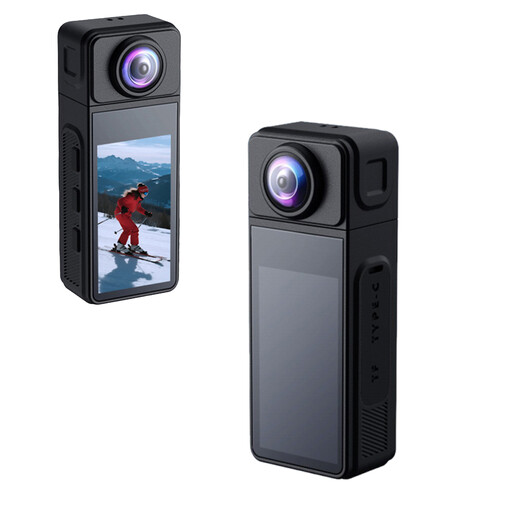
NAXSIR 2K Mini Action Camera
For still patch photos, check that the camera can capture the framing and detail you need.
The product name lists a 270° rotating wide-angle lens.
Joybuy
 No image available
DJI Osmo Pocket 4 Standard Combo with Ulanzi VL81
The bundle lists a Ulanzi VL81 video light; check that the camera’s magnification and working distance suit the details you want to photograph.
The product name lists a rechargeable LED video light.
Joybuy
 No image available
DJI Osmo Pocket 3 with Ulanzi VL49
The bundle lists a Ulanzi VL49 RGB light; check that the camera can capture the framing you want for your patches.
The product name lists an RGB LED video light.
Joybuy
 No image available
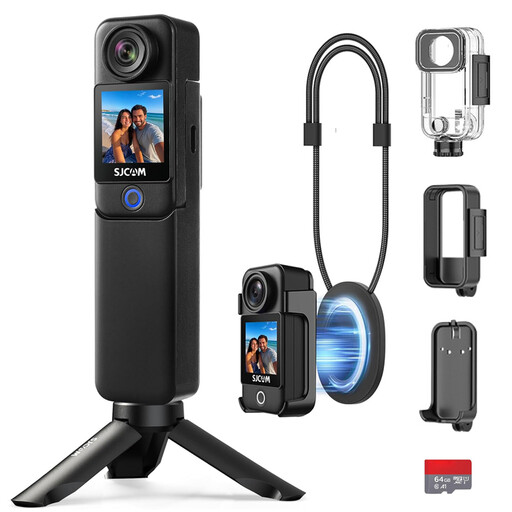
SJCAM C300 4K Action Camera
For patch photos, it’s worth checking that the camera offers the close-up capability and framing you want.
The product name lists an accessory kit.
Joybuy
Frequently asked questions
Do I need a 1:1 macro lens for every embroidered patch?
No. The magnification you need depends on the framing: photographing a whole patch doesn’t necessarily require the same magnification as photographing a single stitch. Canon Netherlands Store lists a maximum of 0.25× for the RF-S 18-45mm in manual focus mode; Nikon Netherlands and Sony Netherlands specify 1:1 for the separate macro lenses mentioned.
How do I get started with photography under artificial light?
Keep your lighting setup consistent, position the camera securely and check the white balance against a neutral surface in the same light. Artificial light can cause a colour cast; RAW may allow you to correct this afterwards if the exact camera model supports it.
What should I do after buying the camera if it’s faulty?
Keep your proof of purchase and contact the seller if there’s a problem. According to the Dutch Government, for a consumer purchase the seller must provide a solution if the product isn’t working properly; you don’t have to contact the manufacturer alone.
Is there a cooling-off period for online purchases in the Netherlands?
For distance purchases, the seller must tell you about the cooling-off period; according to the Dutch Government, it’s usually 14 days. Check the information and terms that apply to your specific purchase.


