What should you look for when choosing?
USB document camera
A good fit if: you need to keep the worktable in shot and record using a compatible computer.
Bear in mind: computer and app compatibility, and whether the capture area suits your working height.
Webcam on an overhead arm
A good fit if: you already record using a computer and also want to film yourself presenting.
Bear in mind: you may need a separate arm or tripod; test the framing and focus above the table.
Mirrorless camera with a suitable lens
A good fit if: you want to switch between filming the table and yourself, or choose your own lens and framing.
Bear in mind: the lens, mounting, power and storage are separate considerations; the camera body alone doesn’t tell you whether small details will be in focus at your chosen distance.
Pocket camera
A good fit if: you also want to use the camera away from your usual worktable or film from different positions.
Bear in mind: you’ll still need suitable mounting and framing for a fixed overhead view.
First, measure the area of the table you want to show. Then record a test using your own lights: Sony Support suggests shutter speeds of 1/50 or 1/100 second as possible settings for reducing flicker under a 50 Hz mains frequency, but they’re not guaranteed to work with every light or camera.
| What to consider | What should you check? | Who is this important for? |
|---|
| Full overhead view |
Measure the work surface and compare it with the capture area, working height and mounting. |
I want to keep my card and the steps I’m demonstrating in shot at the same time, without the mount getting in the way. Around 33% of consumers rank a useful overhead view of the entire work surface as their top buying priority. |
| Lighting and paper colour |
Check whether you can adjust the shutter speed and white balance, and record a test under your own lights. |
I want to check paper colours and spot distracting bands in good time. Around 27% of consumers give avoiding lighting problems under artificial light their highest priority. |
| Small details in focus |
Check the minimum focusing distance and the framing at your planned mounting height; test with real card-making materials. |
I want to show fine details, such as stamps or folds, clearly without losing the overall activity from view. Around 20% of consumers make the visibility of small card details their main priority. |
| Recording and spoken instructions |
Check computer and app compatibility, connections, and whether the microphone works well at your speaking distance. |
I want to record my instructions without the connection or recording app getting in the way of my lesson. Around 13% of consumers prioritise a practical recording workflow and clear speech. |
| Use away from the worktable |
Decide whether you’ll also film in other locations, and still check the mounting and framing for table-based lessons. |
I want to take the camera with me and film from different positions, while still being able to check that it works with my regular table setup. Around 7% of consumers give portability their highest buying priority. |
Joybuy product picks
These product picks include pocket and action cameras for video demonstrations. Check each model to make sure its mounting, framing and focusing are suitable for a fixed overhead shot.
 No image available
Osmo Pocket 4P Standard Combo – Black
A pocket camera option for video demonstrations; check whether you can mount it securely for filming above the worktable.
View at Joybuy
 No image available
Mini Action Camera 4K with Clip
The clip could be useful for a demonstration, but check whether it lets you mount the camera securely above your work surface.
The product title lists a 1.54-inch screen, 140° viewing angle, app control, LED light and a 1200 mAh battery.
View at Joybuy
 No image available
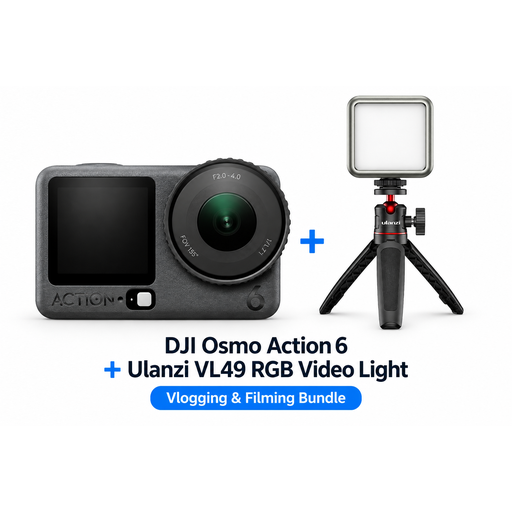
DJI Osmo Action 6 Adventure Combo + Ulanzi VL49 RGB LED Video Light
This action camera bundle is an option for video demonstrations; check whether the mounting gives you a stable overhead view.
The product name lists a Ulanzi VL49 RGB LED Video Light as part of the bundle.
View at Joybuy
 No image available
DJI Osmo Pocket 3 Creator Combo + Ulanzi VL49 RGB LED Video Light
A pocket camera option for makers recording demonstrations; check separately that your chosen mount is suitable for a fixed table setup.
The product name lists a Ulanzi VL49 RGB LED Video Light as part of the bundle.
View at Joybuy
 No image available
DJI Osmo Pocket 4 Standard Combo
A pocket camera for video footage; record a test to see whether the framing and mounting suit your card-making lesson.
The product name lists a 1-inch CMOS sensor, 3-axis stabilisation, 2× lossless zoom, 107 GB of built-in storage and a 2-inch rotating screen. According to the product description, 4K/240fps is only available in slow-motion mode.
View at Joybuy
Frequently asked questions
Which setup can I try first for a table-based lesson?
Measure the part of the table you want to show and try positioning the camera directly above it, without the mount getting in the way of your hands. Compare the framing with the stated capture area, or check a test recording.
What can I do if my lights cause stripes in the video?
Record a test using your own lights and check whether you can adjust the shutter speed. For a 50 Hz mains frequency, Sony suggests 1/50 or 1/100 second as possible shutter speeds for reducing flicker; results vary depending on the light and camera.
What should I know about buying online or dealing with a fault?
For many online purchases, you have a 14-day cooling-off period; check the terms that apply to your specific purchase. According to the Dutch government, the statutory guarantee entitles you to a product that works as it should. If there’s a fault, the seller is your first point of contact, regardless of any manufacturer’s guarantee.
Can I show identifiable participants in a lesson video?
If you film or publish on behalf of a business or organisation for professional or commercial purposes, the Dutch Data Protection Authority says the GDPR applies and you need a lawful basis. This requirement doesn’t automatically apply to every camera buyer or lesson recording.


