
Close-up filming at the worktable
You want to switch between the whole arrangement and small details of what you’re doing. So consider your working distance, lens, focusing and a stable setup.


If you’ll mainly be filming from one fixed position, start by considering the field of view, focusing distance and lighting at your worktable. A mirrorless camera gives you a choice of lenses, while a webcam can be convenient if you’re recording via a computer. A pocket camera may be more suitable if you also want to move around the arrangement, but check that its fixed lens can capture both the table and small details from your working distance. None of these camera options alone guarantees true-to-life flower colours or clear speech; you’ll also need to consider lighting, white balance and audio recording.
You want to switch between the whole arrangement and small details of what you’re doing. So consider your working distance, lens, focusing and a stable setup.
You film your hands while explaining what you’re doing. Microphone placement and checking the recorded audio both matter.
You stay at one table and record via a computer or stream live. A webcam that can point downwards may work if it captures the work surface clearly.
Suitable for: fixed-position filming where you want to frame both the whole arrangement and small details of what you’re doing.
Keep in mind: the lens and working distance partly determine the framing and close-up shots you can achieve; check the exact version.
Suitable for: filming as you move the camera around the table.
Keep in mind: the fixed field of view gives you less choice of lenses; test whether it works for both the full arrangement and the details from your position.
Suitable for: recording or livestreaming from a fixed worktable with a computer.
Keep in mind: check the connection and whether the downward-facing field of view shows the whole work surface.
First decide where to position the camera and whether you can film both the whole arrangement and the details you want from there. Then compare the lighting and audio settings.
| What to consider | What should you check? | Who is this important for? |
|---|---|---|
| Framing and detail | From the intended camera position, check the field of view and minimum focusing distance of the exact camera-and-lens combination. | If you want to switch between the whole arrangement and small details, the framing is crucial; around 36% of consumers prioritise framing and detail. |
| Lighting and flower colours | Review test footage in the room’s lighting and check which white balance and exposure settings are available. | If daylight and artificial light both fall on your worktable, you’ll want to see how the colours and details come out; around 29% of consumers give lighting and colour top priority. |
| Clear narration | Make a test recording from where you’ll be speaking and check whether the version you choose supports an external microphone, if needed. | If you narrate while arranging flowers, you’ll want to check that your voice is easy to hear; around 21% of consumers prioritise clear narration. |
| Recording via a computer | Check the connections, mounting and downward-facing field of view for your fixed workspace. | If you always film at the same table and want to record or livestream directly via a computer, a suitable computer setup matters; around 14% of consumers give this convenience top priority. |
The stated resolution alone won’t tell you how flower colours, small details or speech will come across in your room.
Compare the framing and make a test recording in the lighting you’ll actually use. Assess speech separately if you’ll be narrating while filming.
With a mirrorless camera, the lens and working distance partly determine whether small details are in focus and framed clearly.
Check the exact kit contents, lens mount, field of view and focusing options before choosing your setup.
Depending on the version, a suitable lens and a secure mount may need to be part of your setup.
A pocket camera’s gimbal is most relevant when the camera is moving. For a fixed worktable, the field of view, positioning and lighting are still key.
First decide whether you want to make moving or fixed shots. Then check whether the fixed lens shows the whole arrangement from your position.
The EOS R50 is a compact mirrorless camera with an interchangeable RF or RF-S lens, suitable for fixed-position filming and other photography or video projects.
The ZV-E10 II is a video-focused mirrorless camera with an interchangeable lens, giving you scope to expand your filming setup.
The Osmo Pocket 3 is a small, standalone camera for anyone who also wants to move around the flower arrangement.
The MX Brio is a webcam for recording or livestreaming via a computer at a fixed worktable.
The LUMIX G100D is a compact Micro Four Thirds mirrorless camera with an interchangeable lens.
These products are suited to filming with a pocket camera, shooting from multiple angles and recording via a computer. For each version, check that the lens, field of view and connections suit your workspace.
 No image available
The pocket camera option suits anyone who wants a compact way to film and frame both the whole arrangement and smaller details from their chosen position.
 No image available
This camera is worth considering if you want to capture footage from multiple angles; first check that this filming style suits the framing you need at your worktable.
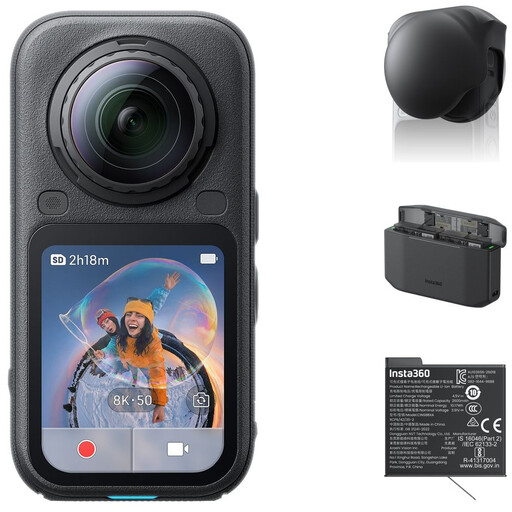
The bundle lists a standard bundle, Lens Cap, Xtreme Battery and Fast Charge Case.
 No image available
The pocket camera option suits anyone who wants to shoot moving footage; check that the fixed field of view captures both the arrangement and the details you want from your working distance.
The product name lists a 1″ CMOS sensor, 4K/240fps, 3-axis stabilisation, 2× lossless zoom, 107 GB of built-in storage and a 2″ rotating screen.
 No image available
This webcam is suited to recording via a computer at a fixed table; check that the mount and field of view work for your workspace.
The product name lists 4K UHD, 8 MP, autofocus, dual built-in microphones, a privacy shutter and the EU version.
 No image available
This PC webcam is an option for recording or streaming via a computer; check that the clip and picture work for your worktable.
The product name lists 2K QHD, a noise-cancelling microphone, a clip mount for desktop and laptop use, and the EU version.
First, work out the distance between the camera and the table, then test both the full arrangement and the smallest detail from that spot. With a mirrorless camera, check the specifications of the lens you’ve chosen. DJI lists a focusing range starting at 0.2 m for the Osmo Pocket 3, but that doesn’t guarantee the framing you want will work.
Yes: check the connection to your computer, point the webcam at the work surface and review a test recording. Logitech lists settings including white balance and exposure for the MX Brio, as well as a downward-facing Show Mode.
Check whether the lens, mount, storage and any microphone you need are included with the version you’ve chosen. When you buy from a business remotely as a consumer, you’re often entitled to a 14-day cooling-off period; the seller must provide information about the product and this period. Check the terms of your specific purchase.
This depends, among other things, on how the video is used and shared. The Dutch Data Protection Authority distinguishes between footage that remains private and wider publication or business use. If other people are recognisable and you publish the video more widely or use it for business, you need a lawful basis under the GDPR; according to the Dutch Data Protection Authority, this will often be consent. The stated exception applies to personal or household use only when it remains private.