What should you look for when buying?
When demonstrating a puzzle on a dark surface, lighting and focus from your chosen mounting position are important considerations. The percentages refer to consumers choosing a camera for this specific type of demonstration.
Mirrorless camera with interchangeable lens
A good fit if: you want to tailor a fixed overhead set-up to the size of your puzzle. The Canon EOS R50 V, Sony ZV-E10 II and Panasonic LUMIX G100D are examples of cameras with interchangeable lenses.
Consider: you’ll need to match the lens and mount to the available mounting height. Video or sensor specifications don’t prove that every piece will stay in focus at your chosen distance.
Pocket camera with built-in lens
A good fit if: you want to capture moving shots around the puzzle as well as a fixed recording. DJI lists a three-axis gimbal and a focusing range starting at 0.2 m for the Osmo Pocket 3.
Consider: the built-in lens can’t be changed, so check in advance that the whole puzzle fits in the frame from where you’ll be filming.
Webcam connected to a computer
A good fit if: you want to show the demonstration directly via a computer and your set-up allows for a downward camera angle.
Consider: check the framing and focus with your actual computer and mounting set-up. A desk mode doesn’t guarantee that the whole puzzle will be clear on screen.
| What to consider |
What to look for |
Who is this for? |
| Lighting the puzzle |
Check whether you can adjust the exposure, and test the camera with your surface and lighting. |
I want the puzzle to be clear while keeping the dark background. Around 36% of consumers put lighting and contrast first. |
| Focus and framing |
Measure the distance from the lens to the table, test the full frame and check the minimum focusing distance for the exact camera and lens combination. |
I want to keep details and hand movements clear from an overhead view. Around 29% of consumers prioritise working distance and detail clarity. |
| Recording time and audio |
For the exact model, check the audio connection, power supply, storage and recording requirements for your planned session. |
If I’m providing spoken instructions, I want to record picture and sound throughout the demonstration. This is the top priority for around 21% of consumers. |
| Live via a computer |
Check computer compatibility and mounting options. Try out the camera angle to see whether it captures the whole puzzle and the relevant details. |
I want to show the puzzle directly via a computer. Around 14% of consumers prioritise this kind of live computer set-up. |
Joybuy cameras for filming puzzles
These cameras are suited to compact, easy-to-handle puzzle recordings, with options for extra lighting, moving footage or a computer-based demonstration.
 No image available
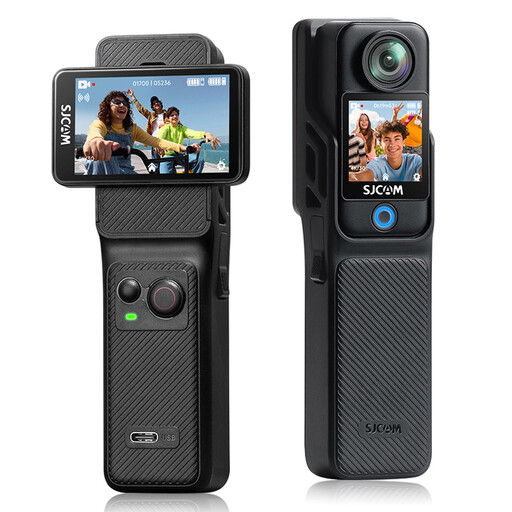
DJI Osmo Pocket 4 Standard Combo with Ulanzi VL81 video light
This combination may suit you if you’re considering a video light to use with a compact camera.
The product description lists a built-in gimbal and a Ulanzi VL81 video light with an adjustable colour temperature of 3200 K to 5500 K.
View at Joybuy
 No image available
SJCAM C400 4K action camera
This action camera could be an option if you want to capture a large part of the work area. Check the framing at your mounting height.
The product description lists video up to 4K/30 fps, a 154° wide-angle lens, 6-axis image stabilisation and a 64 GB memory card included in the bundle.
View at Joybuy
 No image available
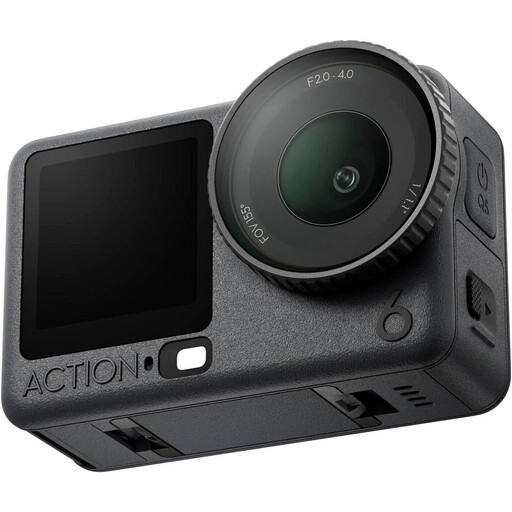
DJI Osmo Action 6 Adventure Combo
This action camera may suit you if you’re looking for an option with an adjustable aperture or support for microphone transmitters. Check the actual field of view and mounting position for your puzzle.
The product description lists a 1/1.1-inch sensor, video up to 8K, a variable aperture of f/2.0–f/4.0 and support for two microphone transmitters.
View at Joybuy
 No image available
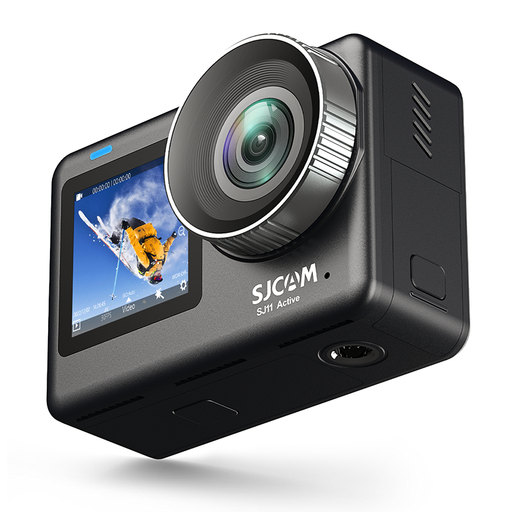
SJCAM SJ11 Active 4K action camera
The webcam function may work well for a computer-based demonstration. Check whether the mount and camera angle suit your puzzle.
The product description lists 4K video at 30 fps, a 154° wide-angle lens, 6-axis stabilisation, a webcam function, and adjustable exposure compensation and ISO.
View at Joybuy
 No image available
DJI Osmo Pocket 3 Creator Combo
This pocket camera may suit you if you want to capture moving footage as well as a fixed puzzle recording, and are considering a microphone bundle.
DJI lists a 1-inch CMOS sensor, 4K/120fps video and three-axis stabilisation. The product title mentions an included microphone; check the bundle contents for your version.
View at Joybuy
Frequently asked questions
Should you choose a camera based on low-light claims for a dark background?
Not on that basis alone. In a scene with lots of dark tones, automatic metering may produce a different result from the one you intended. First, check whether you can light the puzzle directly and adjust the exposure. A sensor or low-light claim isn’t a test of your complete set-up.
How can you prevent puzzle pieces from looking blurry when filming from above?
Set the working distance for your chosen mount and check both the minimum focusing distance and the full frame. If autofocus doesn’t work well in your lighting conditions, manual focus may be an option if your chosen camera supports it.
What should you prepare for a longer recording with spoken instructions?
Check the power supply and available storage on the exact camera, and make a test recording to check the audio. Consumentenbond includes audio quality in its camera tests for video creators. Canon recommends charging batteries and preparing memory cards before filming, among other things.
What warranty applies when you buy a camera in the Netherlands?
According to the Dutch Government, you’re entitled to a product that meets the terms of the contract; there is no fixed statutory warranty period in the Netherlands. If a product is faulty, the seller is responsible for resolving the issue. A manufacturer’s warranty is in addition to your statutory rights.
Do you have a cooling-off period when you buy a camera online from a business?
According to the Dutch Government, in many cases you have a 14-day cooling-off period when you buy at a distance. Check the information and terms provided by the specific seller. Under this guidance, buying online from a private individual doesn’t count as buying at a distance.


