Joybuy products for recording lessons
This Joybuy selection includes webcams for computer-based lessons and a mirrorless camera kit with a zoom lens.
 No image available
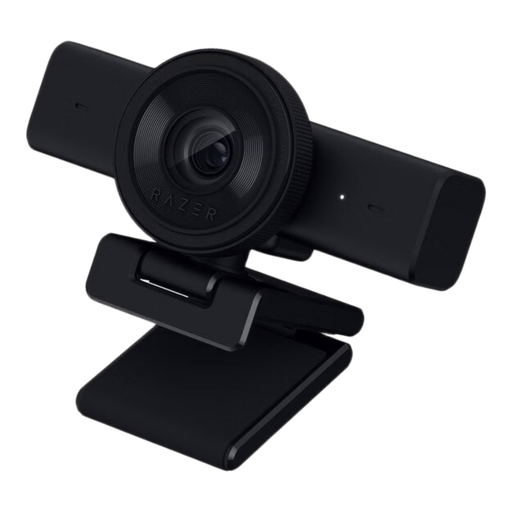
Razer Kiyo V2 X
A webcam option for a computer-based teaching setup; check for yourself whether the mount is suitable for an overhead shot.
According to the product description: 1440p at 30 fps or 1080p at 60 fps, autofocus, a built-in microphone and 1/4-inch tripod thread.
Joybuy
 No image available
AOC 4K PRO Webcam
A webcam option for computer-based recording; make a test recording to see how the work surface and dark materials appear on screen.
The product description lists a 75° field of view, autofocus, USB-A and USB-C connections, two microphones and an included desktop tripod.
Joybuy
 No image available
Insta360 Link 2 Standard Bundle
A webcam option for use with a PC or Mac; the product description lists DeskView as a mode for showing a tabletop. Test the framing to make sure it captures your whole collage.
The description lists 4K, a 1/2-inch sensor, HDR, PDAF autofocus and a built-in microphone.
Joybuy
 No image available
Sony ZV-E10 + 16–50 mm Zoom, black
A mirrorless camera kit for anyone who wants to adjust the framing with a zoom lens; check that the included lens suits the distance you want from the table.
The product description lists an APS-C sensor, video up to 4K 30 fps, an E PZ 16–50 mm lens and a setting for switching focus to an object. According to the description, an SD card and adapter/charger aren’t included.
Joybuy
Frequently asked questions
Is a dark background enough to film your collage clearly?
No. Test the lighting on your materials and hands as well. Adobe explains that natural light can change throughout the day, so make a test recording with the lighting you plan to use during the lesson.
Can you use a document camera without a computer?
It depends on the model and how you want to use it. ELMO lists computer-free presentations, HDMI output and SD recording for the MX-P3; IPEVO describes the V4K PRO as a USB camera for computer-based demonstrations. Before buying, check the connections and recording method for the exact version.
What’s best to test after buying?
Make a short test recording of the whole work surface, a small detail and your spoken explanation. Also check the mount, and make sure the connections and software work with the model you’ve chosen and your recording setup.
What if the camera breaks too soon during normal use or isn’t suitable when it arrives?
According to ACM ConsuWijzer, the seller is responsible if a consumer product doesn’t meet what you could reasonably expect; your statutory guarantee is separate from a limited manufacturer’s warranty. The Dutch government generally allows a 14-day cooling-off period for online purchases from a business, with some exceptions. Check the terms that apply to your purchase.
Can you record and publish identifiable students in a collage lesson?
For a school filming identifiable students and publishing the footage, the Dutch Data Protection Authority says consent is required. Students aged 16 or over give their own consent; for younger students, their parents must give consent. This applies to that school context, not to a recording that shows only your own work surface.


