
Artist with a fixed work desk
You mainly want to film paper and hand movements from above, recording via a computer. An adjustable document camera or a webcam pointed downwards may be suitable, as long as the frame covers your work surface.


If you mainly film at a fixed drawing desk using a computer, compare a document camera with a webcam that can be pointed downwards. If you also want to film other types of footage, consider a mirrorless camera with a suitable lens or a compact standalone camera. Before buying, check that the entire sheet of paper and your hand movements stay in focus from your camera’s mounting height. Also make a test recording to check the lighting and colours.
You mainly want to film paper and hand movements from above, recording via a computer. An adjustable document camera or a webcam pointed downwards may be suitable, as long as the frame covers your work surface.
You want to film other product footage as well as drawing demonstrations, and choose the lens, mount and recording setup to suit the different types of footage.
You want to move the camera around your work, rather than just film at a fixed drawing desk. A compact gimbal camera could suit the way you work, provided the recording distance and frame are right.
Best for: filming a fixed drawing via a computer, with an adjustable stand above the work surface.
Keep in mind: you’ll need a computer and recording software. IPEVO states that the V4K records at up to 15 frames per second at its highest listed resolution and up to 30 frames per second in Full HD.
Best for: recording via a computer and switching between filming yourself and sketches on your desk.
Keep in mind: Logitech describes Show Mode for the MX Brio, but whether a whole sheet fits in the frame depends on your distance and camera position.
Best for: filming a range of online shop content and choosing your field of view with an interchangeable lens.
Keep in mind: the camera body alone won’t determine whether your drawing fits in the frame from your chosen working distance. Check the lens, kit contents and mount too.
Best for: filming additional moving footage of your work or workspace.
Keep in mind: image stabilisation isn’t a substitute for a suitable mount for a static overhead shot. Check the focusing distance and frame too.
First, decide whether you want to record from a fixed position via a computer or use a standalone camera. Then compare the framing, focus and colour reproduction in your own setup.
| What to consider | What should you check? | Who should pay particular attention? |
|---|---|---|
| Entire work surface in frame | From the available mounting height, check the framing, focus and visibility of lines, including when your hand is moving. | I want to film the whole sheet clearly, without important steps disappearing from view. Around 36% of consumers give a complete, legible frame top priority. |
| Colour and lighting | Make a test recording in the lighting you use and check whether exposure and white balance can be adjusted. | I want the paper and drawing to look true to life under my work lights. Around 29% of consumers prioritise colour reproduction and lighting. |
| Recording workflow | Decide whether you want to record via a computer or directly with the camera. Check the connection and software, and test a recording of your intended length. | I want to record my tutorial with a setup that works with my computer and software. For around 21% of consumers, easy, uninterrupted recording is their main concern. |
| Use beyond the drawing desk | Consider whether you need an interchangeable lens or a compact camera with a fixed lens. Check the mount for overhead shots separately. | I want to use the camera for other footage too, not just a fixed drawing. Around 14% of consumers put versatility first. |
For the IPEVO V4K, the manufacturer lists up to 15 frames per second at the highest resolution, compared with up to 30 frames per second in Full HD.
Compare the recording mode you actually plan to use, and watch a test recording with moving hands.
The Show Mode shown for the Logitech MX Brio doesn’t confirm that a whole sheet will be in focus from your chosen distance.
Measure your work surface and available mounting height before choosing a webcam based on this feature.
With the Canon EOS R50, the available framing also depends on the lens you choose and your working distance.
Check exactly what’s included in the kit and make sure the lens suits the size of your drawing. You may need to buy a suitable lens and overhead mount separately.
The V4K document camera is designed for a fixed work surface and recording via a computer.
The MX Brio is a webcam for recording via a computer. Logitech describes Show Mode for capturing sketches on a desk.
The EOS R50 is a mirrorless camera for anyone who wants to film other online shop content too and tailor the lens to the desired framing.
The Osmo Pocket 3 may suit you if you want to film moving process footage as well as drawing.
These Joybuy products are particularly suited to creators who want to film moving process footage as well as drawing demonstrations. For a fixed overhead shot, check separately that the camera and mount are suitable for your work surface.
 No image available
An option to compare if you want to film moving process footage as well as drawing demonstrations.
Variant according to the product name: Standard Combo, black.
 No image available
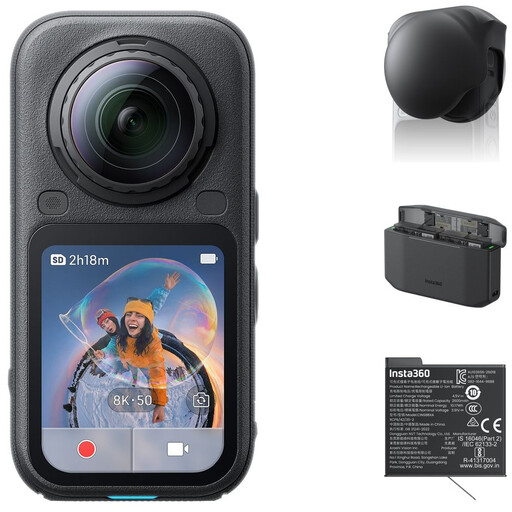
An option to consider if you want to film different types of process footage as well as standard product shots.
Bundle according to the product name: Standard Bundle, Lens Cap, Xtreme Battery and Fast Charge Case.
 No image available
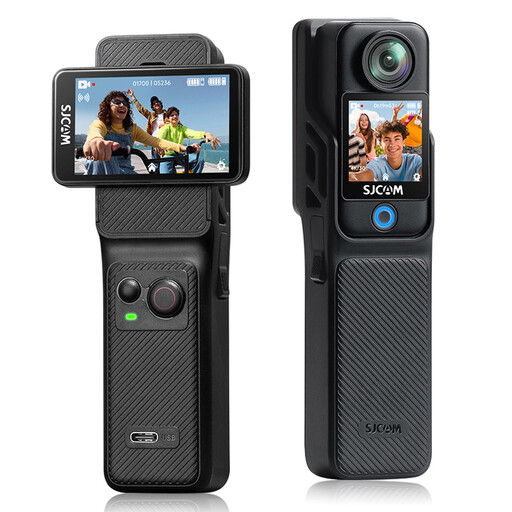
Worth considering if you’re comparing compact gimbal cameras for additional moving process footage.
The product name lists 4K/240fps, 3-axis stabilisation, 2× lossless zoom, 107 GB of built-in storage and a 2-inch rotating screen.
 No image available
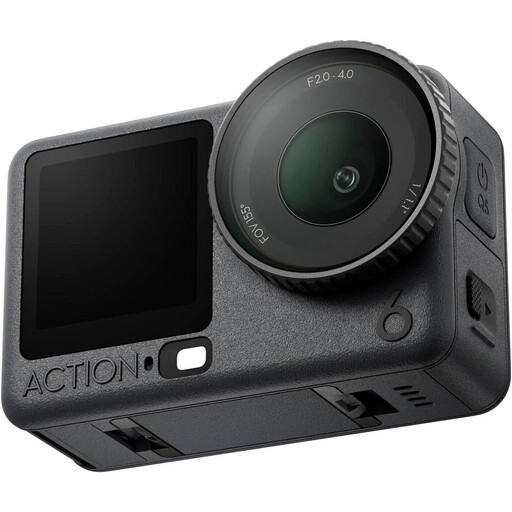
An action camera to compare if you want to film moving footage as well as fixed drawing demonstrations.
The product name lists a 154° wide-angle lens, 6-axis EIS and dual touchscreens. Check that the framing suits the footage you want to record.
 No image available
An option to compare if you’re looking for an action camera to capture additional footage alongside a fixed shot of your drawing.
Variant according to the product name: Adventure Combo.
No. If you want to record via a computer, software such as OBS can use a webcam or another supported video input. Check the connection and make a test recording of your intended length.
Make a test recording using the lighting you actually plan to use, and check the exposure and white balance. Logitech says the MX Brio has settings for these; Adobe explains that white balance affects the colours in a recording.
As well as the camera, check whether you need a lens, mount, storage or computer setup, and review what’s included in the exact offer. The Netherlands Authority for Consumers and Markets (ACM) distinguishes between purchases made mainly for business use and those made as a consumer. If your purchase is mainly for business use, don’t assume that consumer protections automatically apply.
No. According to the Dutch Data Protection Authority, a lawful basis is needed to create and publish identifiable images of employees. This is relevant when an employee is recognisable in the footage, but not when the recording shows only the drawing and no identifiable people.