
Artist filming from above
You want the whole sheet and the movement of your hand to stay in view from a stable camera angle. Consumentenbond and Logitech describe camera and webcam options for video and showing work on a desk.


First, choose a camera angle that keeps the whole sheet of paper and your drawing hand in view. Then check the focus, exposure and white balance on the paper itself. A webcam suits demonstrations through a computer, a mirrorless camera gives you a choice of lenses and video settings, and a compact gimbal camera is handy for moving shots but needs a suitable mount for a fixed overhead view. None of these options will keep changing window light constant automatically.
You want the whole sheet and the movement of your hand to stay in view from a stable camera angle. Consumentenbond and Logitech describe camera and webcam options for video and showing work on a desk.
You film by a window and want the paper and materials to remain clearly visible as the light changes. Nikon recommends reassessing the white balance when lighting conditions change.
You combine footage of your work with spoken instructions or longer recording sessions. So remember to consider audio clarity, power and how easy your setup is to operate.
A good fit if: you record or explain things live via a computer and want to show your desk quickly. Logitech describes a downward-facing Show Mode for the MX Brio.
Bear in mind: you’ll need a suitable computer, USB connection and software. Check that your mount keeps the whole sheet in frame.
A good fit if: you mainly want a fixed overhead setup and a choice of lenses or manual settings matters to you. Canon lists support for RF and RF-S lenses for the EOS R50 V; Sony describes the ZV-E10 II as an APS-C video camera.
Bear in mind: the camera won’t give you a complete filming setup by itself. Choose a lens, working distance, mount and any microphone to suit your desk.
A good fit if: you want to capture moving footage of your creative process as well as the drawing. DJI lists several focus modes and a minimum subject distance of 20 cm for the Osmo Pocket 3.
Bear in mind: a gimbal is no substitute for a suitable mount for a fixed overhead view over a long session.
| What to consider | What should you check? | Who is this important for? |
|---|---|---|
| Framing | Check that the paper size, working distance and mounting point work together to keep the whole sheet and your hand in frame. Logitech describes a desk mode for the MX Brio; Canon lists RF and RF-S lens support for the EOS R50 V. | If I want viewers to follow every line and hand movement, I prioritise a suitable overhead view; around 40% of consumers put framing first. |
| Window light and colour | Compare the exposure and white balance settings, and record a test clip when the light changes. Nikon recommends reassessing the white balance when lighting conditions change. | When I show paper and materials in changing daylight, I want to see whether they remain clear throughout the recording; around 30% of consumers prioritise control over light and colour. |
| Spoken instructions | Test how clear the sound is at the distance you’ll be recording from, and check whether the camera can connect to the external microphone you want to use. Consumentenbond lists an external microphone as one way to improve sound quality. | If I’m drawing and explaining at the same time, I want my voice to remain clear throughout the session; around 20% of consumers prioritise explanations and recording time. |
| Computer control | Check that the required connection and software work with your computer and recording programme. Logitech describes Show Mode for showing work on your desk. | When I want to record or explain things through my computer, I want to switch quickly between my own image and the work surface; around 10% of consumers prioritise simple computer control. |
Resolution alone won’t tell you whether the whole sheet of paper and your hand will be visible from your chosen camera angle.
Check the framing and working distance with the size of paper you use.
If the framing isn’t right, you may need a different lens or mount.
The amount and colour of the light can change while you’re drawing, so you may need to reassess the white balance.
Record a test clip of the paper and check the settings again as soon as you notice the window light changing.
Stabilisation and tracking features won’t automatically keep the camera above the desk throughout the drawing session.
Check the mount, distance and framing before choosing a compact camera for a fixed recording.
You may need a separate mount.
Webcams for demonstrations through a computer, including a model with a downward-facing Show Mode.
Mirrorless cameras, including the EOS R50 V, which Canon Netherlands says supports RF and RF-S lenses.
Sony describes the ZV-E10 II as an APS-C video camera with an interchangeable lens.
Compact gimbal cameras, including the Osmo Pocket 3 for recording from different positions.
This selection of Joybuy products includes compact cameras, a computer webcam and a camera for a fixed indoor setup. For each model, check that the mount and field of view suit your drawing table.
 No image available
A compact camera could be a good fit if you also want to capture moving footage of your creative process. Check separately whether you have a stable mount for a fixed overhead view.
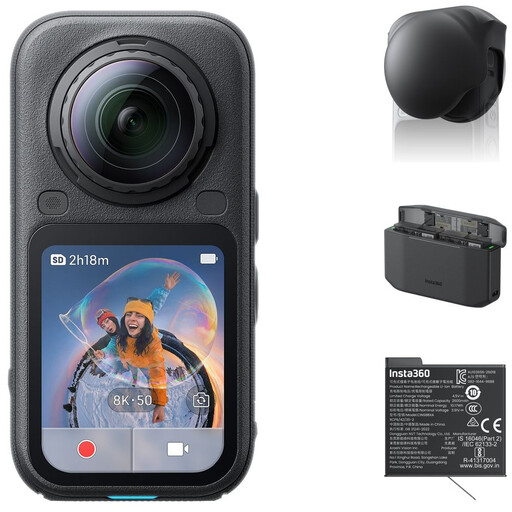 No image available
Before choosing this bundle for a drawing demonstration, check that the recording and final framing will show the whole sheet and your hand.
 No image available
Zoom and a rotating screen could be useful when deciding on your framing; check the view from the spot where you plan to mount the camera.
According to the product title: 1-inch CMOS sensor, 4K/240fps, 3-axis stabilisation, 2× lossless zoom, 107 GB of built-in storage and a 2-inch rotating screen.
 No image available
For a computer setup, check whether the available mounting position and field of view allow you to capture your work from directly above.
 No image available
A webcam could suit explanations or recordings through a computer; test whether the built-in microphones pick up your voice clearly from the distance you’ll actually be recording at.
According to the product title: 4K UHD video, autofocus, dual built-in microphones and a privacy shutter. The product description lists a USB-A connection for the EU version.
First, frame the whole sheet and your drawing hand. Then record a short clip and check whether lines, shadows and colours are clear on the paper. Reassess the white balance if the light changes.
Not necessarily: first, test how clear the sound is with your setup. Consumentenbond lists an external microphone as one way to improve sound quality; before buying, check that your chosen camera can connect to the microphone you want to use.
According to ACM ConsuWijzer, the retailer is responsible for the legal guarantee. If the product doesn’t meet what you could reasonably expect and the conditions for the legal guarantee are met, the retailer must offer an appropriate free solution. The manufacturer’s guarantee period alone does not determine this right.
Recognisable people are personal data, and privacy rules may apply, according to the Dutch Data Protection Authority. If in doubt, film only your own work and make sure bystanders can’t be recognised in the footage.